

Social Sharing Buttons
-
How can I change the sharing buttons at the end of my article content ?
The blog I need help with is: (visible only to logged in users)
-
Hello,
Have you tried reading this “Support” page that gives lots of details about the social sharing buttons?
https://en.support.wordpress.com/sharing/*ManFromMars*
-
-
Hey Kath,
I still need help. I understand where I’m supposed to go.
Go to My Sites, scroll down and under Configure I click “Sharing” then it opens up wordpress.com/sharing/<username>
Then you have “Connections” on one tab, which has the “Publicize Your Posts” section which lists all the social media sites you can have your blog automatically publish to.
And to the right of that tab you have “Sharing Buttons.” which takes you to /sharing/buttons/<username>
But when I click on Sharing Buttons and the page loads, it’s empty. There is NOTHING to select on that page. And even when I post something to the blog and check the boxes for “Sharing Buttons and Likes” neither option appears in the footing of my blog post.I’d appreciate all your help.
-
gamerscrawl – I see these sharing/reblog/like buttons on your single posts at the moment:
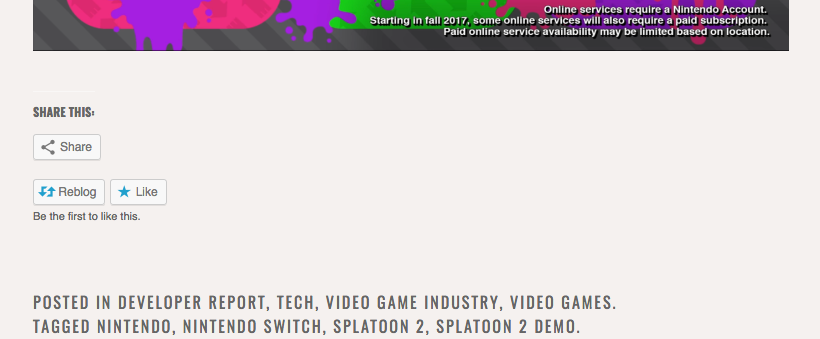
Were you able to get this sorted?
-
@kathrynwp I appreciate your expedient response. It didn’t show up on my Chrome browser, but after looking at the picture you attached, I tried it on Microsoft Edge, and it worked. After looking into it further, it was an extension I was running that blocked them. Thank you for your help.
-
Glad you figured it out! I’ll mark this thread as resolved but feel free to start a new one if you need help with anything else.


- The topic ‘Social Sharing Buttons’ is closed to new replies.
 WordPress.com Forums