

static homepage
-
I want to set up a new static homepage and rename my blog posts menu Archives
The blog I need help with is: (visible only to logged in users)
-
Hi there!
You can do this by creating and publishing a new Page (your Homepage). Once that is done, publish a blank page titled Archives. Then go to Settings > Reading in your Dashboard and at the top it will say “Front Page displays:” as seen here:
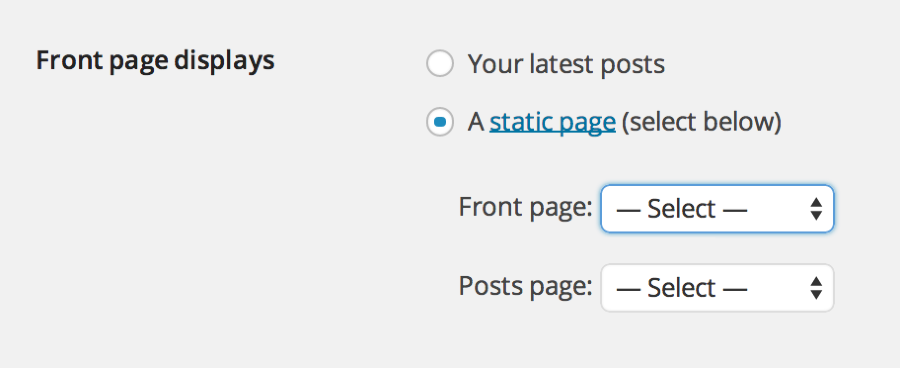
In the dropdown, set your Home page as the Front page and Archives as your Posts page.
Remember to click Save Changes at the bottom!
Let me know if you have any questions with this!


- The topic ‘static homepage’ is closed to new replies.


 WordPress.com Forums