

Stay Theme Small-Caps
-
I’m trying to change one of my headers (h5) to small-caps for the stay theme. I’ve included this in the CSS custom code. All the other elements are changing, but the small caps does not. I’ve tried switching the font – but that did not help either.
h5 {
padding-left: 10%;
padding-right: 10%;
width: 80%;
word-break: break-all;
font-variant: small-caps;
font-size: 35pt;
color: #00334d;
}The blog I need help with is: (visible only to logged in users)
-
Hi there,
I was able to use a part of your code to successfully turn h5 text on a test site to small caps as shown here:
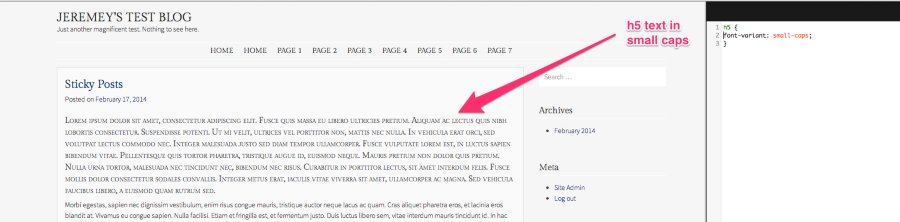
I used this bit of CSS:
h5 {
font-variant: small-caps;
}I wasn’t able to find a specific paragraph of h5 font on your site. If you’re still having trouble could you point me to the correct spot with the font so I can take another look?
-
Thanks for the reply Jeremy.
The page I am using it on is Internal Forms. I’m trying to get the text “Internal Forms” to be larger and in small caps.
Text view: <h5>Internal Forms</h5>
-
Hi there,
This should do the trick:
div#colophon h5 {
font-variant: small-caps;
}Let me know if that works for you!
-
-


- The topic ‘Stay Theme Small-Caps’ is closed to new replies.
 WordPress.com Forums