

Stop WordPress Reader From Enlarging Images
-
My blog is about my photography and my theme displays images 500 pixels wide which makes the horizontals kind of small but verticals kind of big. My problem is that wordpress reader enlarges the 500 pixel wide images and then they look blurry. Followers who only look at the blog thru the reader are going to think my images aren’t sharp and they are when you see them on my blog. I tried making the images bigger (700 px wide) so when people click on the image in the blog they see a larger size but the wordpress reader still made them look out of focus. Is there a way that I can make it so the images are not enlarged in wordpress reader?
The blog I need help with is: (visible only to logged in users)
-
I’ll tag this thread for Staff assistance because I do not know how to help you. Another Volunteer may answer prior to Staff but I tagged the thread so it will not fall through the cracks and escape attention. Please subscribe to the thread so you are notified when they respond and please be patient while waiting.
-
-
You’re welcome. Below is what I understand about how the Reader treats images. I hope it will be helpful to some degree though it won’t resolve your issue.
Currently, when a post with the Standard, Aside, Link, Quote, or Status post format contains a video or audio embed or slideshow, that embed is pulled out and used in the Reader. Otherwise, it uses an image from the post.
If the post has the Gallery or Image post format, a video or audio embed in that post would not be used in the Reader – one or more images would be used instead.
The way our RSS feeds work is that it pulls and displays the first image it finds inside the post content. When the Reader looks for an image, it goes for the featured image first and then an image inserted into the post — if there are no images that meet the size criteria mentioned above, it will display the image as a thumbnail instead of a large image.
-
It will probably be easier to show you what is happening. The image is 500px wide. Looks great on my blog, looks blurry in WordPress Reader.
Once clicked on in the WordPress Reader (blurry):
https://wordpress.com/read/post/id/6031367/3621/Blog (sharp):
http://denisebushphoto.wordpress.com/ -
-
Hi @denisebushphoto,
Yes, thank you for providing those links. From my side, the images look pretty similar:
Blog: https://cloudup.com/cnqyrai2-wh
Reader: https://cloudup.com/cG57S-GAZKU
Even when I view the post within the main reader alongside your others, your image is not blown up:
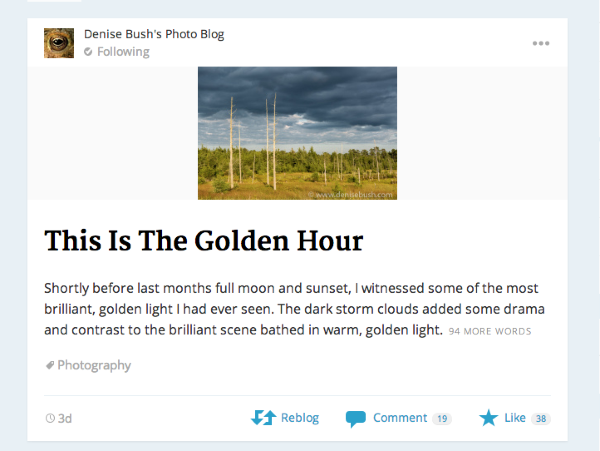
Can you let me know if I’m misunderstanding your request?
-
I know that the first image in the reader is small… that’s good. I am talking about once you click on it in the reader. Maybe it isn’t ‘enlarged’ but to me, the image (in my first link above) looks very blurry compared to how it looks on my blog (second link).
Can I change a setting so that readers have to click on my blog link in that second window to see the whole thing? Maybe that is a solution for me.
-
Hi!
Can I change a setting so that readers have to click on my blog link in that second window to see the whole thing?
Yep! You can definitely do that. Just change the setting from “Full Text” to “Summary” here:
https://denisebushphoto.wordpress.com/wp-admin/options-reading.php
That way, readers will have to visit your blog for the entire post. Let’s give that a try!
-
OK — Thanks for your help. I’ll have to wait until my next post to make sure it works properly, which may be a while. I am all caught up and headed to Iceland next week until month! Hopefully I’ll have all kinds of stuff to post when I come back.
-
-


- The topic ‘Stop WordPress Reader From Enlarging Images’ is closed to new replies.
 WordPress.com Forums