

subscribe
-
I put a text /notification in The Newsletter subscription field – I can see it when I am in the working modus, I can see it on my own PS, but it is not being displayed on my Mac in the office – why? As the text encourages people to subscribe, it is quite important.
The blog I need help with is: (visible only to logged in users)
-
Hi there,
I am unable to reproduce the issue. Currently, I am using a Mac and I am able to see it as seen here:
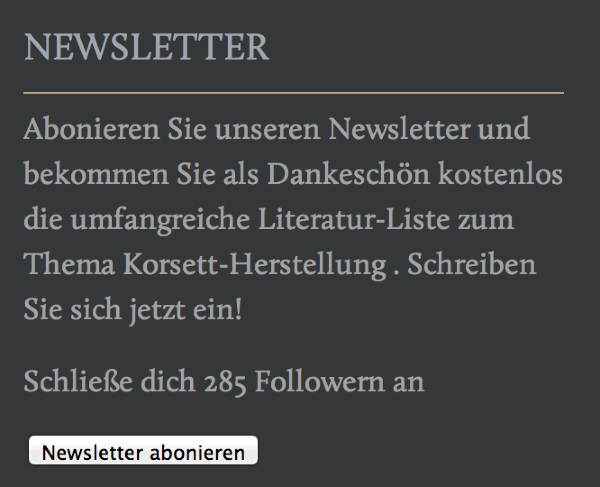
When you are in your office can you please try clearing out your cache and cookies using the guide below?
If that doesn’t work can you take a screenshot of the issue and upload it to your Media > Library page?
Thank you!
-
I have done the cache clearing but it didn’t change anything. I also tried two other macs and on both the massage for the subscriber doesn’t appear – I only see what you see on the screen shot in the media library
http://ecoleducorsetentrenous.wordpress.com/wp-admin/post.php?post=494&action=edit -
Hi there,
Please note that the message you entered is for logged in WordPress.com users only. If you are signed into your account you will see the message:
http://ecoleducorset-entrenous.com/
If you are not signed into a WordPress.com account you will see this:
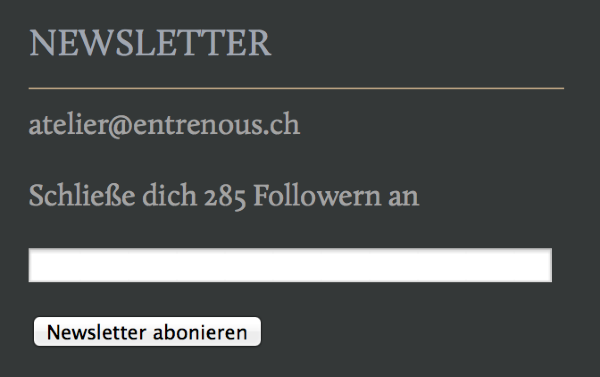
You can change this by going to Dashboard > Widgets and going to your Follow Blog: Newsletter widget. Please update this section:
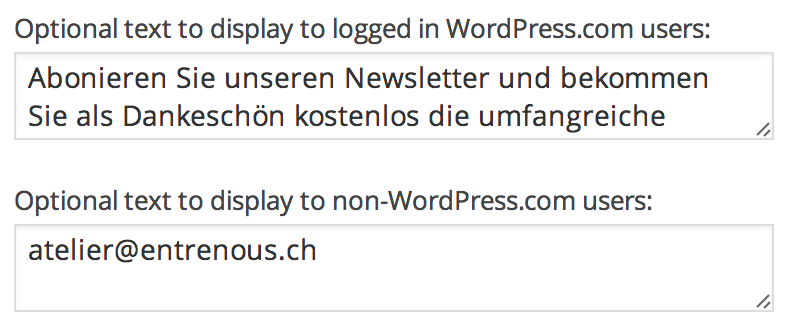
The first section is a message for logged in users. The bottom section is for logged out users. If you want the logged in message to be the same as the logged out, just copy/paste the top field into the bottom.
Cheers!


- The topic ‘subscribe’ is closed to new replies.
 WordPress.com Forums