

Text alignment under pictures not matching.
-
Could staff check the caption in this post when they’re logged in and logged out of site?
https://gbfaq.wordpress.com/2019/06/14/caption-test/
I can reproduce the inconsistency with the captions, I’m trying to narrow down the cause.
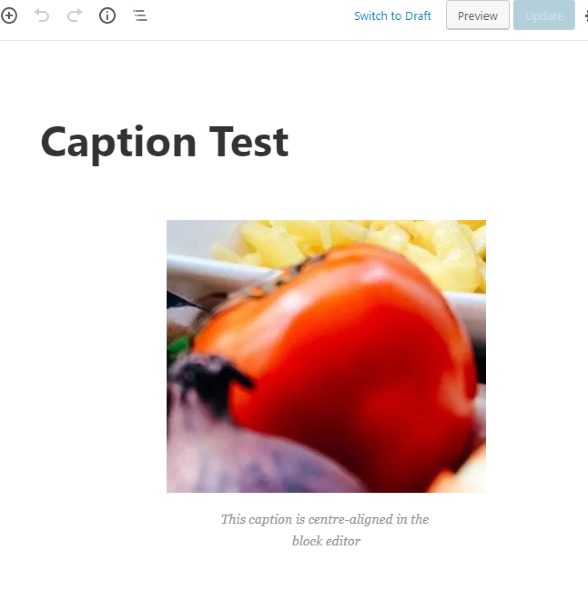
The caption is centered in the block editor:
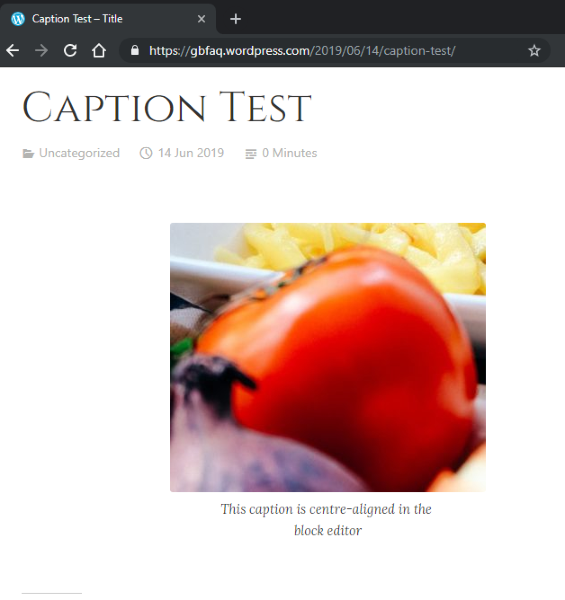
When logged in it’s left-aligned (incorrectly) on the front end.
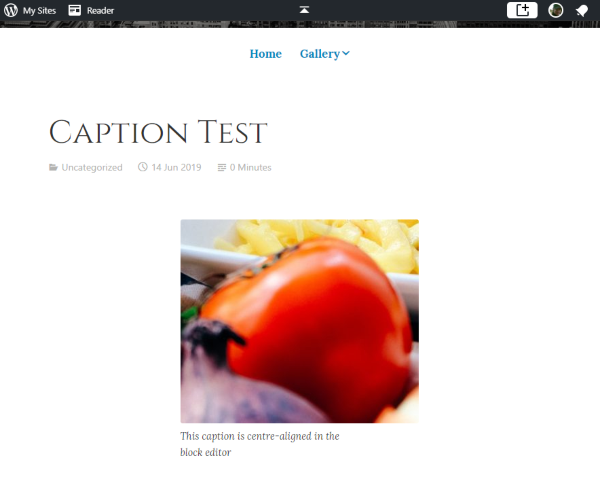
When logged out it’s centered (correctly) on the front end:
-
Interesting! I tried opening that particular blog on Chrome instead of Edge and, as you say, it does all appear to be correctly aligned
@grammaticirony – can you check if captions appear correctly for you when you’re logged out of the site? -
I can confirm what you’re seeing @garysixtyeight – logged in the captions on your test post are left-aligned for me in both Chrome and Firefox, and logged out they’re centered in both browsers.
All the posts on @grammaticirony’s site, including the new scheduled post, shows the captions centered for me logged in, though.
I suspect it might be related to the alignment settings for the image block itself, as well as the theme, as I get different results in different themes. @garysixtyeight, after adding that image in your test post, did you change the alignment at all for the image itself, in the image block settings?
-
@garysixtyeight, can you please set your test site to another theme for me, like Libre, Apostrophe or Radcliffe? Anything besides one of the “twenty” themes, or the WordPress.com Business themes built on Twenty Nineteen.
Do you see the same thing?
-
after adding that image in your test post, did you change the alignment at all for the image itself, in the image block settings?
Yes, I changed the image alignment to see if it’d make things consistent with the front end caption (it didn’t), but that was after I replicated the problem.
With Independent 2, the caption in the block editor is centered by default, left-aligned on the front end when logged in, and centered on the front end when logged out.
The same thing happens with Radcliffe.
Captions are always consistent when using Apostrophe. By default, the caption is left-aligned in the block editor. It always displays left-aligned on the front end too.
Captions are always consistent with Libre 2. It’s the same as Apostrophe – everything is always left-aligned.
All the posts on @grammaticirony‘s site, including the new scheduled post, shows the captions centered for me logged in, though.
@gemmacevans said she could replicate the issue @grammaticirony is experiencing. If you check Gemma’s test site, are captions always centered for you too? -
@gemmacevans said she could replicate the issue @grammaticirony is experiencing. If you check Gemma’s test site, are captions always centered for you too?
I can also replicate what @grammaticirony is describing on my own test site. What I said here was that I’m not seeing it on their site.
@grammaticirony, can you please take a screen shot of where you see the caption misaligned on your site and upload it to the library at My Site ->Site ->Media?And do you also see a difference logged in vs logged out as described above?
-
What I said here was that I’m not seeing it on their site.
What I wanted to clarify is whether you can see it on Gemma´s test site – ie are you:
a) unable to see it on Gemma´s site in the same why you´re unable to see it on grammaticirony’s
or
b) you´re able to see it on Gemma´s in the same way you can see it on mine.
There´s a specific reason I´m asking this, it´s related to the conditional logic for compiling the stylesheets.
-
I don’t know what site Gemma used to test this, as she did not mention that in this thread, and she’ll only be back online on Monday :)
-
Having looked on a different computer, the posts all look fine when I’m not logged in, if that’s any use.
-
@grammaticirony yeah, on your site they’re looking fine logged in or logged out for me. Even if I log view the post from wordpress.com/posts it looks correct. Do you see center alignment there?
@garysixtyeight I was able to see your captions left-aligning while logged in, and center aligning while logged out. I’ll try some more tests with those themes, but to confirm, does that only happen when you insert an image with a block editor? -
@Supernova- yes, only with the block editor. Everything is consistent when using the classic editor.
-
-
Supernovia, I do not. I have also started seeing justified text on other people’s blogs!
-
Since I last posted, it has now started justifying even when I am logged out. I will check on someone else’s PC when I can.


- The topic ‘Text alignment under pictures not matching.’ is closed to new replies.
 WordPress.com Forums