

The Sharing Button "Pin it"
-
The sharing button “Pin it” always shows 67 as a traffic statistic. This occurs the moment I publish a new post.
Seems strange, do you have any idea what it may be?
The blog I need help with is: (visible only to logged in users)
-
Hi volubrjotr,
That does seem strange. I actually don’t see any number next the pin it button either on your home page or the post page:
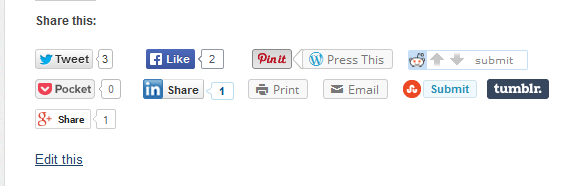
Could the 67 be related to something on the Pinterest side? The number of people you have following your boards, perhaps?
Could you send a screenshot of the 67 you see? Just upload it to your media library and I’ll take a look. :)
Best,
-Alex G.
Happiness Engineer | WordPress.com
-
Hi Alex,
It takes some time for the page to fully load I have noticed also lately.
But when it does the 67 comes up on “Pin it” button. I just uploaded the screen shot of it to my media library for you.
This also just started happening on all my other posts as well.
Sincerely;
Rasica -
Hi Rasica,
I’m looking into this and I’ve just not been able to replicate it on a test site. Would you mind going to your Sharing settings, remove the button, save, check the site to make sure the button is gone, then adding the button again?
The reality here is that button carries with it some code from WordPress, and some from Pinterest, so resetting the connection often helps.
Please let me know if that doesn’t work (or if it does) and I’ll get a developer more familiar with the Pin It button’s code to investigate further.
Thank you for your patience!
Best,
-Alex G.
-
I went ahead and removed the button, saved, then re added Pin it.
It still is there but now it reads 68 on all posts.
Sincerely;
Charles R
-
Hi Charles!
Okay, I think I know what’s happening. I pinned your post yesterday and didn’t see it move from 67, so I was concerned. Since we’re now seeing it’s moved to 68, I believe it’s reflecting my pin.
What that means is that it’s not defining the traffic per post — it’s stating the total number of pins that point to your domain.
This is looks to be just how the Pin It button collects data from Pinterest, since we don’t store that value anywhere. This also explains why it displays such a large number from the get-go.
Best,
-Alex G.
-


- The topic ‘The Sharing Button "Pin it"’ is closed to new replies.
 WordPress.com Forums