

To copy a post – is no longer an option. Why?
-
I can no longer copy posts! The URL jumps to “make a new post” even when I chose “copy old post”. It has been this way since the last changes/improvements you made in the blog post area.
The blog I need help with is: (visible only to logged in users)
-
Hi there!
Just to check, do you have Writing Helper turned on in your Screen Options? It’s at the very top when you edit a post as seen here:
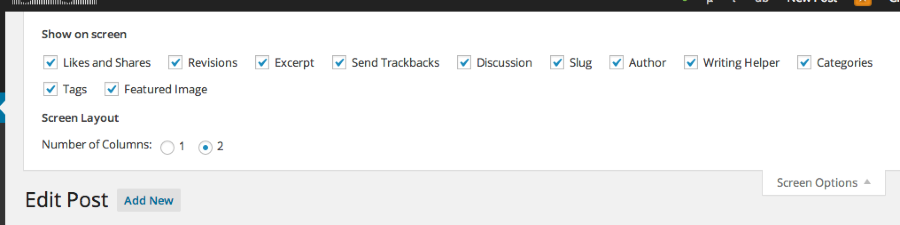
Please note that if it’s turned off, you only get a New Post screen.
Let me know if this is not the case for you!
-
It is turned on. I just checked to make sure.
I have used the option copy a post all the time. It is just recent that it is no longer working…
-
I just tried it on my blog and it is working. Can you tell me which post you are trying to copy? Also, with your permission, I will try creating a Draft post using Copy a Post (I will not publish anything) just to see if I can reproduce the issue on your blog.
Thank you!
-
I never get to the option “which post”! When I am in my admin panel and choses Posts/Copy Post it jumps to “Make a new post” – it is linked wrong. It jumps to this URL: https://bautawitch.wordpress.com/wp-admin/post-new.php?cap#cap
Of course, you may create a post in my blog! Anything to fix this! :)
Thanx!
-
Hi there!
So, I was able to copy a post in your Dashboard as seen here:
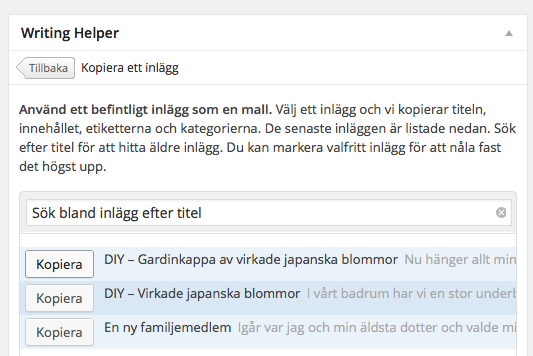
I saved that post as a Draft in your Posts > All Posts page. Take a look and you can delete the post if you wish. Since it’s working, I think the issue may be independent to your browser or computer.
Can you try clearing out your cache and cookies using the guide below?
Also, please make sure that your browser is updated to the most recent version:
Finally, can you try if it works on another browser like Chrome or Firefox?
Let me know how this works out.


- The topic ‘To copy a post – is no longer an option. Why?’ is closed to new replies.
 WordPress.com Forums