

To Create a Table of Contents in WordPress.com without a plugin
-
Hi Sophia,
To reiterate what RootJosh mentioned, we currently do not have a plan that offers advanced PayPal features. All of our plans (even the free one) allow the use of the PayPal buttons through the guide we provided to you previously.
-
Hi Bdukes, sorry to butt in here but am trying to grab your attention and not having much luck :(.
I’ve not been able to reply to your post because of being away and illness but still need your help and have asked on the furum..with no luck so far :(
Can you please check and get back to me? Appreciate it greatly
-
sharonhavey2
What post are you talking and what help you need?
Please be more specific so that I can understand you.Sophia Lim
-
Visionp
This one:
https://sharonharveywriter.wordpress.com/2015/06/06/terence-donovan-as-doug-willis-in-neighbours/
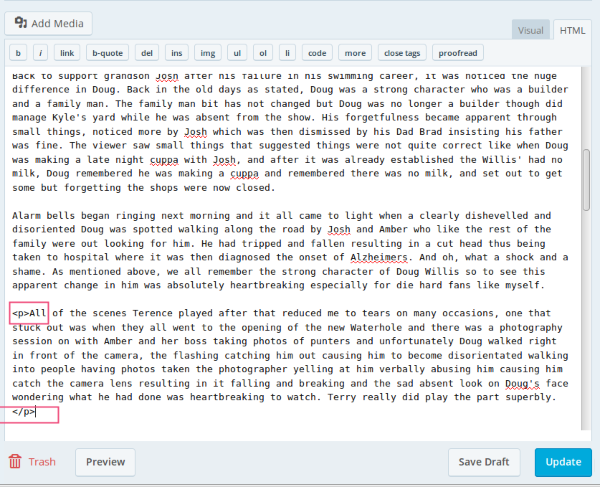
And then please see Bdukes post above regards the paragraph problem where I am stuck.
This is it what I refer too…hope it comes up ok..if not, like i say see Bdukes post
-
Hi Sharon
I cannot click your link. Please ask the Staff as I am only a novice member learning how to use WordPress.com
I cannot even do my own website.
Sophia Lim
-
Hi Sophia…I apologise, if it’s the cloud one it’s not mine to start with, just shows the result to my ongoing problem.
I was actually trying to get BDukes attention…which has now been sorted on my original post, and hopefully she will see it there :-)
Aw bless…how long have you been using WP…same with me, only a member and still learning!!
-
Hi bdukes
Can you rectify your guide by adding my id: The Asian Chinese Cookbook LPGJVJGDQCZH2
HTML Code
<img src=”https://www.paypalobjects.com/en_US/i/btn/btn_buynowCC_LG.gif” alt=”Buy Now Button with Credit Cards” />1. I copy and paste my PayPal Email Code and HTML Code to my WordPress Free Plan right Sidebar Widget but it do now show the BUY NOW logo. Even I Customised also cannot show.
Please give me the right method. When I click The Asian Chinese Cookbook I want to see the Invoice page and PayPal Credit Card page2. I click on The Asian Cookbook on the right Sidebar it shows the Recipes Table of Contents. I think it was previously linked that way.
Otherwise can I paste my PayPal HTML and Email Codes from menu Cookbooks page ?Thank you for your attention and reply.
-
Hi bdukes
Now I managed to get the PayPal BUY NOW button but cannot link.1. I copy paste the Email and HTML Code in Text >Published Edit>Update Get link http://specialasianfood.wordpress.com/paypal/The Asian Chinese Cookbook
I was able to see PayPal BUY NOW buttonQ1. How do I Insert/Edit link – I click this sign
Then I see Enter the destination URL I type as below
https://specialasianfood.wordpress.com/paypal
then what do I do, I see
square Open a link in a new window/tab
or link to existing content, a list below on my pages titles …Add link
I highlight and click The Asian Cookbook page and Add Link but cannot see the PayPal Credit Card page and Invoice pageQ2. Or should I link from the menu Cookbooks (see page) Click Text BUY NOW [/caption] maybe I have to paste my PayPal Email and HTML Code here (for example The Asian Chinese Cookbook) Check me whether right or wrong.
Q3. View Menu Page of Asian Chinese Cookbook I want to link to Recipes Table of Contents. Show me how to link.
Q4. Tell me how to use links and WordPress Blogrolls
Thank you for your attention and reply.
Sophia Lim


- The topic ‘To Create a Table of Contents in WordPress.com without a plugin’ is closed to new replies.
 WordPress.com Forums