

toggle the icon for adding text
-
Hi
I am posting a blog and I copy it from a word document. I usually can pick a icon that has a “w” on it to copy the text to. This time I am only getting an icon with a “t” to copy the text to and it tells me it will be in plain text unless I toggle it off. I can’t figure out how to toggle it off. Can you help? thanks LindaThe blog I need help with is: (visible only to logged in users)
-
Hi there!
The Paste as Text or ‘T’ button is the new way to paste a selection of text from rich text editors like Microsoft Word.
You can toggle the plain text icon off by clicking on it again. Here’s what the button will look like when the plain text editor is off:
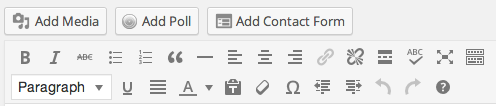
And here’s what it will look like when it’s on:
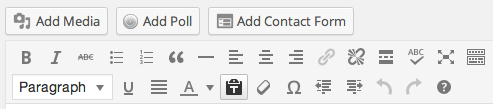
Let me know if I can answer any other questions for you!
-
-
-
Hi Shanwna,
Pretty name by the way.I got it to work last night. I turn the “toggle” button which makes the menu only one line and that allowed me to do what I needed to do. When I tried toggling the “T” button it did not seem to shut off and then it would not allow me to paste anything.
It’s working so it’s all good. Thanks! Have a great weekend! Linda
-


- The topic ‘toggle the icon for adding text’ is closed to new replies.


 WordPress.com Forums