Trying to Hide TAGs from post but failed
-
Reading past comments in forum, I have tried to add css code but I have failed. esp as I do not know how to edit CSS as I am ignorant.
But added code at the very end
.tag-links {
display: non;
}e.g. I have added this in the last line below
/*
Welcome to Custom CSS!CSS (Cascading Style Sheets) is a kind of code that tells the browser how
to render a web page. You may delete these comments and get started with
your customizations.By default, your stylesheet will be loaded after the theme stylesheets,
which means that your rules can take precedence and override the theme CSS
rules. Just write here what you want to change, you don’t need to copy all
your theme’s stylesheet content.If you need any further help, ask in the CSS Customization forum.
*/
.tag-links {
display: non;
}Request to help
The blog I need help with is: (visible only to logged in users)
-
Hi there, and congratulations, you are ever so close, but non should be none like this:
.tag-links {
    display: none;
}
And you are not ignorant, you simply are just starting out with CSS and customization. We were all where you are when we all started out, so don’t be hard on yourself. All it takes is a little work and playing around with things and you will get it. If you get stuck, just post here in the CSS forum and we would be more than happy to help you out.
-
Thanks for this. However I tried this replacing code. But could not succeed.
Is there a problem in the way I have placed this code. e.g.
existing CSS line ends as
(line no 14) If you need any further help, ask in the CSS Customization forum.
(line no 15)*/and then I have inserted code immediately on the next line
(line no 16) .tag-links {
(line no17) display: none;
(line no 18)}Also in view of some responses to earlier suggestions to similar question, I have deleted the cache history.
But Tags still appears below my main post.
Is there any problem in the way I have placed this code?
Am I making some error (syntax or any other error)?
-
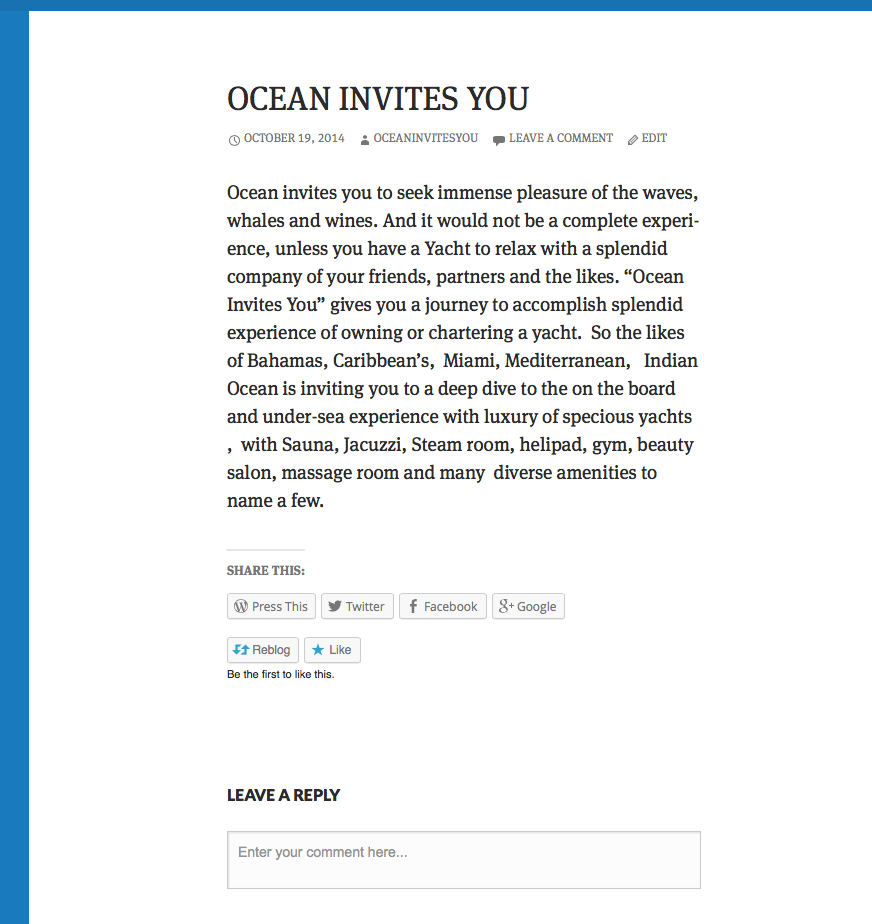
The only “post” on your site is Ocean Invites You and on that post, the tags are gone as you can see in this screenshot.
Can you explain what you mean by “tags”? On your main page, I see sharing and like buttons below the content. Is that what you are talking about?
-
Really greatful for helping and guiding me.
Yes I am talking of Tags and not sharing and likes.
e.g.
bareboat Boat Boatbooking Caribbean Catamaran Charter sailing Cruise Indian Ocean Luxury luxury travel advisor Mediterranean Ocean Ocean Travel Sea Yacht Yacht CharterActually I can see those at the bottom-left corner of the primary sidebar are (not within the page), but applicable to entire post or the website.
Wish I could speak to you.
-
Ah, now I see. That is the tag cloud widget you have in your footer widget area. To get rid of that, go to Appearance > Widgets, open the footer sidebar area, click on the right end of the tag cloud widget title bar and then click “Remove” and that widget will be gone from the footer.
-
Thanks, I really appreciate. This has helped. One final question – I am assuming that tag functionality would automatically work and hiding the “tag cloud” does not mean any disabling tags. (I just want to make sure that any of my adventures do not reduce the effectiveness of the technology advantages).
-
No, removing the tag cloud widget does not in anyway affect the ability to tag posts. The tag cloud widget just displays the 45 most used tags on your site and allows users to click on a tag name to get a listing of the posts you have tagged with that specific tag.
-
-


- The topic ‘Trying to Hide TAGs from post but failed’ is closed to new replies.
 WordPress.com Forums