

turn customizer off
-
Clicked on wrong tab. I don’t want to use the customizer, I want to just work with the themed template as it was in the demo. How do I undo the customizer status?
The blog I need help with is: (visible only to logged in users)
-
Hi there,
I’m not quite sure what you mean. The Customizer is just a part of your blog where you can change the colors, font and CSS (if you purchased the Custom Design upgrade) and add a site title/header etc. There wouldn’t be a way to turn that off. But, you can just exit out of it by clicking on the X at the bottom like this:
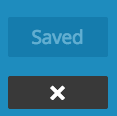
Let me know if you have any questions with this!
-
Nope did not purchase the Custom Design upgrade. I thought that the theme demo reflected the way the template starts out. It currently says customize and looks like I have to go pick everything out. Isn’t there just a template I can plug into at least to begin with?
-
I understand you did not purchase the Custom Design upgrade. The tabs will be there even if you didn’t purchase it in the Customizer.
It currently says customize and looks like I have to go pick everything out. Isn’t there just a template I can plug into at least to begin with?
I’m almost positive that every theme will need some kind of customization to look like the Demo. However, note that every theme has a support guide that will walk you through the process. I see that you are using Sela at the moment. Take a look at this guide for more information:


- The topic ‘turn customizer off’ is closed to new replies.


 WordPress.com Forums