twentyseventeen theme comment avatar
-
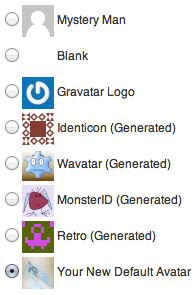
It doesn’t give me an option to change the comment avatar when I go to settings > discussion. I’ve been reading articles and I don’t see this option. Is it because I am using free wordpress.com and don’t have access to premium features something?
https://codex.wordpress.org/images/7/7f/new_default_avatar_list.png
-
Hey,
Every WordPress.com account has a Gravatar account associated that you can use to set an avatar. Basically, all you have to do is upload an avatar image to your Gravatar account and that will be displayed on the comments area. You can find some more details about this right here https://en.support.wordpress.com/gravatars/.
Regarding your question about all these options, you can easily find them if you go to My Sites → WP Admin (the last option from the left sidebar) → Settings (left sidebar) → Discussion. Can you check this out and tell me if this is the part you were looking for, please?
Thanks,
Radu -
Closing as a duplicate thread.
@raduconstantin1 just a kind reminder to please check the member’s profile page to see if a thread is a duplicate and already answered or whether the Duplicate tag has been added to the Tags section in this thread’s sidebar. Thanks for your help. https://en.support.wordpress.com/wordpress-com-volunteers/


- The topic ‘twentyseventeen theme comment avatar’ is closed to new replies.
 WordPress.com Forums