

twitter timeline widget
-
I just upgraded to a new theme and the twitter timeline embed is not working for me — I’ve tried on different browsers etc. Every time I hit save in the widget config area the id box goes blank — my old twitter feed is there but it’s not displaying 100% and WP says it won’t be supported soon. Any ideas?
The blog I need help with is: (visible only to logged in users)
-
Hi there!
I don’t see a Twitter Timeline widget in your widgets currently. Can you add one and try to set it up again so that I can see what’s going wrong?
It looks like your Twitter embed is working properly here:
http://1st10pages.com/2014/05/19/1042/
Let me know how I can help!
-
Hi Shawna –
Thanks for the speedy reply – I put the widget back and saved it, also went through the steps in the post instruction — when I his save the numbers that are supposed to be in the ID space blank out.Thanks
-
Great! Thanks for doing that!
I do see that the Widget ID is blank. This can be a little complicated, since you only need part of the URL of the widget. I just grabbed the timeline ID from the post I had linked to previously, and it seemed to save correctly.
Can you check if that’s the correct ID for your widget? If not, can you send me a screenshot of your Twitter widget creator page, like this one:
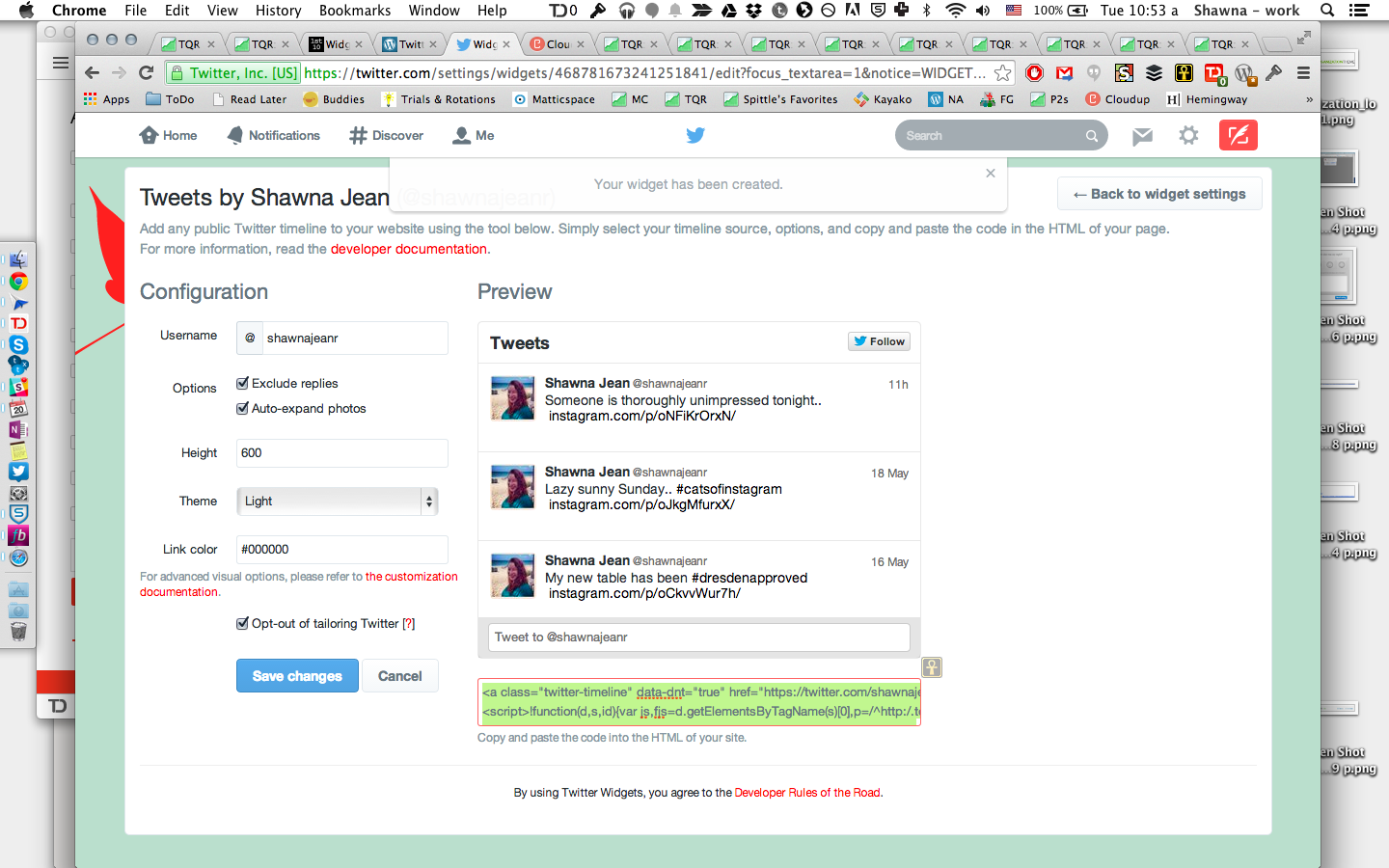
You can just upload it to your media library and I’ll be able to access it there!
-
Hi Shawna –
It looks like it’s behaving — the post with the twitter stuff is there as well.
Do I keep that post there on the home page? I had marked it as private so it’s not showing up on the blog page. Is that what the issue is that it needs to be visible?
Thanks again.
-
Hi Shawna –
It looks like it’s behaving — the post with the twitter stuff is there as well.
Do I keep that post there on the home page? I had marked it as private so it’s not showing up on the blog page. Is that what the issue is that it needs to be visible?
Thanks again.
-
Since that post is private, only you (and staff) can see it. You don’t need that post in order for your widget to work though, so you can go ahead and delete it.
Does that make sense?
-
-


- The topic ‘twitter timeline widget’ is closed to new replies.


 WordPress.com Forums