

Unable to change site url
-
I want to change my website’s name and URL but after making the change the page has not opened. I keep receiving the message ‘the site took too long to respond’. Can you please tell me what to do?
-
-
-
-
Hi,
It looks like your site is using the open-source WordPress software (from WordPress.org) but is hosted with another webhost.
We’re only able to provide support for WordPress websites that are hosted by us here at WordPress.com. For help with a WordPress site hosted elsewhere you’ll need to ask over at the WordPress.org forums:
https://wordpress.org/support/forums/
Depending on the level of support that is included with your hosting plan, your webhost’s support team may also be able to assist.
If you want to know more about the differences between WordPress.com and the open-source WordPress software you can read this article:
-
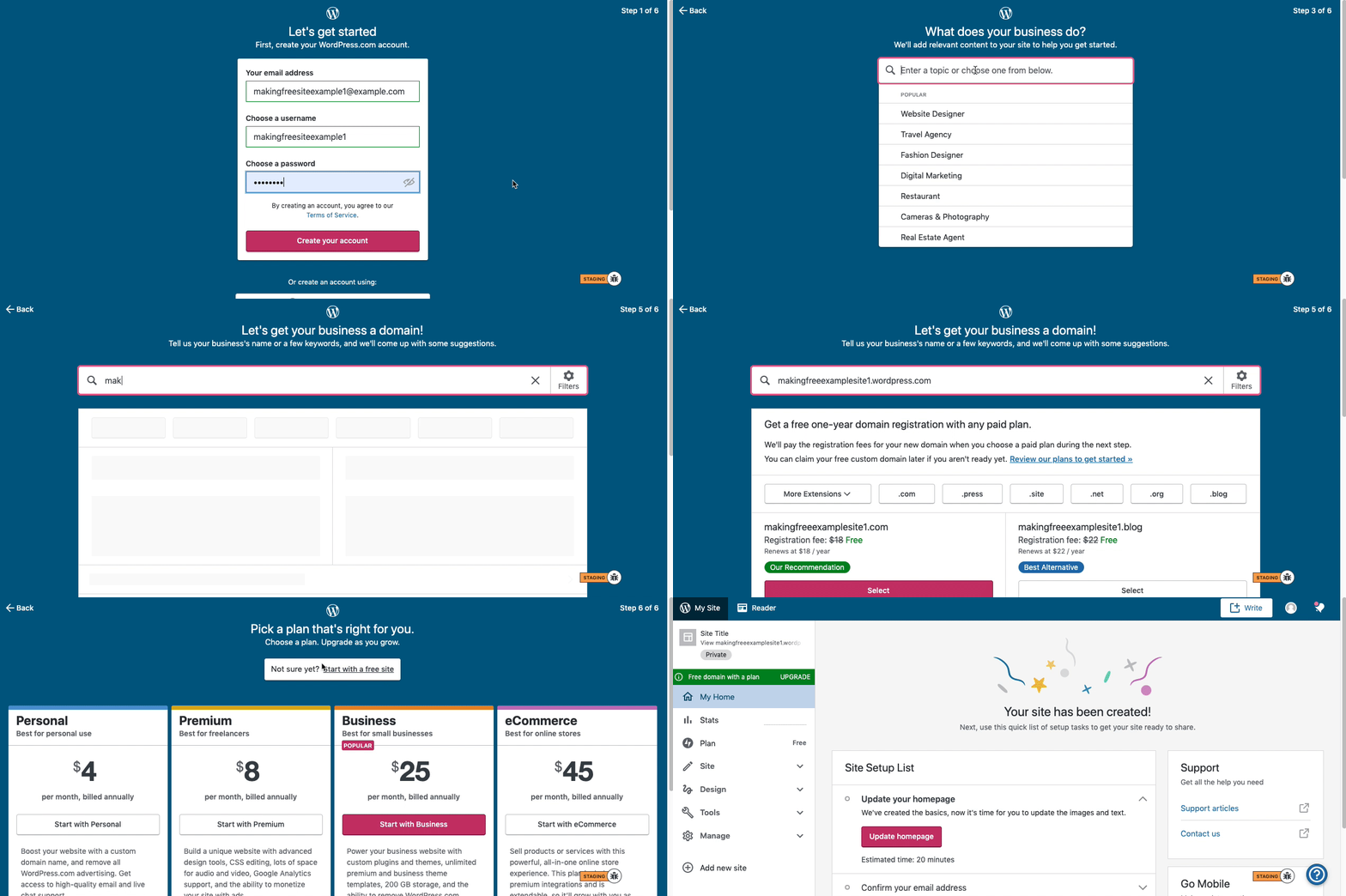
Also, here is a nice walkthrough to set up a free WordPress.com site in case you need a hand:
Hi there,
Here are visual instructions on how to create a free
.wordpress.comsite:Step 1: Select email, username, and password.
Step 2: select Blog for a
.home.blogfree site or Business for a.wordpress.comsite.Step 3: Select the Topic of your site.
Step 4: Type in the Title of site (optional).
Step 5: Type in the full, exact site address you want including the
.wordpress.comor.home.blogsubdomain (ex:freeexamplesite.wordpress.com,freeexampleblog.home.blog). The first option should be the free site that you manually typed in. Click select next to that option.Step 6: At the very top, click the link that says: start with a free site.
Then, your free site should be created!
Please follow those steps and if you have any questions, let us know.
Thanks!


- The topic ‘Unable to change site url’ is closed to new replies.
 WordPress.com Forums