

unable to upload images from my computer
-
I’m unable to add images to my post from my desktop. Typically, I click on “add media,” then it allows me to select from media library or upload. In the past, when I click on upload, it opens up a window allowing me to select from images on my computer. But now…nothing. It doesn’t open a window or anything. Just nothing. I’ve tried clearing cache, deleting cookies and complete restart. Suggestions?
The blog I need help with is: (visible only to logged in users)
-
Staff are improving the editor. See here > https://en.forums.wordpress.com/topic/the-paste-as-word-button-has-been-removed-from-the-visual-editor?replies=5
I’m don’t have the time or inclination to search through the multiple threads to see if your issue has been addressed and remedied or not. From here on in whenever an upgrade happens I’m simply tagging threads reporting issues arising from them for Staff attention and moving on to answer the other unrelated support threads.
I’ll tag this thread for a Staff follow-up. Please subscribe to the thread so you are notified when they respond and please be patient while waiting.
-
-
Hi there!
Sorry for the late response! I just checked your site and found that you were able to add images to your last post published on April 2nd. Are you still having this issue?
Please let me know if you are!
Thank you!
-
I’m only able to upload photos if I go to the side menu and click on MEDIA, then ADD NEW.
If I’m in the editing window and try to add a photo from there, it won’t let me browse and upload.
So what you saw is that I added the images separately, outside of the text composing window, then added them later by pulling them from my library.
Bottom line: I guess as long as I don’t mind adding the images to my library first, then going to get them from the library later, it’ll be okay.
NEW PROBLEM: I used to be able to cut and paste a link from Youtube into my text editing window and it would imbed the video so you could play it within your PREVIEW of the page. Now, when I cut-n-paste the link to the video, all it puts is the text of the URL. Apparently, you guys are making changes on your end that are effecting my end.
-
Hi there,
When you are editing a post there is an “Add Media” button as seen here:
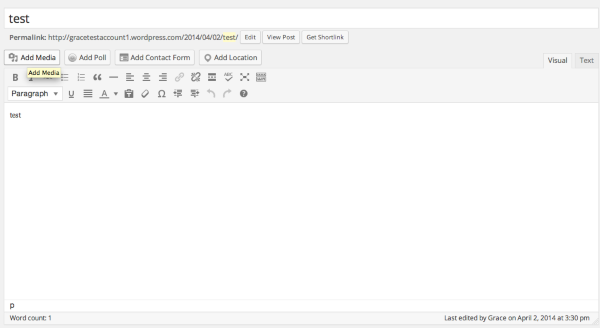
Once you click on that you should be able to either add images from your Media Library or upload any new images as seen here:
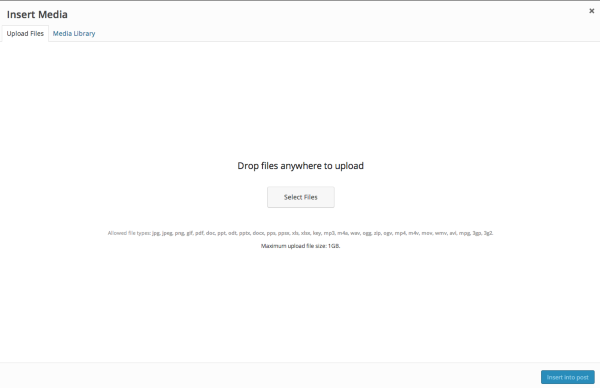
Just click on the correct tab at the top.
As for adding a Youtube video – it’s very simple. Just paste in the link in the Visual Editor like this:
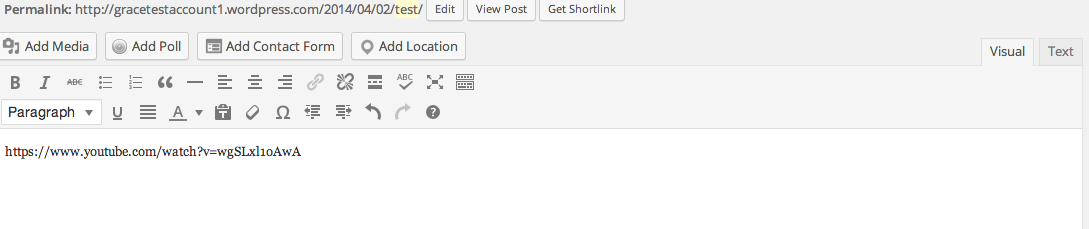
Then it will be embedded into your post like so:

I just tested this out and didn’t find any issues with it. Can you show me the post where this is happening? I’d be happy to take a further look.
Cheers!
-
My most recent post. I tried to add a link to a video, and instead of embedding the video, it just put the link.
NEW QUESTION: My theme has a headline typeface that is a condensed sans serif face. But on my ipad, it renders the headline typeface as standard helvetica bold (or ariel bold). Why isn’t it condensed, the way it appears on my home mac?
-
Adding videos is a different process than adding images. Details of how to add each different type of video are in the support documents http://support.wordpress.com/
Please do a forum search for your new issue and, if you do not see it in the forums, start a new thread.
-
Hi there,
Thanks @raincoaster! Here’s the support page on adding Youtube videos:
http://en.support.wordpress.com/videos/youtube/
As for the fonts, I checked on an iPad and my Mac and found that they were the same as seen here:
Mac
https://cloudup.com/cyGoZgUwrVUiPad
https://cloudup.com/cU3LcT4stZWAs seen here, the font-family is set to: ‘Oswald’, Helvetica, Arial, sans-serif.
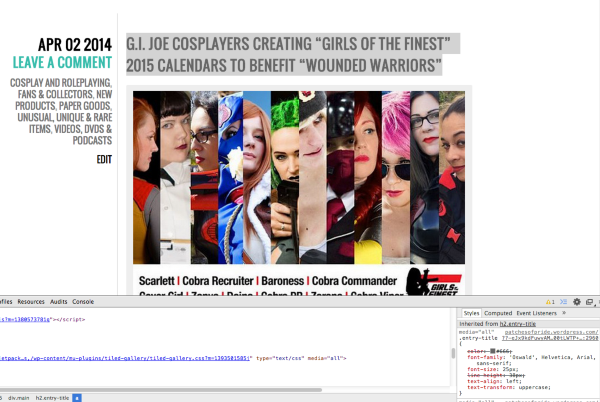
Cheers!
-
Thank you for the screenshot pics. However, I’m not sure you answered my question. Specifically, why did the headline break as it did in your first image? And why does my Ipad create the headline in helvetica bold as opposed to the more condensed Oswald face?
-
The headline did not break. I just scrolled down so you could see the fonts.
I’m not sure why you iPad says that. Can you show me a screenshot of what you see and upload to your Media > Library page?
Thanks


- The topic ‘unable to upload images from my computer’ is closed to new replies.
 WordPress.com Forums