

Unwanted Indentation of Body Text in Blog
-
Hi all,
Hoping you can please help me with the following.
My site – http://www.bostravels.com – is displaying a strange indentation of body text here:
https://bostravels.com/2015/01/08/muir-woods-for-the-redwoods/
The error can be easily identified by comparing the above post to this one:
https://bostravels.com/2015/01/06/a-san-francisco-chronicle/
You can see that the paragraphs under the heading are indented in the first Muir Woods post, but it should not be so. It should look like the San Francisco post.
Can anyone help fix this?
Many thanks,
Daniel
The blog I need help with is: (visible only to logged in users)
-
Hi Daniel,
As you can see from the screenshot in the link bellow there’s no indentation on the paragraphs.
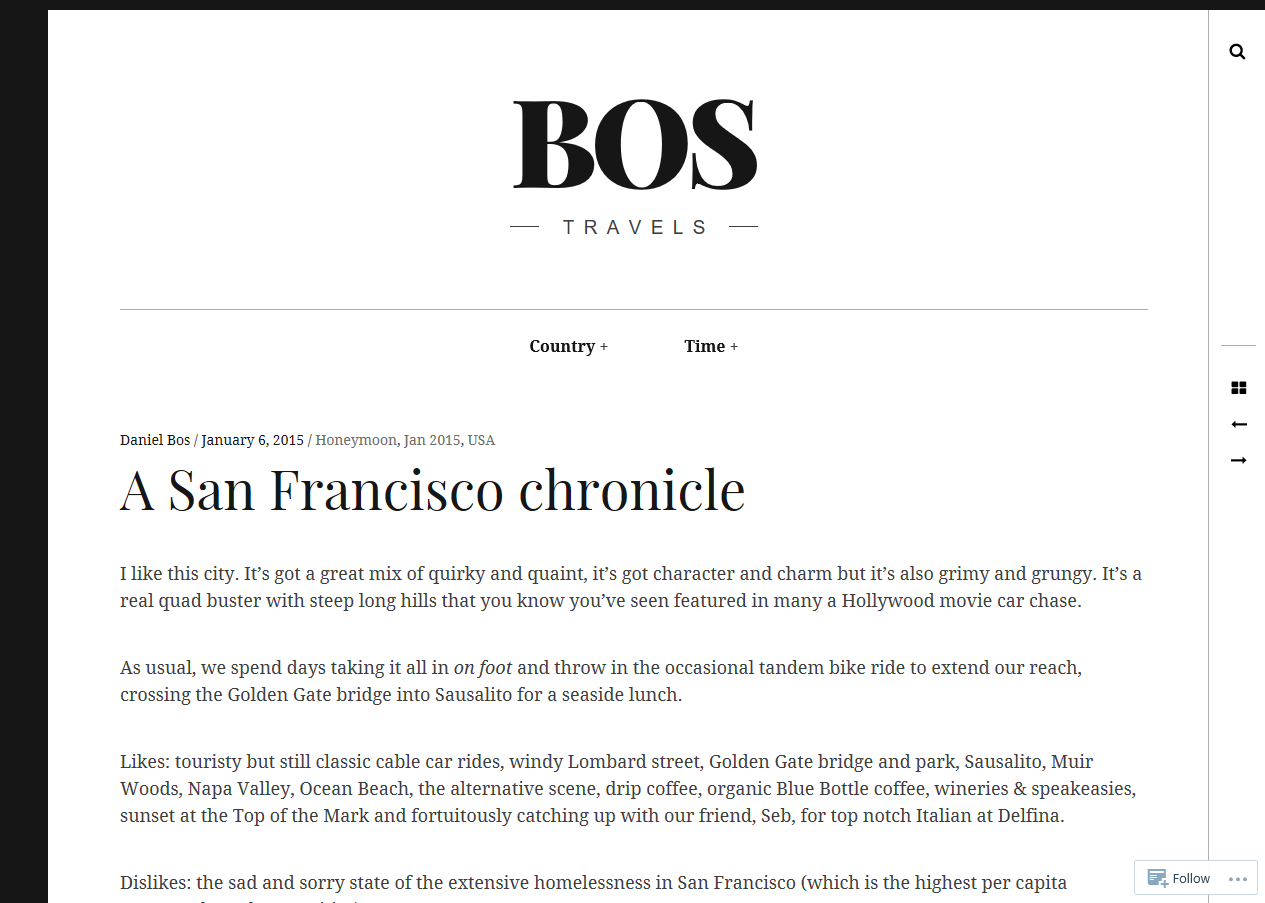
To troubleshoot this you can try the following:
* force refresh the page
* clear your browser’s cache
* Use a different browserYou can read more about how to troubleshoot your browser in this support document:
https://en.support.wordpress.com/browser-issues/Let me know if the indentation problem persists.
-
Hello @danielbos1
https://bostravels.com/2015/01/08/muir-woods-for-the-redwoods/ post contains the CSS class “featured-portrait” which isn’t there on https://bostravels.com/2015/01/06/a-san-francisco-chronicle/.Thats the reason why there’s the indent for the post title at: https://bostravels.com/2015/01/08/muir-woods-for-the-redwoods/
Make sure you disable any sort of “post type” from the post editor and update the post as a normal post in order to get rid of that indentation.
-
Otpidusprime – thank you; definitely on the right track here. However, I’ve always published posts in the same way. Do you know how I can disable any sort of “post type” from the post editor in the Muir Woods post?
Many thanks,
Daniel
-
Alright, then I think staff might be able to assist you with this.
So I am tagging this thread for staff attention. Please be patient, someone from the staff will be here to assist you soon.
Thanks! 🙂
-
Hi Daniel,
You can see that the paragraphs under the heading are indented in the first Muir Woods post, but it should not be so.
By default, this post should have a featured image and a drop cap filling the indentation gap, however, your custom CSS hides both. If you comment out or remove this CSS, you will see the default layout
.single .entry-content:before, .page .entry-content:before {
	display: none;
}

.single .entry-featured {
	display: none;
}
Notice the drop caps fill the space on the left.
Do you know how I can disable any sort of “post type” from the post editor in the Muir Woods post?
The Hive theme applies a different style for portrait posts which is why you aren’t seeing the same on ‘A San Francisco chronicle’. Portrait posts are automatically defined by the ratio of the featured image — you can change this for a landscape image if you wish and the post should use the same layout as your other posts.
Let me know if you have any questions.
-
Hi Gemma Cevans,
Thank you very much for your response. This makes sense, although it is an unfortunate outcome of this theme.
Many thanks,
Daniel
-
You’re welcome Daniel! If you decide this theme doesn’t do what you are looking for, there are lots more to choose from :)
-
Re more themes – indeed, I agree but I spent a lot of time setting this one up and they seem to all have their pros and cons!
-
I agree but I spent a lot of time setting this one up
I may have a solution to the unwanted indentation! Try adding this CSS above ‘@media only screen and (min-width: 899px)’:
@media only screen and (min-width: 1359px) {
	.single .featured-portrait .entry-header {
                 margin-left: 0;
	}
}
It brings the title and date in line with the left edge of the content on portrait pages.
-
-


- The topic ‘Unwanted Indentation of Body Text in Blog’ is closed to new replies.


 WordPress.com Forums