

Videopress error
-
Everytime I upload a video, no matter what format, I get the following error once it’s uploaded and processed and I press play:
“Sorry, the video is currently not available”
I’ve tried avi, wmv and mpeg4 formats.
Does anyone have any idea what could be the problem?
Thanks for your help.
The blog I need help with is: (visible only to logged in users)
-
We need a link to your blog, preferably a link directly to a post with a video in it, in order to help.
-
Thanks for the response.
I have no problem with other video, just this one, and it’s not uploaded or I would post the link. It plays in WIndows Media Player.
-
Here’s a link to the blog. I am self hosted now, but use the videopress to host video on my blog.
htp://jeffreydeanmorgnaunlimited.wordpress.com
-
-
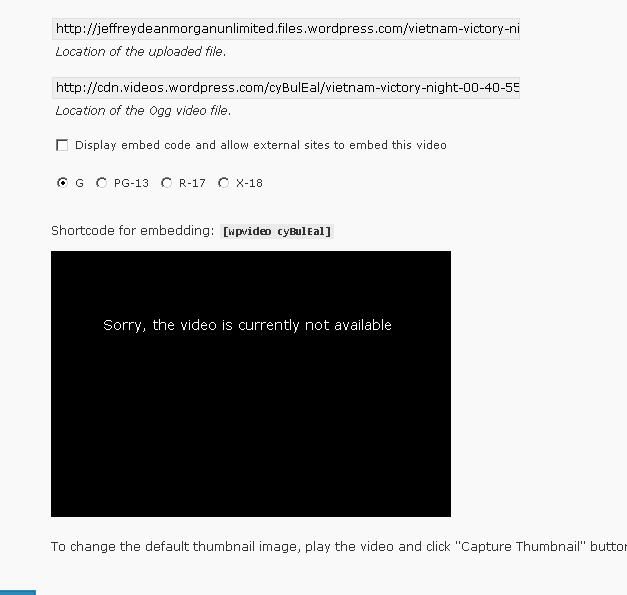
I uploaded another video, one that I currently have on videopress and it’s giving me the same error. Here’s what the error looks like:
-
I’m sorry but I just cannot find your blog. None of those links exist. Please give me the exact link to your actual blog, starting with http.
-
-
Thank you.
Now: you do have the paid Videopress upgrade? (I have to ask)
Do you have the Space upgrade as well? You might be out of space.
Do the errors persist once you’ve made the post Live? Staff made some changes recently that mean previews etc are a little wonky.
-
Ha ha! Yes, I have the upgrade! It expires in June. My other video works fine.
Here is the amount of space left. I think it’s enough for this video:
871.3 MB used, 2.1 GB (71.6%) upload space remaining
I added the code to a post already live. It doesn’t work. It doesn’t even work in the media library. That’s where I took the screencap of the error message.
I uploaded the video to Youtube to see if it works and it does.(I don’t want to keep it on youtube)
The video is 71 MB. Could that be a problem?
-
That should be plenty of space. I’m afraid I’m no expert when it comes to the videopress upgrade, but I can’t see why it wouldn’t work.
Let’s try something: can you make a Post, but set the date as 2001 before you hit Publish so it won’t show up in the regular blog, and upload a video into it? Do it from scratch, don’t use a video in your media library.
And because re-uploading images with the same name sometimes causes problems, can you change the name of the video file before you upload it? Just call it whatever1 or whatever, just add a number to it. Then I can test this.
-
Thanks so much for your help.
Here is the post:
http://jeffreydeanmorganunlimited.com/2001/04/videopress-test/
It didn’t work for me.
-
Hang on: that’s not a WordPress.com blog. You need to upload it to http://jeffreydeanmorganunlimited.wordpress.com/ in order to test it properly.
-
What does it look like DURING the uploading process? this is what the Support docs say:
After you’ve selected a video file, the upload process begins. A progress bar on your screen communicates the current status of your video upload. Upload speeds vary by network provider. It may take a while to upload a large video file. Do not close your upload screen while your file is transferred to WordPress servers. When the video has been successfully transferred to WordPress, you’ll receive a message saying “Your video is being processed. Please check back later in Media Library”. -
Sorry about that. Most of the video I’ve uploaded to wp.com I’ve posted on the .org. with the videopress plugin.
http://jeffreydeanmorganunlimited.wordpress.com/2010/04/29/test/
During the upload it looked the same as it usually does when I upload video, except the part about checking back.I don’t remember that. the “Your video is being processed” was there. That’s why I knew there was a problem, since it lasted a very long time.
-
-
Yes. It would be replaced with the videopress player frame. The video not available message appeared when I pressed play.
-
-
I’ve been trying on and off since 2 PM:-)
Maybe I need to kick it to tech support? Maybe they can see if there’s anything wrong with my account?


- The topic ‘Videopress error’ is closed to new replies.
 WordPress.com Forums