

Vostok Theme – Pages displaying on the footer.
-
Hi there.
I’m trying to get rid of the pages displayed on my footer. I tried playing around with the right, left, and first to fourth footer widgets to no avail.
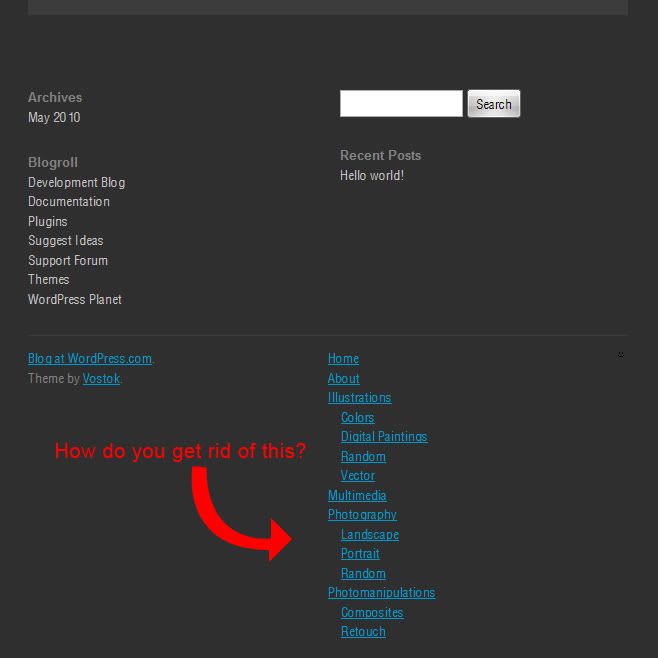
Is there a way around this?
Also, drop-down menus for the pages does not seem to work either. Would really appreciate help with this :)
Thanks.
The blog I need help with is: (visible only to logged in users)
-
Hi richdudecomics,
The footer columns (credits on left, page navigation on right) are not controlled by widgets. The four footer widget columns are displayed above the footer.You can control the footer page navigation by using a custom menu from Appearance -> Menus. In Vostok the header and footer navigation both allow a custom menu.
If you create an empty menu and assign it to the footer navigation it will cause that bottom navigation area to be empty. Hope that helps you.
-


- The topic ‘Vostok Theme – Pages displaying on the footer.’ is closed to new replies.
 WordPress.com Forums