

Website
-
I thought you could build a website for free at WordPress – where is that option?
-
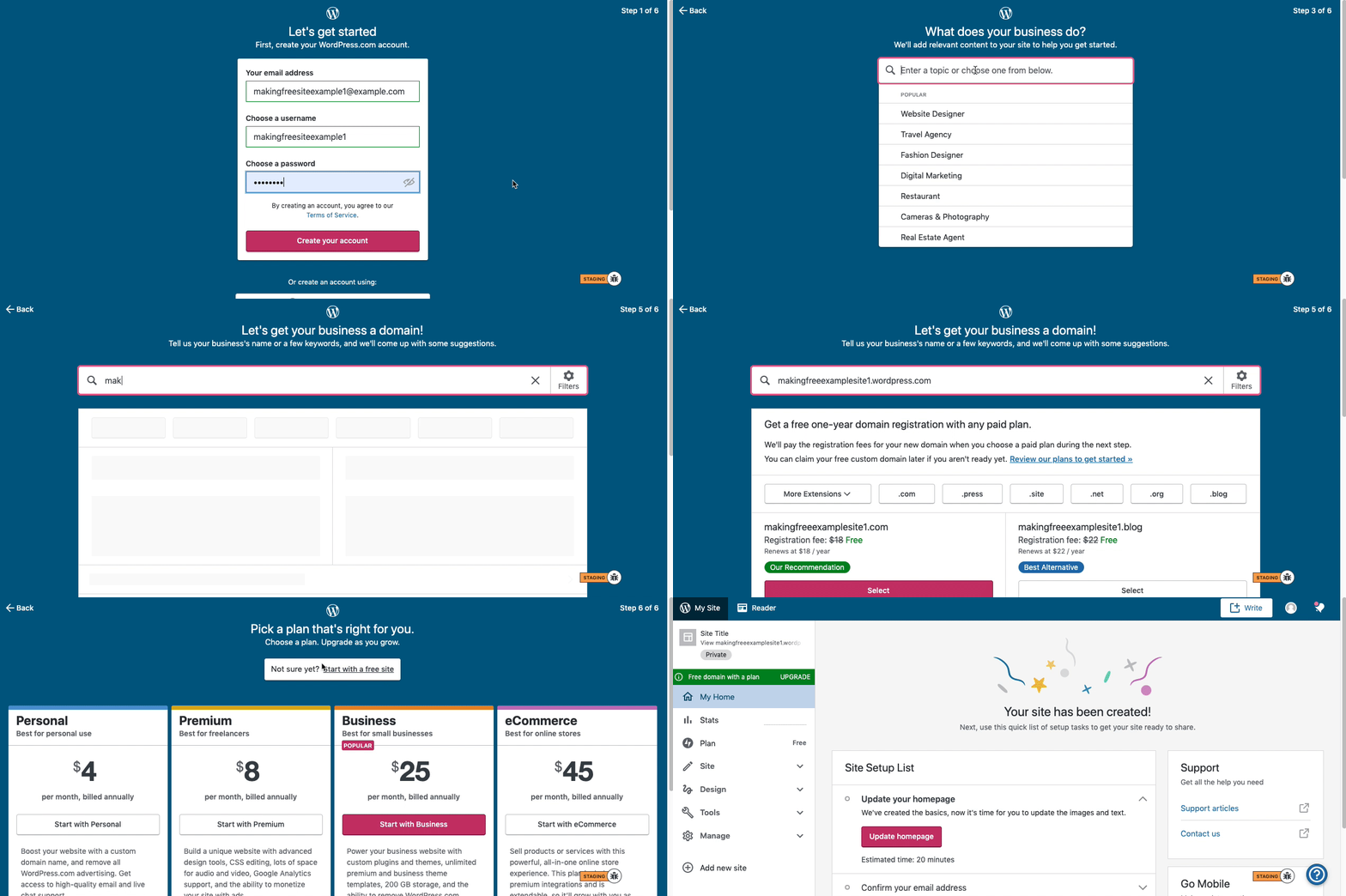
Here are visual instructions on how to create a free
.wordpress.comsite:Step 1: Select email, username, and password.
Step 2: select Blog for a.home.blogfree site or Business for a.wordpress.comsite.
Step 3: Select the Topic of your site.
Step 4: Type in the Title of site (optional).
Step 5: Type in the full, exact site address you want including the.wordpress.comor.home.blogsubdomain (ex:freeexamplesite.wordpress.com,freeexampleblog.home.blog). The first option should be the free site that you manually typed in. Click select next to that option.
Step 6: At the very top, click the link that says: start with a free site.Then, your free site should be created! Please follow those steps and if you have any questions, let us know.
-
Thanks very much for the prompt response. Obviously I’m new to this. One question: If I wanted the site to be a .com site (for example, firstnamelastname.com) instead of the same syntax but .wordpress.com, what of the above changes and is it still free? I’m just trying to determine the best approach and I’d prefer for the site to use my first name and last name strung together with .com if possible.
Much appreciate your help to this newbie!
-
To register a custom domain (the .com, for example), you would need to upgrade to one of our paid plans. The domain is included in the price of the plan during the first year. After that, the price will depend on its extension (TLD), and you can find more information here:
https://wordpress.com/support/domains/domain-pricing-and-available-tlds/.
You can also read more about our plans here:



- The topic ‘Website’ is closed to new replies.
 WordPress.com Forums