

Website images not appearing in mobile browser, but appears on WordPress mobiapp
-
Hi all!
My site (www.thedailyseni.com) isn’t displaying any images while browsing on mobile (iOS, Safari). No logos, no author photos, no post images. However, they appear when I view the website through the app. It works fine on Desktop however.
Furthermore, the website logo is stretched across the screen in the WordPress mobile app view? May I know how I can turn this off and leave the logo as is?
The blog I need help with is: (visible only to logged in users)
-
I’ve managed to use CSS to resize my logo, but still no images are displaying in the mobile version. The spot where the logo was meant to be has shrunk proportionally though!
-
Hi –
Please take a screen shot of that mobile view. You can add it to the site’s media library where we can take a look.
https://en.support.wordpress.com/add-media/Let us know which browser and version number you’re using too.
-
Hi Lizkarkoski! Thank you for getting back to me. I just uploaded three screenshots from my mobile view. I am using Safari on iOS 13.4.1 on mobile.
Homepage View 1:
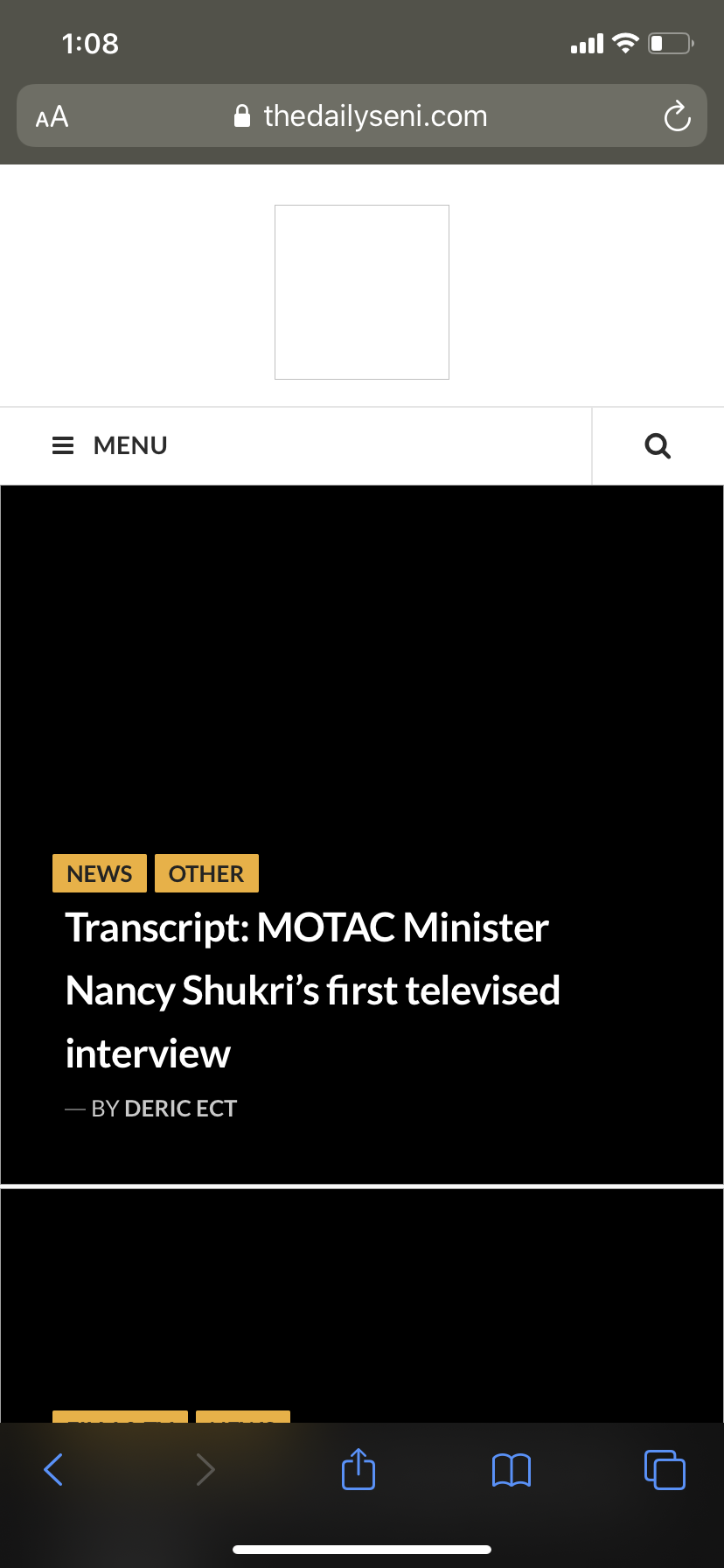
Homepage View 2:

Post View:

I sent the link to to another iOS user and he said he thought the images were taking a long time loading, before realising they weren’t going to show.
-
Thank you for the details, I had a look at your site from mo mobile (Android device with Firefox) and the images also didn’t load and appeared as broken. That’s odd. How are you adding the images to your site? Do you upload them directly to the post or to the media library? Where these images imported from another site or rather uploaded directly to this one?
-
Hi Fresatomica. The images are uploaded directly to the post using WordPress on Desktop. I am using the Aquene theme, could there be some sort of bug in it?
-
I tried swapping to the Hermes theme and the same problem persists. No matter the layout, images simply aren’t appearing.
-
Curiously, is this site supposed to be private or public? And do you mind if we switch it briefly then change it back?
-
The site is public. Yes, please do what you deem necessary, until these issues are resolved I can’t really promote the site.
-
We’ve given this a day and checked. Sure enough, images are now appearing on mobile for both Safari and Chrome on the latest Appel iOS.
First, clear your mobile browser’s saved cache then try again. Are you able to see the images now?


- The topic ‘Website images not appearing in mobile browser, but appears on WordPress mobiapp’ is closed to new replies.
 WordPress.com Forums