

weird picture comes up when i share my blog
-
I noticed right after i opened my new blog site with WordPress that some other lady’s picture showed up on my profile. After some time messing with it i figured out how to change it and take it off, but now when i share the link that same lady’s picture comes up with my blog, even though i can’t see it on my page anymore.
Can you help me remove it for good? Is there something wrong with my site? -
-
-
I typed modlook into the sidebar tags on this thread for Staff help. How do I get a Moderator/Staff reply for my question? https://en.support.wordpress.com/getting-help-in-the-forums/#how-do-i-get-a-moderatorstaff-reply-for-my-question Please subscribe to this thread so you are notified when they respond and be patient while waiting. To subscribe look in the sidebar of this thread, find the subscribe to topics link and click it.
-
Is this image https://0.gravatar.com/avatar/38d4e2d5b4ae736ef17e761ef418a022?s=48&d=identicon&r=g not the one you uploaded?
-
That one is mine. I can’t see this other picture anywhere else on my site since i changed it, but when i share my site link to Facebook it still comes up. A lady with short dark hair.
-
-
Hello shepherdsheart83!
I checked your site and found you have a blog picture (Blavatar) correctly set. I tried to share your blog on Facebook and brought the right picture, as you can see it below:
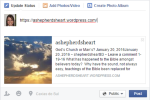
Here is more information about how to change your site’s Blavatar:
-
Thank you for your reply carinapilar. I just checked it again on Facebook, and when I first paste the link in it pulls up my picture (of a sunset) with it, but as soon as I post it, it changes to this lady’s picture. It doesn’t make sense to me. If you have an email I can send you the screenshot of it on my phone.
-
Screenshots can be helpful. You can use http://snag.gy/ or http://cloudup.com to share screenshots and link to them here. If you use the WordPress.com guide for screenshots http://en.support.wordpress.com/make-a-screenshot/ you can and upload it to your Media Library, and return to this thread to provide the file name so Staff can examine it.
-
@shepherdsheart83 — ah Timethief beat me to the punch. But yeah if you’ll upload it to your media library that will work.
-
-
Does it automatically show public or do I have to do something for it to show? I’m totally new to this blogging stuff…
-
@shepherdsheart83, I was able to find the image in your media library.
That is weird :/
I tried posting the link on my Facebook and it showed your sunburst picture (even after I published the post.)
I’m wondering if there’s something a bit funny going on with Facebook’s cache. Can you try going here?
https://developers.facebook.com/tools/debug/og/object/Paste your address (the one you’re sharing onto Facebook) into that box, then click “Fetch New Scrape Information” . Let us know what you get!
-
Ok I tried that, I don’t really understand the results… I took a screenshot of that also. I will add that picture to my media library also
-
Thanks @shepherdsheart83, I don’t see the new screenshot yet. Be sure to scroll down to the part that shows the image too, since that should tell us more about where it’s coming from. (I see the correct image when I do it here.) Thanks!
-
Ok they’re uploaded now. I didn’t caption them but they’re the only pictures in there.
All i could see on that was my sunset picture too, but it said some information about warnings about picture that i didn’t understand.
-
Ok @shepherdsheart83, if you see the sunburst picture too, that’s a good sign that it will clear up on Facebook for you shortly. Try posting the link again in a few hours. Cheers!
-
Do I need to clear the cache maybe? It’s been like this for a couple days now. Do you know what the warning information means?
-
The warning about the description just means you may want to set your site’s tagline. That’s done under Customize > Site Identity.
The one about the og:image just means you don’t have a featured image defined here, but it’s still falling back your site’s avatar (the one with the sunburst.)
It should clear up for you soon. Also, you’ll want to consider adding featured images to each of your posts. Make them at least 300px by 300px, then when you share those articles individually (instead of sharing a link to the main blog page), those images will show.


- The topic ‘weird picture comes up when i share my blog’ is closed to new replies.
 WordPress.com Forums