

Went public too soon
-
I didn’t know that when I activated the theme it would automatically be public. I want to work on my website before I go public with it. How can I “hide” it until it is ready to be revealed?
I have Reddle and I know it can be wider since it shows it that way in some samples I have seen. Mine is not wide enough to have my menu on one line. I have not found a way to get it wider.
The blog I need help with is: (visible only to logged in users)
-
Hi there,
You can set your site to private by going to Settings > Reading in your Dashboard. In the Site Visibility module, please select “I would like my site to be private, visible only to users I choose”. Remember to click Save at the bottom of the page!
As for the flexible width, please view the support page below:
http://theme.wordpress.com/themes/reddle/
The default layout for Reddle is fluid, meaning that the layout will stretch to fill your browser window no matter the size. But, if you add a Custom Header Image to your blog or a Custom Menu, Reddle will snap to a fixed layout.
Feel free to reach out if you have any questions!
-
Thank you.
I was able to take my site off the web.As to the width of the page, I took out the header image, but the navigational menu did not expand to one line. Right now it is at two lines and I would prefer it be on one line.
Any suggestions?
Thank you,
Lisa
-
Hi Lisa,
Currently the width is flexible and it will stretch to fill your browser window. As seen in my browser window the navigational menu is in one line:
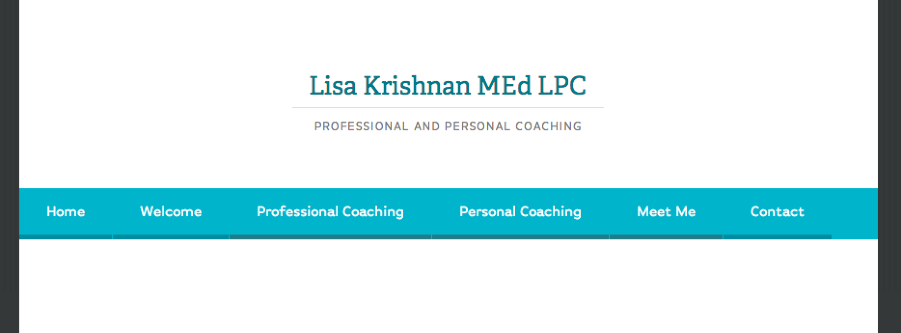
Please let me know if you have any questions!


- The topic ‘Went public too soon’ is closed to new replies.


 WordPress.com Forums