

Why can't I have blank lines?
-
Why is it that the system always takes <p> out of my posts?
The paragraphs have no space between them and frankly look like shit and are hard to read! But if I put extra lines in the visual editor or <p> in html editor – then they are removed. This is media fascism !
Very annoying!! :(((((((
The blog I need help with is: (visible only to logged in users)
-
Hi there,
You can certainly have blank lines in between your paragraphs! If you’re entering the text in the Visual Editor, pressing enter should automatically leave a blank line in between paragraphs. However, working in the Text Editor will single-space text. I’ve demonstrated the difference here:
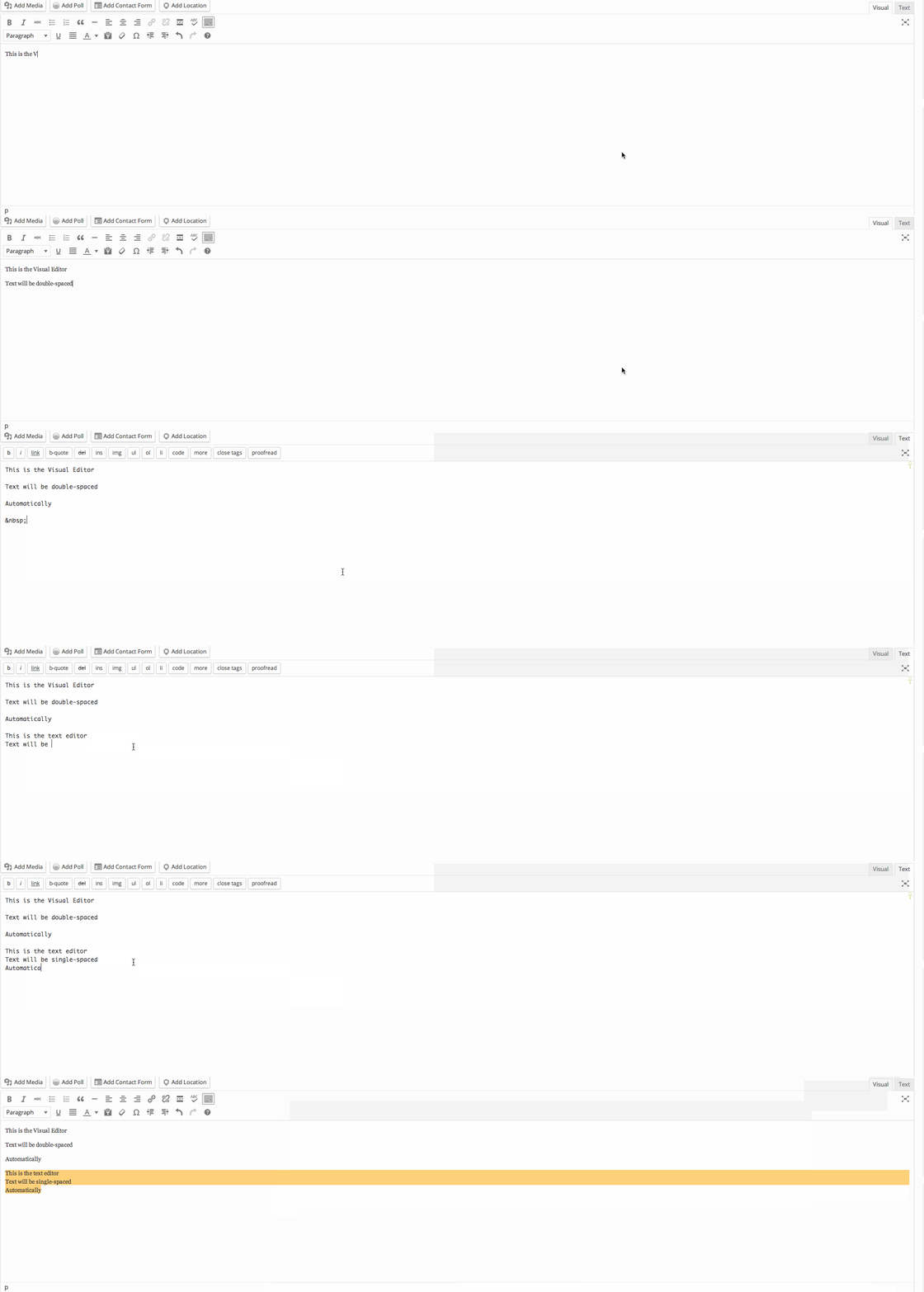
Can you make sure you’re working in the Visual Editor when you’re composing a post?You can read more about that here:
-
Thanks.
My problem is that it seems to change. I do need to enter the text editor at times and double spacing for all stuff seems to go away.
Maybe if I always return to V-edit before saving???
Still – even in text editor – why does it trash my <p> s?
-
Hi!
The Text Editor automatically strips your p tags and converts them into paragraph spacing in the Visual Editor. So, if you wrote the following:
<p>This is a paragraph</p>
<p>This is another</p>
That would automatically be converted to the following when you switch to the Visual Editor:
This is a paragraph

This is another
The only way the p tags are not stripped is if you added some styling HTML like this:
<p style="color: red;">These won't get stripped</p>Does that make sense?
If you’re entering text in the Text Editor, there are two ways to make sure you have a double-space in between paragraphs:
- Press “Enter” twice when moving to a different paragraph
- Wrap every paragraph in p tags. When you switch to the Visual Editor, the p tags will be stripped, but they should create multiple spaces in between paragraphs.
Can you give both of those methods a try and let me know if they work for you?


- The topic ‘Why can't I have blank lines?’ is closed to new replies.


 WordPress.com Forums