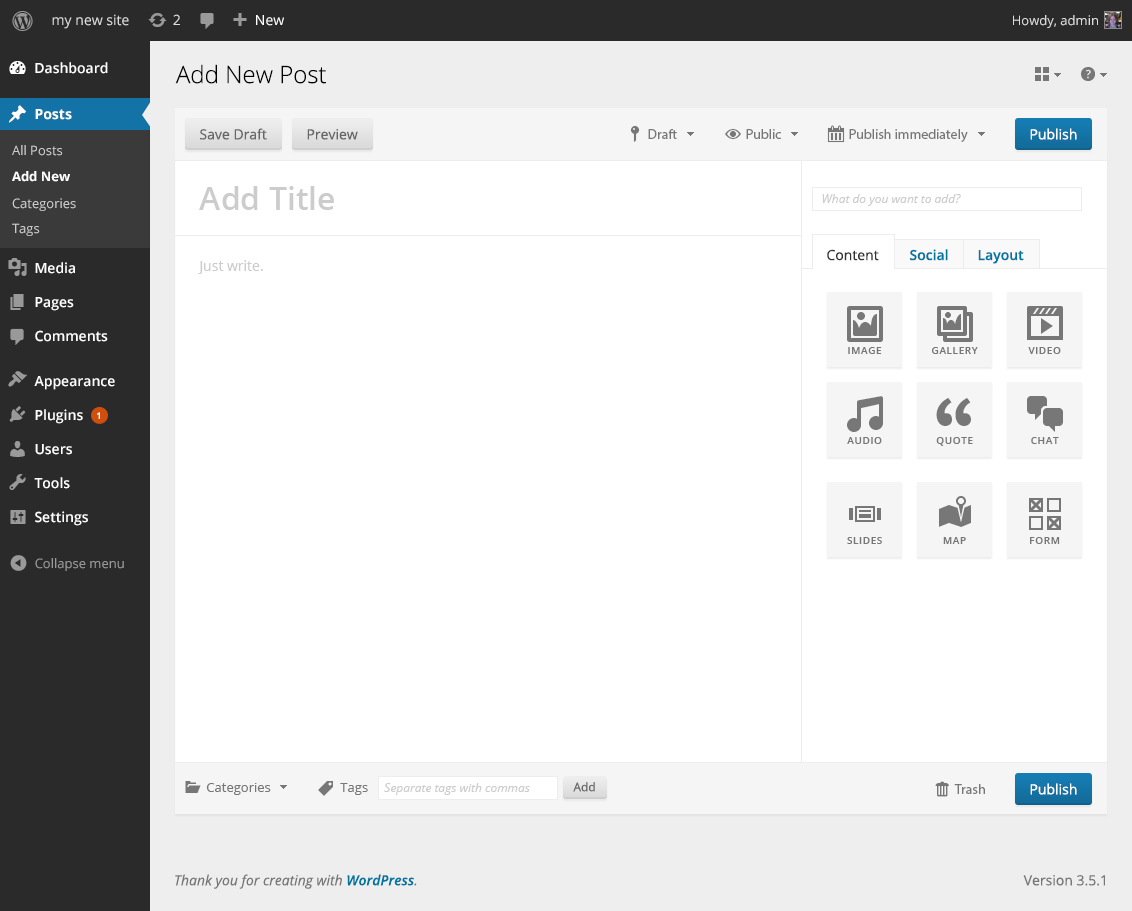
Why did my wordpress change from black to blue?
-
Hi there,
I was working in my wordpress and was experimenting with themes and blogs. Now the entire theme of wordpress has changed! I’ve lost all the basic developer functionality and it has changed from black to blue. WTF? Help!
The blog I need help with is: (visible only to logged in users)
-
Please provide an example or two of “developer functionality.” Are you referring to a self-hosted site?
-
I guess I mean that I was experimenting with blogs and themes but I really want to create a website, not a blog. But somehow I have gone into what appears to be wordpress “blog” mode and I dont know how to get back to the website mode.
I think the self-hosted site is the one where you download the wordpress editor right? I was using an editor online, not the one where you download it.
-
A blog is a website.
A blog is a post based website designed for interactive communication. As the posts are frequently updated and appear on the front page of the site it’s very attractive to search engines.
What most people call a website is merely a page based site that functions as a one way noticeboard. As the structure is page based and as pages are for static content that rarely changes, and as pages do not have RSS feeds, and as others do not backlink to pages, it is not as attractive to search engines as a post based blog structured site is.
Any WordPress blog can be restructured from being post based to being page based – no upgrade required. For greater clarity read > http://en.support.wordpress.com/using-wordpress-to-create-a-website/
Here’s a link to my step by step post too http://onecoolsitebloggingtips.com/2013/07/25/create-a-wordpress-website-step-by-step/
-
re: changing themes on WordPress.COM hosted blogs
Themes are just “skins” on WordPress.COM hosted blogs. You can quickly and easily change themes on any WordPress.COM hosted blog to another one found here http://wordpress.com/themes/ and no data will be lost or negatively affected by the change. The only time you may have to do some work is if you are changing to a dramatically different theme and have done any CSS editing.Provided you are logged in as Admin under the same username account that registered the blog go to Dashboard > Appearance > Themes, Browse themes until you find one you like and click the “activate” or the “preview” link, or type in the name of the theme you want to use when it appears.
After you change your theme all you need to do is go here Dashboard > Appearance > Widgets > Inactive Widgets and re-install them where you want them to appear. The widget contents and settings will be the same as they were prior to changing themes.
Note that every theme will have a detailed theme description page with set up instructions and a live demo site page that you can consult. Here’s an example:
https://wordpress.com/themes/expound
https://expounddemo.wordpress.com/re: using the theme customizer
Have you consulted this support doc? https://en.support.wordpress.com/customizer/If you have not purchased the custom design upgrade, then note that no changes you try out aside from those such as Custom Background, Custom Header, etc. which are stated on the theme description pages in the features column (right hand side) will be visible to visitors.
You do not need to load the design tools unless you have the Custom Design upgrade. All of these functions can be accessed from your dashboard – without loading the custom design tools – no upgrade required.
Appearance > Header
Appearance > Background
Appearance > Theme Options (applicable only to some themes)
Settings > Reading (set a static front page)
Site Title and Tagline > Settings > GeneralIf you are using the preview mode for the Custom Design upgrade some of the settings in that mode will save but they won’t show up on the front end unless you purchase the upgrade.
To go back to the free options, go to Appearance → Themes → Customize → Colors and click the “exit the preview” link in yellow at the top of the panel on the right.
See also: http://dailypost.wordpress.com/2014/01/18/video-tutorial-customizing-your-theme/
-
So it used to look more like this https://choycedesign.com/wpadmin-ui/v1/img/add-new.png
and now it looks like

-
This site https://choycedesign.com/ is NOT hosted by WordPress.COM and neither is http://imstartpage.com/ Are you clear on that?
WordPress.COM and WordPress.ORG are completely separate and have different username accounts, logins, features, run different versions of some themes with the same names, and have separate support documentation and separate support forums. Read the differences here http://en.support.wordpress.com/com-vs-org/


- The topic ‘Why did my wordpress change from black to blue?’ is closed to new replies.
 WordPress.com Forums