

Why isn't my new Avatar showing up?
-
I changed my Avatar earlier this week (>48 hours), but when I comment on other WordPress blogs, my old Avatar is still showing up.
The blog I need help with is: (visible only to logged in users)
-
-
I see this image here http://www.gravatar.com/avatar/b14f30d4f83a2b992ed11213dca9ca33?s=48&d=identicon&r=g
Gravatars/blavatars do not show up instantly after uploading them. Gravatar images are cached and frequently take several days to display after a change. Do not keep uploading!
You can upload your gravatar image that will appear next to your username at Dashboard> Users -> My Profile in the dashboard.
http://en.support.wordpress.com/avatars/ Do not forget to select a rating for your image.See: http://en.support.wordpress.com/avatars/blavatars/
http://en.support.wordpress.com/avatars/gravatars/
For best practices for uploading gravatars, avatars and blavatars scroll down to below the video here: http://onecoolsitebloggingtips.com/2010/01/24/gravatar-avatar-blavatar/To enable Gravatar display and hovercard display on your blog go to > Settings > Discussion and scroll way done the page to “Avatars”.
http://en.support.wordpress.com/gravatar-hovercards/ -
Please go to https://en.gravatar.com/gravatars/new/existing and choose the image you wish to use. From there you will be taken to the cropper tool and can activate the image.
-
@jackiedana: I’m sorry, but this is exactly what’s not working. After I select the picture and it takes me to the “cropper” page, the cropper/tool is not showing up. According to the instructions, it’s supposed to be a dotted box. Nothing like that appears.
-
I’m sorry you’re having these difficulties. This is how it looks for me when I try to modify my own Gravatar:
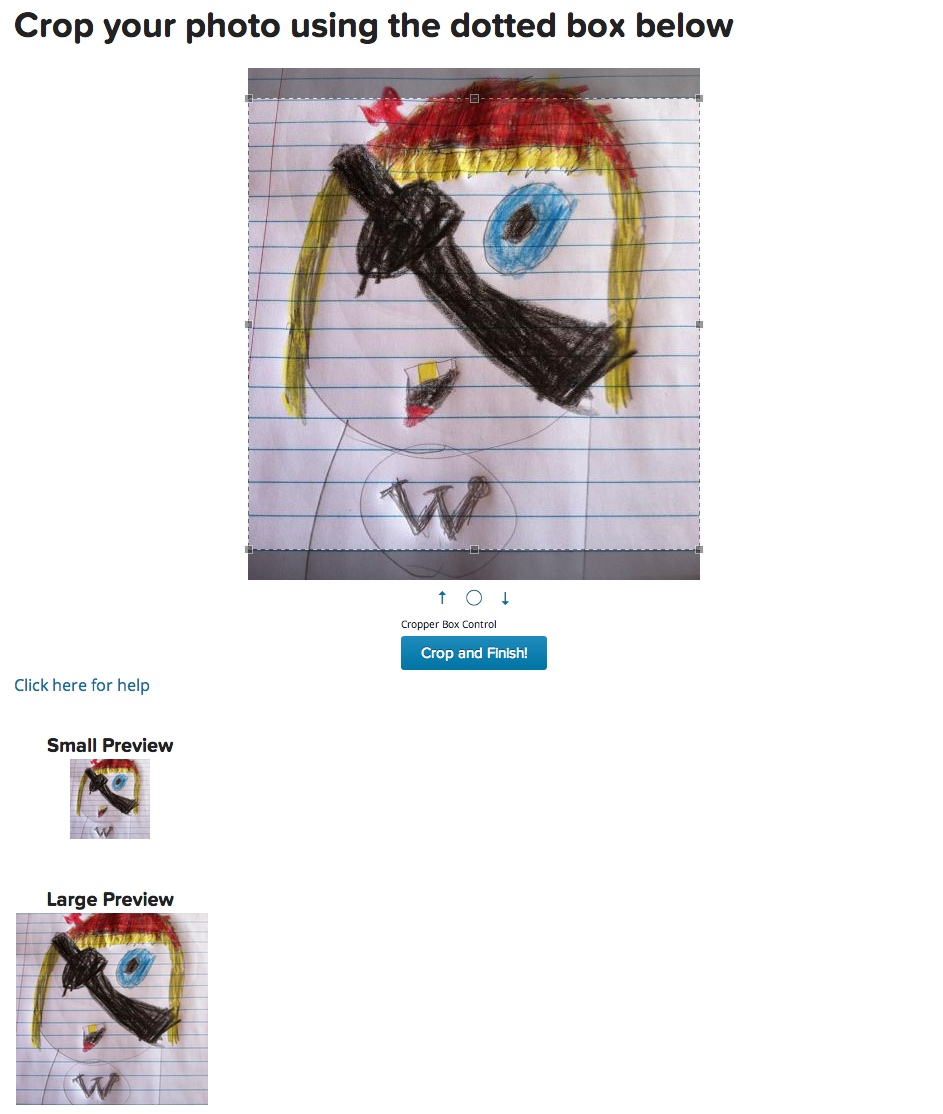
If you aren’t able to get the cropping tools page and the “crop and finish” button when clicking on one of your images at https://en.gravatar.com/gravatars/new/existing , I would recommend trying a different browser, such as Chrome or Firefox, to see if that helps.
-
@jackiedana: Thanks for the tip. I opened the site with Google Chrome instead of IE and the cropping box appeared. I was able to crop and finalized the new gravatar. Hopefully it will start appearing in the near future. Thanks so much for your help.
-


- The topic ‘Why isn't my new Avatar showing up?’ is closed to new replies.
 WordPress.com Forums