

Widgets in places they shouldn't be
-
I am using the Blissful Blog theme.
On my home page, I tried to add widgets to the sidebar, but nothing showed up (now I have left it blank).
In my About and Contact pages a sidebar appears with the Search, Archives, Meta widgets even though I didn’t select any.
In the Appearance settings I have no widgets placed in the sidebar.Is this a feature of the theme?
Can I get rid of the widgets on my About/Contact pages?
Can I add widgets to my home page without adding them to my other pages?Thank you
The blog I need help with is: (visible only to logged in users)
-
Hi Carolyn,
After looking into your account, I found that you switched your theme to Coraline and found that I was able to view your Widgets as seen here:
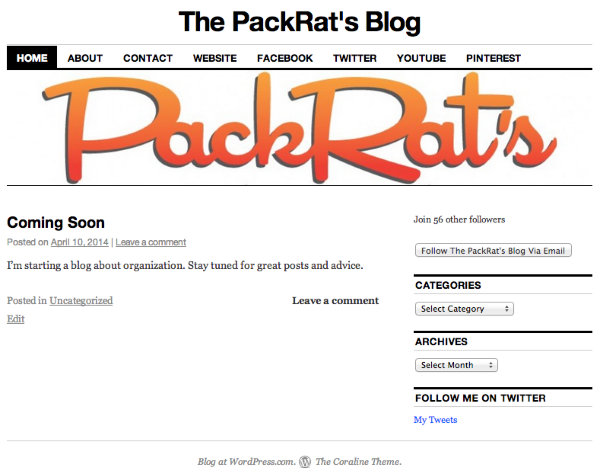
If you want to get rid of the widgets on your About/Contact page, please edit the page, and change the template to Full Width, no sidebar in the Page Attributes module as seen here:

If you change it to this template on any page, it will not show the widgets in the sidebar.
Feel free to reach out if you have any questions!


- The topic ‘Widgets in places they shouldn't be’ is closed to new replies.
 WordPress.com Forums