

Word Limit on the First Page
-
I am attempting to clean up our blog and cannot set a word limit on the first page for the most recent articles added. They are being uploaded as just one long paragraph of words after another for each article and what I would like to do is set a word limit for each article that’s featured on the front page to be more of a preview to click on.
The blog I need help with is: (visible only to logged in users)
-
Hi there,
It isn’t possible to set a word limit for posts on the front page at WordPress.com. However, you could use the More tag shown here:
http://en.support.wordpress.com/splitting-content/more-tag/
That will help you to split the content and include a “Read More” link for readers that want to view the whole post. Would that work?
-
Yes that does work thank you! But I have one more question for you, on the front page I’m getting my most recent post summary, featured post box, and then a feed of old post from december and november how can I get rid of those old ones?
-
I believe you’re referring to the content shown here:
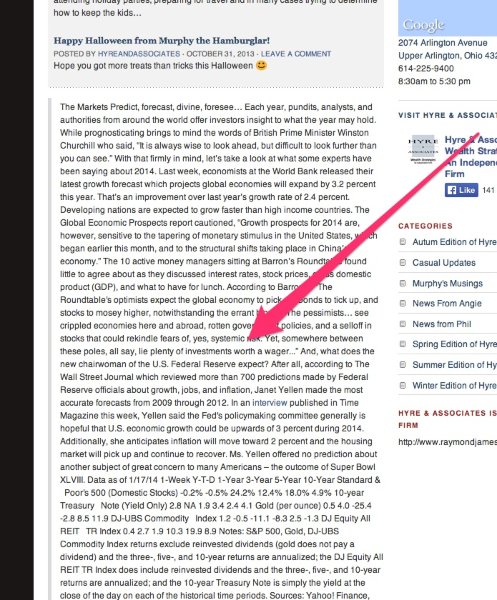
Is that correct? If so, content appears there when it is labeled as an “Aside”. You can read more about this feature of the theme here (Under “Home Page”):
http://theme.wordpress.com/themes/themorningafter/
If you would like to get rid of all of these updates, you can just change them from an “Aside” to a standard post format. To do that, use the Bulk Edit method described here:
http://en.support.wordpress.com/posts/edit-posts-screen/#bulk-edit
You’ll need to select all posts that are set as an “Aside” (It looks like they’re mainly under the “Casual Updates” category). Then, you can change the format to standard from the Bulk Edit menu.
Let me know if you need anything else!
-
-


- The topic ‘Word Limit on the First Page’ is closed to new replies.
 WordPress.com Forums