

WordPress seems to have a mind of its own
-
I was setting up this merchandise page, but WordPress doesn’t seem to do anything I want. If I put in a line break with the code editor, ‘
‘ it simply deletes it automatically. Whoever programs this enrages me, but I’ve already been warned about using harsh language on the support forum.In order to make the picture appear small, I copied the template for the code on this post: https://scottandrewhutchins.wordpress.com/2016/10/11/book-review-success-and-luck-good-fortune-and-the-myth-of-meritocracy-by-robert-h-frank/
WordPress ignored my instruction entirely and decided to display two full-size images. the code that is there now is very different from the code that I supplied.
When using the visual editor, WordPress allowed me to include a link to the hardcover edition, but not for either of the paperback editions. I went to the code editor and used the first one as a template for the others. Now, none of them work.
Whoever programs WordPress is a total backseat driver. Actually, they’re more like the driver’s ed instructor who slams on the dual-control brake in a totally inappropriate place, then blames the student driver for stopping suddenly in the wrong place.
WP.com: Yes
Correct account: YesThe blog I need help with is: (visible only to logged in users)
-
-
-
Hi there,
If I put in a line break with the code editor, ‘
‘ it simply deletes it automatically.I’m guessing this is using the paragraph block, correct? Does it work if you just press Shift-Enter instead, in the visual editor mode?
In order to make the picture appear small, I copied the template for the code on this post: https://scottandrewhutchins.wordpress.com/2016/10/11/book-review-success-and-luck-good-fortune-and-the-myth-of-meritocracy-by-robert-h-frank/
WordPress ignored my instruction entirely and decided to display two full-size images. the code that is there now is very different from the code that I supplied.
The image size on the page you copied from wasn’t determined by the HTML code in that post. The image is displaying that small, as that’s the size of the actual image used. This is the URL via which that image is being added:
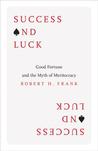
On your new page you’re using a much bigger image, and there’s nothing in the code you copied that tells the image to display smaller.
To make it smaller, edit the page. Click the first image and delete it. Click the second image and drag the corners to make it the size you want. Then save.
That said, I wouldn’t recommend copying HTML from older posts created in the classic editor. The block editor uses entirely different markup, and will automatically try to convert anything you paste into the editor into the correct block markup. This is what caused the image to be duplicated in this case – the editor tried to convert the image’s HTML code into an image block, resulting in image block markup inside a classic block.
When using the visual editor, WordPress allowed me to include a link to the hardcover edition, but not for either of the paperback editions. I went to the code editor and used the first one as a template for the others. Now, none of them work.
Are you speaking of text-links? To add a text link, copy the link first so it’s in the clipboard. Next highlight the text you want to link, and then press Ctrl-V to paste. That should automatically hyperlink your highlighted text. There’s no need to modify HTML to add a link. This process worked the same way in the classic editor.
If you posted the naked URLs on blank lines, the editor most likely tried to embed them – I also see some embed block markup in your page’s HTML. If you want to use naked URLs, it’s best to explicitly select the paragraph block before you paste the link. But I would note that it’s much better for SEO and for people using screen readers if you hyperlink instead, i.e. add your link to some anchor text or to an image.
-
Neither shift-enter not enter works.
Here is how the page looks now. I want the text next to the image, I don’t want it all clumped as one paragraph, and wanted the sale links for each edition to appear on a separate line.
-
Hello there,
It looks like there was HTML in there which was blocking that from separating.
The HTML was
<!-- /wp:paragraph -->and also the image HTML was wrapped around the text also.I’ve also cleaned this up for you.
The last thing I did was to align the image left, so that the image sits next to the text.
For something a bit more uniform, you may wish to consider the use of the column block: https://wordpress.com/support/wordpress-editor/blocks/columns-block/ in the block editor.
I hope this helps.


- The topic ‘WordPress seems to have a mind of its own’ is closed to new replies.
 WordPress.com Forums