

WordPress Update
-
wordpress updated its interface and it messed my images in previous posts + makes it completely impossible to remove the border on images (using bueno theme). I’ve spent a lot of time per post on images and do not want to go back and update three years worth of posts because of a software update. Please advise!!
The blog I need help with is: (visible only to logged in users)
-
Hi there!
There were some recent changes to the Visual Editor and Image Editor. You can read more about those changes here:
Regarding the border option, this was removed from the image editing. Are you looking to remove the borders from your images?
Also, can you please let me know what you mean by messing up your images in previous posts?
-
Hi jeremylduvall,
Thanks for getting back to me. Helpful link! Thanks!
Yes – I want to remove the border from my images. The bueno theme puts a border on images as a default and previously it was very easy to remove without going into HTML coding. Any advice on how to do this moving forward with the new image editing features?
As for images in previous posts, if they were resized previously they now show up as broken images. (i.e. the signature image on this post: http://beautyandthepitch.com/2014/03/18/spring-it-on/) . Is there an easy fix for this?
-
Hi there,
It looks like you’ve been able to remove the border on your latest post using the following attribute:
style="border:0;"You will just need to insert this within the img code in the Text Editor moving forward. Does that make sense? Let me know if you need any clarification here on where/how to add the code!
Regarding the signature, I’m still seeing that image on my side as shown here:

Is that image broken on your side or did you re-add it back to the post?
-
The images appear broken. I went in and fixed the most recent 10 posts however, the other 100+ are still broken.
Here is an example: http://beautyandthepitch.com/2014/01/21/two-year-blogiversary/
In addition to the broken images, it seems as if the background color changed to a pink and is not changing back to white? Even when customized option for background is white…??
Is there not another way to update using the HTML style code? If not, I would appreciate where to put it for the images.
Thanks again!
-
Hi there!
Regarding the broken images, it looks like the previous media file may have been deleted. Did you perhaps delete the media file that previously had this URL?

On the blog post you mention, that’s the SRC URL, meaning the URL where the image can be found. If you delete the image from your Media Library, that URL will no longer be active and all images previously uploaded using that URL will no longer work.
Regarding the background color, are you referring to the background color of your site or the border around your images? The former appears to be white on my side as demonstrated here:
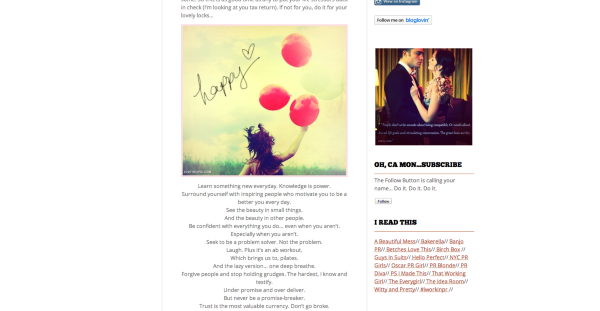
If you’re referring to the border around the image in this post, that can be adjusted through HTML. If you navigate to the “Edit Post” screen and then to the Text Editor, you’ll see a string of text like this:
<img class="aligncenter size-full wp-image-1881" src="http://ssadaru.files.wordpress.com/2014/04/happy.jpg" alt="happy" width="490" height="447" />To remove the border, we’ll want to insert a style:border=0 attribute as demonstrated here:
<img style="border:0;" class="aligncenter size-full wp-image-1881" src="http://ssadaru.files.wordpress.com/2014/04/happy.jpg" alt="happy" width="490" height="447" />Can you give that a try and let me know if you run into any trouble?
-
Thanks again all of this has been very helpful!!!
The signature image is still in my media library but it shows up as the broken page/SRC URL image. If I reload the image/same title, would it automatically update the other posts?
-
Unfortunately, file names are specific to the upload, meaning that once you upload a file with that particular file name, the file name will not be reusable even if you delete the uploaded file. For example, if you upload another file with the name “slide1-e1353863860821”, it will be assigned “slide1-e13538638608211.jpg”. The additional “1” at the end of the file distinguishes it from the first upload.
I see the image here that has the file name xox.jpg:

However, I can’t find the image with the file name slide1-e1353863860821.jpg. Is it possible that you deleted that one when you uploaded the new one?
-
I uploaded the new one bc the old image was not working. The old image shows in my media library still just as the missing image. Assuming the only way to fix it is to go back and change them all to the new one…correct?
-
I believe so, but first, can you send me the permalink of the file in your Media Library? I want to see it in action just to be sure. You can find the permalink under the file name on the “Edit Media” screen like this:
https://ssadaru.wordpress.com/wp-admin/post.php?post=1873&action=edit
In that case, the permalink would be the following:
http://beautyandthepitch.com/2014/03/26/dear-batp-because-i-didnt-major-in-pr/xox/


- The topic ‘WordPress Update’ is closed to new replies.
 WordPress.com Forums