

Working with twenty ten theme
-
Trying to set up a page with the Twenty Ten Theme. The copy on the right column appears twice and the Meta part is visible to everybody. How do I fix that?
Also I am using the URL danielbotnick.com, and as it does here, it keeps showing me that my URL is danbotnick.wordpress.com
The blog I need help with is: (visible only to logged in users)
-
Hi there,
I went to your site, and found that it was loading properly as seen in the screenshot below:
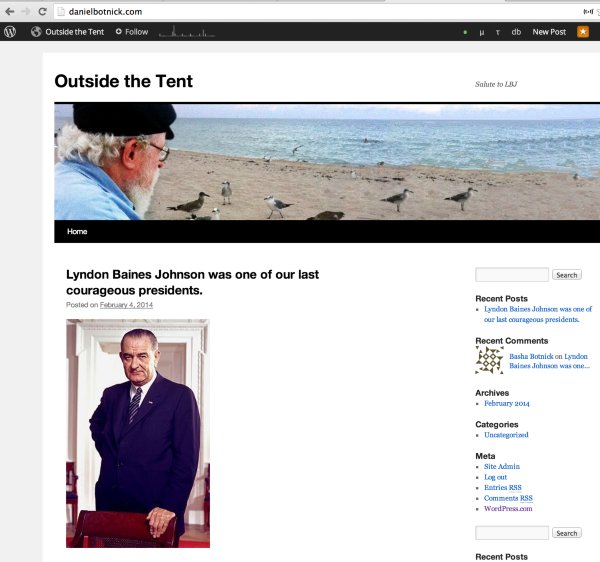
It can take some time to propagate. If you find that it is still not loading properly, can you please try clearing out your cache and cookies using the guide below?
As for the Meta widget, I am seeing that it is currently applied in your Primary Widget and Secondary Widget area. You can remove this by going to Appearance > Widget in your Dashboard. Click on Primary Widget Area, click on the triangle next to Meta, and you can Delete it. Click on Save and do the same in the Secondary Widget Area.
Feel free to reach out if you have any questions!


- The topic ‘Working with twenty ten theme’ is closed to new replies.


 WordPress.com Forums