

YouTube Video in Email Post
-
I publish my posts via email and when I make a Video Post with a YouTube video embedded in the post, it does not preview the video in a picture nor link in the email post. How can I change this? I would like the YouTube Video embedded in the email post as well.
The blog I need help with is: (visible only to logged in users)
-
Hi there,
How the video displays will actually be dependent on your mail provider. For example, on Gmail, the video should be displayed like this:
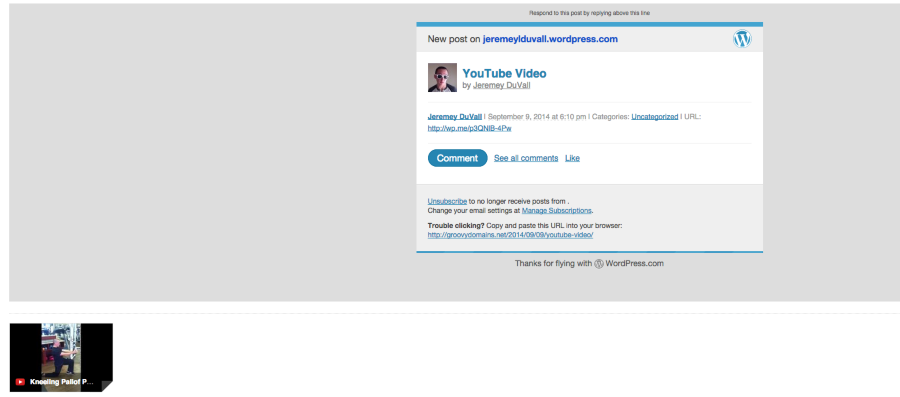
However, if you’re using a different mail software (like Apple Mail), the video will only display if the reader clicks through to view the post. Currently, there isn’t a way to make the video display inline within the email notification for all providers.
-
Ok– are there any plugins to make the video preview in the email post?
Thank you Jeremey!
-
Hi!
Plugins aren’t allowed at WordPress.com. You can read more about that here:
However, I don’t know of a plugin that would force the video to be embedded. I believe it’s an issue with the email provider, not necessarily the posting at WordPress.com.
Also, being a runner myself, I love your site! The interviews are amazing! One thing I noticed: the image under the widget titled “SIGN UP FOR JULIA’S YOGA TEACHING SCHEDULE NEWSLETTER” is broken. It looks like you might have used the src URL from another site to get the image and that site took the image down. I would recommend uploading a Mailchimp logo directly to your site so you don’t have to depend on another site keeping an image up. This one might do the trick:

Let me know if you need anything else!
-
Hi Jeremy,
So glad that as a fellow runner you like my site!
Thank you SO much for catching the fact that this link is broken! I greatly appreciate this and will fix it asap.
Many many thanks!
Julia


- The topic ‘YouTube Video in Email Post’ is closed to new replies.
 WordPress.com Forums