

Bandcamp is a publishing platform for bands. This guide will show you how you can integrate Bandcamp into your website using a shortcode.
In this guide
Have a question?
Ask our AI assistantFollow these steps to create a shortcode that you can use to embed content from Bandcamp:
- Visit an album page on Bandcamp.
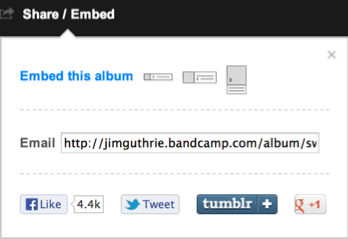
- Click on the “Share / Embed” option.
- Click on the “Embed this album” link:
- Select a layout for your player from the options provided:
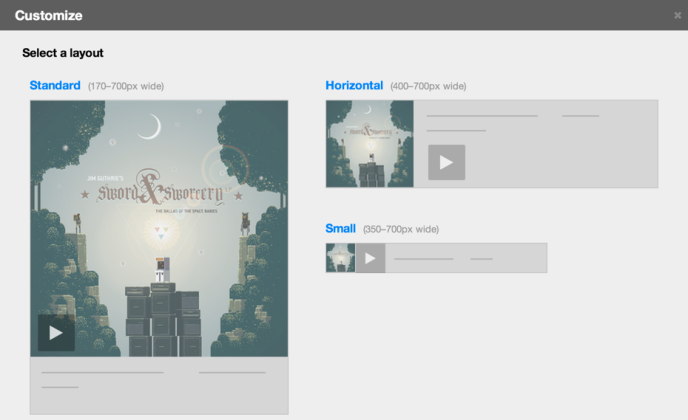
- After you select a layout, you will have more options to customize your player if desired.
- Under “Embed code” select the WordPress.com button to generate your Bandcamp shortcode:
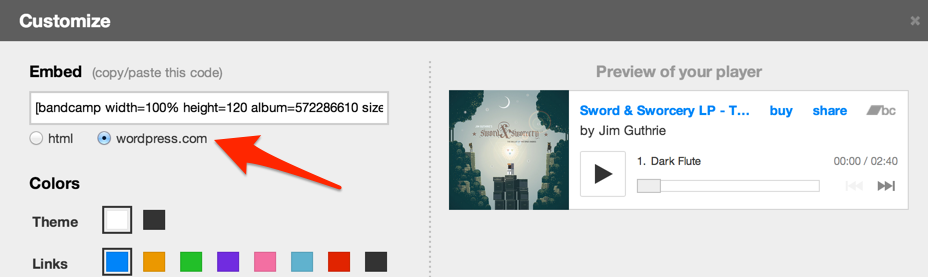
- Copy the shortcode to your computer’s clipboard.
Now that you have your shortcode, follow these steps to add it to your website:
- Edit the page or post where you want to display the Bandcamp content on your site.
- Click the + block inserter and add a new Shortcode block.
- Paste your shortcode into the box.
- Click the Save button and view the content on your site.
Here’s an example of how it can look:
