

The Business Hours block allows you to display your business’s opening hours on your site.
In this guide
Have a question?
Ask our AI assistantYou can add the Business Hours block by searching for it from the list of blocks:

The default business hours are 09:00am to 05:00pm Monday to Friday.
To set a day as Closed, click the Open/Closed toggle switch:

To adjust the opening times, click on the value you want to change, then type in a new value:
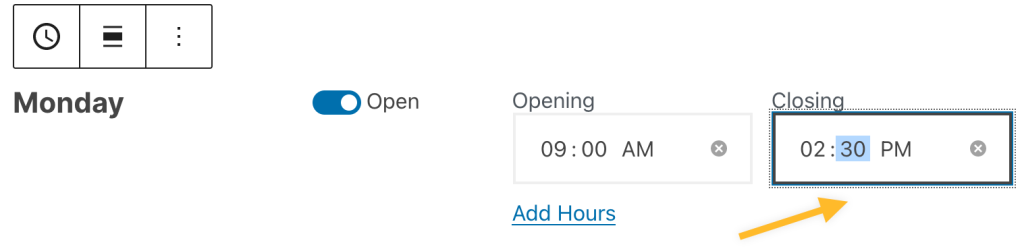
To add more hours for any day, click on Add Hours and enter your additional hours:

After entering your hours for each day, click outside of the Business Hours block and you’ll see an approximation of how the block will display on your site:

When you select a block, you will find additional block settings in the right sidebar. If you do not see the sidebar, you may need to click the Settings icon in the top-right corner to bring up the settings. This icon looks like a square with two uneven columns:

The Business Hours block includes the following options:
