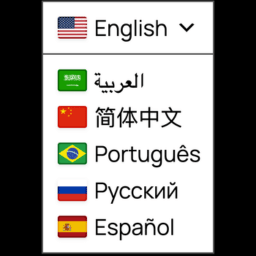
Automatic Translator with Google Translate
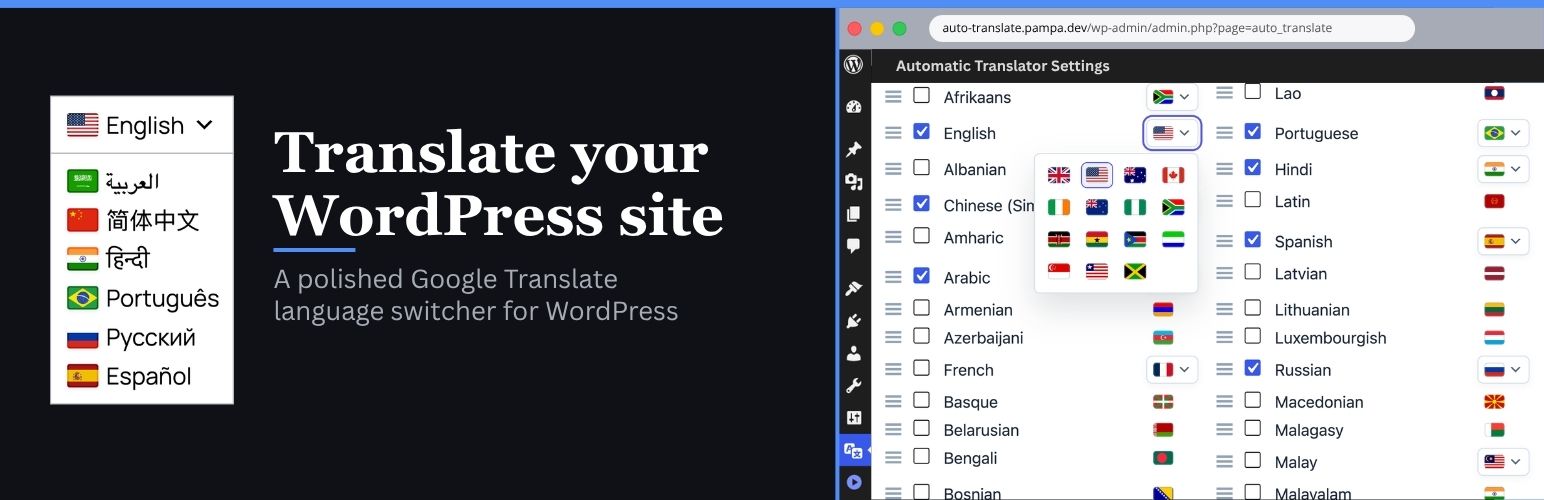
Automatic Translator with Google Translate by Pampa Dev helps you translate WordPress content for visitors with a lightweight Google Translate language switcher. Add a floating selector, place it in a menu, publish it in a widget area, insert it with a shortcode, or use the selector block.
Version 2 makes the language switcher easier to use, easier to place, and easier to style. Visitors get a cleaner translation experience, and site owners get better controls for where the selector appears, which languages are shown, and what content should stay untranslated.
Automatic Translator is a free visitor translation plugin. It changes what visitors see in their browser after they choose a language. It does not create translated URLs, translated posts, hreflang tags, sitemap entries, translated metadata, or SEO-indexable translated pages.
Plugin interface translations are included for Spanish, German, French, Italian, Portuguese (Brazil), Japanese and English (UK).
Features
- Free client-side translation powered by the Google Translate website widget
- Custom language switcher for a polished visitor-facing selector
- Translate posts, pages, menus, widgets, theme text, plugin text, and WooCommerce storefront text that appears in the page HTML
- Floating language selector with configurable corner and offset controls
- Menu, widget, shortcode, and selector block placement options
- Language search, selection, ordering, and optional all-languages mode
- Country flags with broad regional flag choices for languages spoken in multiple places
- Styling controls for colors, borders, typography, shadows, icons, and dropdown appearance
- Auto-detect option based on the visitor browser language
- Multiple selectors on the same page with shared translation state
- Advanced exclusion selectors for brand names, code samples, checkout fragments, or other content that should not be translated
- Dedicated shadow-scoped CSS for the isolated minimalist selector and detached dropdown overlay
- Loads translation tools only when visitors need them
- Hardens translated content and selector styling against aggressive theme CSS
- Uses a more isolated custom selector shell so theme CSS is less likely to break translated labels or icon alignment
- Renders the open language list in a detached shadow-isolated overlay layer so theme stacking, local containers, and theme CSS are less likely to break or block it
- No paid SaaS account or translation API key required
Free mode and multilingual SEO
Automatic Translator is built for instant visitor translation, not multilingual SEO indexing.
Free client-side translation is useful when visitors need to read your existing site in another language without creating and maintaining translated content. Search engines generally see the original page, because translated versions are not stored on separate URLs.
If you need multilingual SEO, you need a server-rendered translation system with stable language URLs, canonical handling, hreflang, sitemap integration, translated metadata, and translated slugs. Automatic Translator does not claim those features in free mode.
Placement options
You can place the language switcher in several ways:
- Floating selector in the Placement tab (enabled by default).
- Add the selector block in the block editor.
- Add the selector to a classic menu or Navigation block menu.
- Add the Automatic Translator widget to a widget area.
- Insert a shortcode in content or a template.
Supported languages
Automatic Translator supports the languages available through the Google Translate website widget:
- Afrikaans
- Albanian
- Amharic
- Arabic
- Armenian
- Azerbaijani
- Basque
- Belarusian
- Bengali
- Bosnian
- Bulgarian
- Catalan
- Cebuano
- Chichewa
- Chinese (Simplified)
- Chinese (Traditional)
- Corsican
- Croatian
- Czech
- Danish
- Dutch
- English
- Esperanto
- Estonian
- Filipino
- Finnish
- French
- Frisian
- Galician
- Georgian
- German
- Greek
- Gujarati
- Haitian Creole
- Hausa
- Hawaiian
- Hebrew
- Hindi
- Hmong
- Hungarian
- Icelandic
- Igbo
- Indonesian
- Irish
- Italian
- Japanese
- Javanese
- Kannada
- Kazakh
- Khmer
- Korean
- Kurdish (Kurmanji)
- Kyrgyz
- Lao
- Latin
- Latvian
- Lithuanian
- Luxembourgish
- Macedonian
- Malagasy
- Malay
- Malayalam
- Maltese
- Maori
- Marathi
- Mongolian
- Myanmar (Burmese)
- Nepali
- Norwegian
- Pashto
- Persian
- Polish
- Portuguese
- Punjabi
- Romanian
- Russian
- Samoan
- Scots Gaelic
- Serbian
- Sesotho
- Shona
- Sindhi
- Sinhala
- Slovak
- Slovenian
- Somali
- Spanish
- Sundanese
- Swahili
- Swedish
- Tajik
- Tamil
- Telugu
- Thai
- Turkish
- Ukrainian
- Urdu
- Uzbek
- Vietnamese
- Welsh
- Xhosa
- Yiddish
- Yoruba
- Zulu
Privacy Policy
Automatic Translator with Google Translate uses Appsero SDK to collect some telemetry data upon user’s confirmation. This helps us troubleshoot problems faster and make product improvements.
Appsero SDK does not gather any data by default. The SDK only starts gathering basic telemetry data when a user allows it via the admin notice.
Integrating Appsero SDK does not immediately start gathering data without confirmation from users in any case.
Learn more about how Appsero collects and uses this data.