
CiteKit – Footnotes, Tooltips, Citations, Bibliography & References Manager
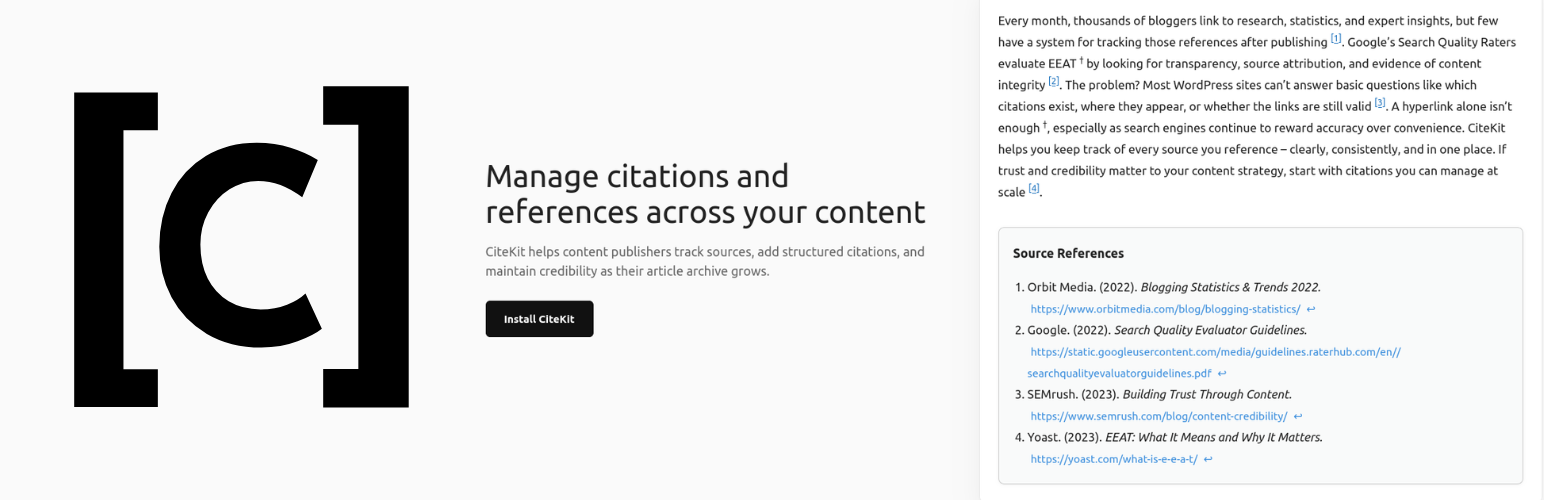
CiteKit is a WordPress citation and footnotes plugin that lets you add APA, MLA, Chicago, and Harvard citations, generate bibliographies, and manage references across your site.
Add structured in-text citations and footnotes using simple shortcodes like [cite] or Gutenberg blocks. Automatically generate a formatted bibliography at the end of any post using [bibliography] or the Bibliography by CiteKit block.
Create reusable references with custom IDs like [cite id=”who-2024″], or let CiteKit assign them automatically. Citations are linked to your bibliography with numbered markers ([1], [2], etc.) for a clean, academic-style experience.
Use the built-in Reference Library to track, audit, and manage all citations and references across your site. Monitor link status, keep sources up to date, and maintain a consistent, credible content structure.
Perfect for bloggers, publishers, and content creators who want a complete citation, footnotes, and bibliography system inside WordPress.
Related Citation Tools
- Bibliography Generator
- Cite a Book in APA
- Cite a YouTube Video in MLA
- Cite a Journal in Harvard
- Cite a Website in MLA
- Cite a Report in IEEE
Features
Inline Citation, Tooltip & Footnote Formats in Block Editor: Use the CiteKit Citation, Tooltip, and Footnote buttons on the block toolbar to insert and manage inline citations, hover tooltips, and numbered footnotes directly within any paragraph, heading, list, or quote block. Click an existing inline badge to open it for editing, or place your cursor and click the toolbar button to insert a new one — no separate block needed for the inline markers.
Inline [cite] Shortcode with Auto-ID Insert citations directly into post content using [cite]. Unique IDs are automatically assigned on first save, or set a custom human-readable ID with [cite id=”who-2024″].
CiteBox — Post-Level Citation Editor A dedicated metabox in the post and page editor shows every citation in the current post. Fill in author, title, year, and URL without leaving the editor. Fields save instantly via AJAX and metadata is shared across all posts that reference the same ID.
Bibliography Block & Shortcode Insert a formatted, backlinked bibliography anywhere in your content using the native Bibliography by CiteKit block or the [bibliography] shortcode. Entries are ordered by appearance in the post, each with a back-reference to its inline citation, and style and heading are configurable per block or per shortcode.
Manual Bibliography Composition Create a standalone bibliography with [bibliography title=”References”] Source 1 ; Source 2 [/bibliography] — ideal for static lists or non-[cite] workflows.
Numbered Footnotes with Hover + List Add true footnotes with [footnote]…[/footnote] or the Footnote toolbar button. Each footnote is auto-numbered in order of appearance and renders as a superscript marker with a hover popup. Add [footnotes] or the Footnotes by CiteKit block at the end of your post to render the full numbered list with back-links to each marker. Explicit list mode also supported: [footnotes]Note one; Note two; Note three[/footnotes].
Reference Library A central admin page listing every citation used across your site. Citations appear in the library the moment they are inserted into any post or page. See which posts use each reference, sort and filter by status, and manage everything from one place.
Link Health Checker Check whether your source URLs are still reachable. Each reference is marked Live, Broken, or Unchecked. Results are saved per citation so you can spot dead links before your readers do.
Multiple Citation Style Support Output in APA, MLA, Chicago (Author-Date and Notes-Bibliography), Harvard, or IEEE using [bibliography style=”apa|mla|chicago-ad|chicago-nb|harvard|ieee”].
Default Style Setting Set your preferred citation style and bibliography heading once in Settings → CiteKit. All [bibliography] shortcodes and Bibliography blocks site-wide use this default unless overridden per post.
Tooltip-Style Inline Notes
Add inline definitions and asides with [tooltip]…[/tooltip] or the Tooltip toolbar button. For underline-style tooltips, the tip attribute holds the visible inline term and the content between the tags holds the definition shown on hover — e.g. [tooltip tip=”FOSS”]Free and Open Source Software[/tooltip]. Default style is dashed; use style=”dotted” for a dotted underline. For superscript-symbol markers, use style=”” (or †, ‡, §, ¶, or any short string) where the shortcode content becomes the popup: [tooltip style=”“]Aside text here[/tooltip].
CiteKit Blocks & Formats
Bibliography by CiteKit — available in the CiteKit category in the block inserter. Renders a formatted, backlinked bibliography for the current post. Configure citation style and heading in the block sidebar.
Footnotes by CiteKit — available in the CiteKit category in the block inserter. Renders the numbered footnote list collected from [footnote] shortcodes or CiteKit Footnote toolbar tokens earlier in the post. Place at the end of your post. Configure heading in the block sidebar. Distinct from WordPress core’s built-in Footnotes block (added in WP 6.3) — CiteKit’s version adds hover popups on markers, explicit list mode, custom heading, and integration with the rest of the CiteKit system.
Citation Format — the CiteKit Citation button on the block toolbar. Click an existing citation badge to open its reference details for editing, or place your cursor and click the button to insert a new one. Enter the citation ID and reference details in the block options panel.
Tooltip Format — the CiteKit Tooltip button on the block toolbar. Choose a style (dashed underline, dotted underline, or symbol marker), enter the Term (the visible inline word) and the Definition (shown on hover). Click an existing tooltip badge to edit.
Footnote Format — the CiteKit Footnote button on the block toolbar. Enter your footnote text; a superscript number is inserted at the cursor and the text appears both on hover and in the Footnotes list at the end of the post. Click an existing footnote badge to edit.
CiteKit Shortcodes
Inline Citations
- [cite] — Inline citation with auto-generated UUID
- [cite id=”custom-id”] — Inline citation with a user-defined ID
Bibliography
- [bibliography] — Auto-generated bibliography for the current post
- [bibliography style=”mla” title=”Article Sources”] — Override style and heading per post
- [bibliography style=”chicago-ad”] — Override style only; heading uses your site default
- [bibliography] Smith, 2026; John Jacobs, The Red Roof, 2021 [/bibliography] — Manual entry list
Tooltips
- [tooltip tip=”Term”]Definition[/tooltip] — Dashed underline tooltip (default):
tipis the visible term, content is the popup definition - [tooltip style=”dotted” tip=”Term”]Definition[/tooltip] — Dotted underline variant
- [tooltip style=”*”]Popup content[/tooltip] — Symbol-marker tooltip (also: †, ‡, §, ¶, or any short string) — content becomes the popup
Footnotes
- [footnote]Note text[/footnote] — Numbered superscript footnote with hover popup; numbered in order of appearance per post
- [footnotes] — Render the full numbered footnote list at this position (usually end of post)
- [footnotes title=”Notes”] — Render the list with a custom heading
- [footnotes]Note one; Note two; Note three[/footnotes] — Render an explicit numbered list without using [footnote] markers
Supported bibliography styles: apa, mla, chicago-ad, chicago-nb, harvard, ieee