
Course Tracker – Simple WordPress Lesson Progress & LMS Navigation
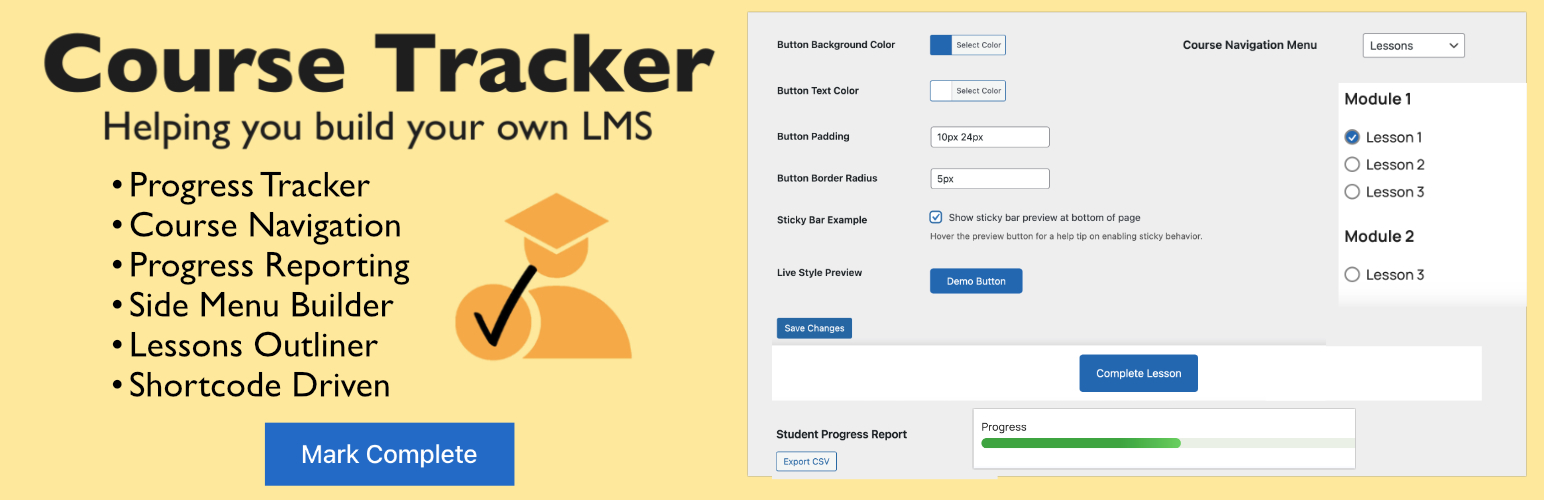
Course Tracker is a lightweight, shortcode-driven WordPress plugin that lets you build your own mini LMS directly inside WordPress — no coding or external LMS required.
It’s powered by the WordPress Menu Builder, which you use to structure your course outline. Each menu item (lesson) automatically becomes part of a side navigation panel — complete with progress checkmarks and arrows that update as students mark lessons complete.
Fully compatible with Classic Editor, Gutenberg, and all major page builders such as Bricks Builder, Elementor, and Beaver Builder, Course Tracker helps you track lessons, show progress bars, customize navigation text, and guide students through your course in a clean, visual way.
Designed for creators who want course progress tracking without complex LMS setups, it delivers everything you need to create a motivating learning experience — fast, flexible, and privacy-friendly.
Key Features
- Shortcode-Driven: Add course navigation, progress bars, and completion buttons anywhere — no coding required.
- Menu-Based Navigation: Uses the native WordPress Menu Builder to create your course outline and automatically show lesson checkmarks and arrows as students progress.
- Lesson Completion Tracking: Students can mark lessons complete and instantly see their updated progress.
- Standalone Progress Bar: Display a progress bar independently from the course outline using the new
[ctrkr_progress_bar]shortcode. - Custom Progress Text: Customize wording like “lessons”, “modules”, or “sections” using shortcode attributes and dynamic tokens.
- Progress Bars & Checkmarks: Display lesson progress visually with customizable bars, icons, and completion text.
- Custom Slide-in Content: Add custom HTML, notices, buttons, downloads, or shortcodes below the slide-in navigation panel.
- Navigation Styling Controls: Fine-tune navigation spacing, colors, active states, and checkmark styling directly from settings.
- Build Your Own LMS: Create a complete learning experience directly inside WordPress — no third-party LMS plugins or subscriptions needed.
- Works with All Editors: Compatible with Classic Editor, Gutenberg, Bricks Builder, Elementor, and other page builders.
- Lightweight & Fast: Built for speed, simplicity, and compatibility with any theme.
- Save & Restore Progress: Students can export or import progress data anytime — no external accounts or sync required.
- Privacy-First: All progress data stays in your WordPress database, never sent elsewhere.
Usage
After setup, use these shortcodes in your pages or templates:
-
[ctrkr_nav]— Displays course navigation with checkmarks. -
[ctrkr_complete_button text=" "]— Adds a button to mark the current lesson as complete. -
[ctrkr_nav_arrows]— Adds Previous/Next lesson arrows. -
[ctrkr_course_outline]— Shows progress bar and course outline.Example: [ctrkr_course_outline show_progress=”no”]
Displays the course outline without the progress bar.
-
[ctrkr_lesson_position]— Displays text like Lesson X of Y.Example: [ctrkr_lesson_position text=”Module {current} of {total}”]
-
[ctrkr_progress_text]— Displays Completed X of Y lessons with navigation arrows.Example: [ctrkr_progress_text text=”Completed {completed} of {total} modules”]
-
[ctrkr_progress_bar]— Displays a standalone progress bar.Example: [ctrkr_progress_bar text=”{completed} of {total} modules complete ({percent}%)”]
Example:
[ctrkr_nav] is intended for users who want to manually place course navigation in sidebars, templates, or custom page layouts.
For easier setup, Course Tracker also includes an optional automatic slide-in navigation panel available in plugin settings. When enabled, manual insertion of [ctrkr_nav] is not required.
Add [ctrkr_complete_button] to lesson pages so students can manually mark lessons complete when using shortcode-based layouts.
Settings
- Course Navigation Menu: Choose the WordPress menu that represents your course.
- Show Navigation Title: Display a title above the course navigation.
- Slide-in Tracker Panel: Optionally enable a floating slide-in menu for navigation.
- Custom Slide-in Content: Add custom HTML, buttons, notices, downloads, or shortcodes below the slide-in navigation.
- Navigation Styling Controls: Adjust navigation spacing, active link behavior, and checkmark appearance.
- Styling: Customize button colors with the built-in Button Styler, or fine-tune further using the WordPress Customizer or your theme’s CSS.
- Student Reports: View student progress and export to a spreadsheet.
External Services
This plugin connects to SureCart via api.surecart.com for license verification (to unlock the premium version).
- What: The entered license key is sent to SureCart for validation.
- When: Only when you enter or remove a license key in the plugin settings.
- Data sent: License key only — no student or course data.
- Purpose: To enable premium features after purchase.
- SureCart Privacy Policy