PlanIt Event Manager – Responsive Event Calendar & Management Plugin
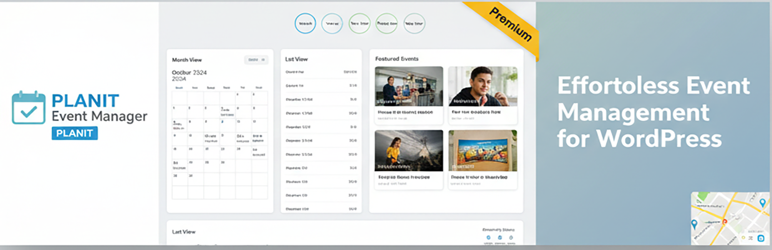
Try It Live – Preview This Plugin Instantly
Preview on WordPress Playground
Launch an interactive demo with WordPress, the plugin, and sample events already configured – no installation required! Click the link above to explore all features in your browser.
Try PlanIt Premium live (full Premium features)
Launch PlanIt Event Manager Premium on InstaWP
Use this link to open a temporary WordPress sandbox with PlanIt Premium and the free companion pre-configured—explore week/year views, recurring events, and other Premium-only tools. (This is separate from the WordPress Playground preview above, which showcases the free plugin from WordPress.org.)
PlanIt Event Manager is the perfect free event calendar plugin for WordPress. This comprehensive event calendar solution makes it easy to create, manage, and display events on your website with beautiful calendar views and intuitive event management tools. Whether you’re organizing conferences, workshops, concerts, or any type of event, this event calendar provides everything you need to keep your visitors informed.
With powerful calendar views, list displays, venue management, and seamless WordPress integration, PlanIt Event Manager is the ideal event calendar for businesses, organizations, and bloggers. The responsive design ensures your event calendar looks perfect on all devices, while the flexible customization options let you create the perfect event calendar experience for your site.
Upgrade to Premium for advanced features like Week View, Year View, Photo View, Map View, Recurring Events, Custom Fields, Event Series, Featured Events, CSV Import, and much more!
Visit https://landtechwebdesigns.com/planit-event-manager-premium to upgrade.
Free Version Features
- Event Calendar Views: Stunning Day and Month calendar views to display your events beautifully
- List View: Display events in a clean, chronological list format for easy browsing
- Event Management: Complete event calendar management – create, edit, and delete events with full details
- Venues & Organizers: Manage venues and organizers separately for better event calendar organization
- Event Categories & Tags: Organize your event calendar with categories and tags for better navigation
- Hide Past Events: Automatically hide past events from your event calendar to keep it current
- Google Maps Integration: Display venue locations on interactive maps in your event calendar (requires API key)
- iCal & Google Calendar Export: Export events from your event calendar to external calendar applications
- Responsive Event Calendar Design: Your event calendar looks perfect on all devices – desktop, tablet, and mobile
- Event Calendar Widget: Upcoming events widget for sidebars to showcase your event calendar
- Event Calendar Shortcodes: Easy calendar and list embedding anywhere on your site
- Event Calendar Search & Filter: Powerful search and filtering to help visitors find events quickly
- PlanIt Event Search (AI, opt-in): Natural-language event search block and shortcode for visitors when AI is enabled under Events → Settings
- Featured Images: Add beautiful images to events in your event calendar
Premium Features (Available in Premium Version)
- Week View – See your week at a glance
- Year View – Annual overview
- Photo View – Visual grid with event images
- Map View – Interactive map with event locations
- Recurring Events – Create repeating events automatically
- Custom Fields – Add unlimited custom data to events
- Event Series – Group related events together
- Featured Events – Highlight important events
- CSV Import – Bulk import events from spreadsheet
- The Events Calendar Import – Migrate from other plugins
- Event Cost/Price – Display event pricing
- Event Website – Link to external event pages
- Event Timezone – Per-event timezone support
- RSS Feed – Events RSS feed
- Advanced Widgets – Featured Events, Event Series, Countdown widgets
- RSVP door check-in – QR manifest printing and mobile-friendly check-in for confirmed RSVPs (Premium)
External services
This plugin makes use of the following third-party services:
Google Maps JavaScript API
What it is: Google Maps JavaScript API for displaying event locations.
Data sent: The user’s browser sends the site’s API key and the visitor’s IP address to Google when viewing a map.
InstaWP (optional Premium live demo)
What it is: InstaWP provides temporary WordPress sites. The “Launch PlanIt Event Manager Premium on InstaWP” link in this readme opens their launcher so you can try PlanIt Premium without installing it on your own server.
Data sent: Your browser loads InstaWP; standard web data (for example IP address, referrer) may be processed per InstaWP’s policies.
WordPress AI / Connectors (optional)
What it is: When you enable AI under Events → Settings → AI, PlanIt uses WordPress 7.0’s WP AI Client and your site’s configured connector (for example OpenAI or Anthropic via Settings → Connectors). PlanIt does not ship API keys.
Data sent: Prompt text and event context (titles, dates, venue names, categories, excerpts) for admin assist; for the public Event Assistant and Event Search blocks, upcoming event titles/dates/URLs and the visitor’s question or search phrase. Visitor IP is used locally for rate limiting only and is not sent to the AI provider. RSVP emails, payment data, and attendee PII are not sent to AI providers.
When: Only when you opt in via settings and a connector is configured.
- WordPress AI documentation
- Review your chosen connector plugin’s Terms of Service and Privacy Policy (for example OpenAI or Anthropic policies on their respective sites).
Try It Live
👆 Click the preview link at the top of this page to try PlanIt Event Manager instantly – no installation required!
The live preview includes: * WordPress and plugin pre-configured and ready to explore * 6 sample events (conferences, workshops, concerts, webinars) * 3 venues with full address details * 3 organizers with contact information * Event categories and tags * A demo page showcasing calendar and list views
Direct Preview Links: * Preview free plugin on WordPress Playground * Launch PlanIt Premium live demo on InstaWP (week/year views, recurring events, and more) * View on WordPress.org (includes Preview button for the free plugin)