
Booking Calendar
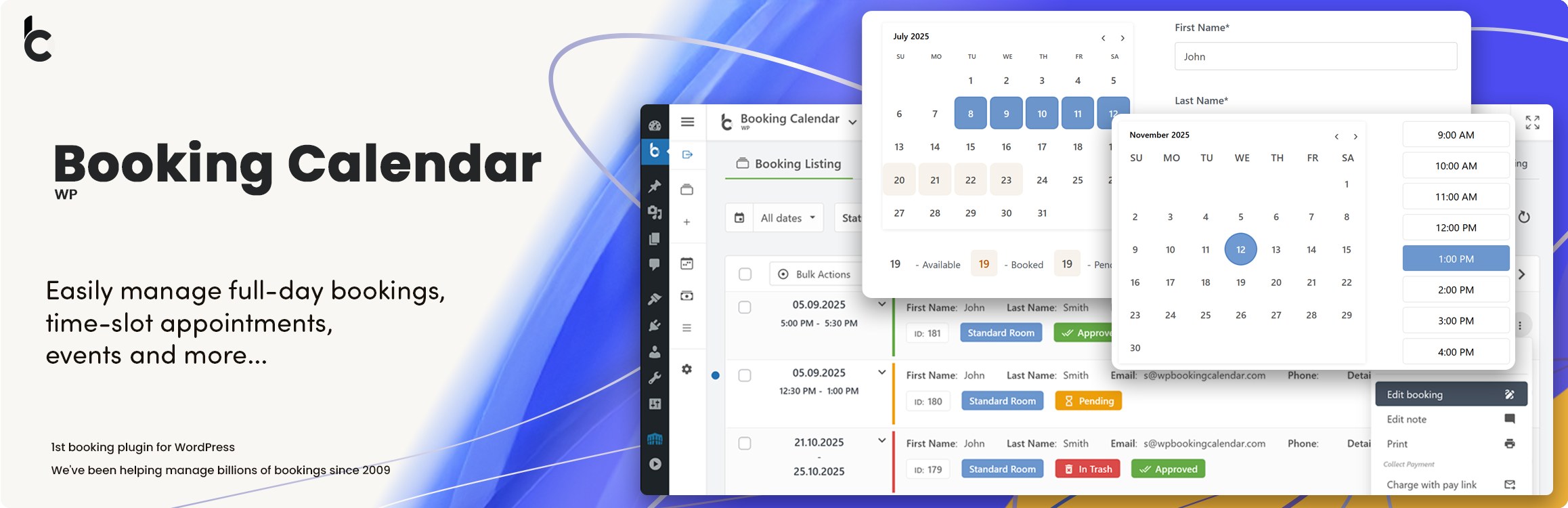
Booking Calendar – Booking Plugin for Appointments, Reservations, Rentals, Events
WP Booking Calendar is a flexible WordPress booking plugin for appointments, reservations, rentals, and events. Add a responsive availability calendar and booking form to your website, accept online bookings, and manage them from a modern admin panel.
Use Booking Calendar for full-day bookings, time-slot appointments, service scheduling, event registration, inquiry forms, request forms, or even as a simple multi-steps contact form with built-in request listing and email notifications.
Features | See Demos | FAQ | Get Support
Best for appointments, service scheduling, property rentals, equipment rentals, consultations, classes, events, and availability management.
Key Features
- Block unavailable time intervals by resource and date range
- Create admin bookings from selected available time slots
- Configure global availability rules with live preview
- Accept full-day and time-slot bookings
- Show calendar availability on your website
- Create booking, contact, and inquiry forms
- Use the new Drag & Drop Booking Form Builder
- Build multi-step forms with rows and columns
- Customize form fields and email notifications
- Prevent double bookings
- Manage bookings in a clear admin panel
- Sync bookings with external services using .ics feeds
- Import Google Calendar events
- Works for properties, services, rentals, and events
New Time Slots Availability & Fast Admin Booking
Manage unavailable time intervals visually from Booking Calendar > Availability or directly from the bookings workflow using the new Time Slots Availability popup.
Administrators can choose a date range and block or unblock exact time intervals in an interactive timeline. The timeline clearly shows available, booked, unavailable, and full-day unavailable states, and full-day unavailable states, making it much easier to understand real availability at a glance.
Administrators can also create a new booking directly from an available time interval. Simply select an available time slot in the popup, open the booking form with the selected resource, date, start time, and end time already prefilled, and save it as a new booking.
This makes Booking Calendar especially useful for appointment scheduling, service bookings, consultations, rentals, and any workflow where administrators need to quickly review availability and create bookings from the WordPress admin panel.
New Drag & Drop Booking Form Builder
Create booking forms visually without manually editing complex shortcodes or form code. Simply drag fields from the sidebar, drop them into the canvas, organize them into rows and columns, edit settings in the sidebar, and preview changes instantly.
The new builder also makes it easy to create contact and inquiry forms where the calendar is optional.
With the new interface, you can:
- drag and drop fields into the form layout,
- organize fields into sections and columns,
- create multi-step form pages,
- resize columns for better layout control,
- edit field settings in the right sidebar,
- instantly preview the form while building.
This new functionality brings a more modern, user-friendly, and flexible way to create forms in Booking Calendar, making form setup faster, clearer, and much more convenient for website owners.
Perfect solution for any booking logic
As the first booking system for WordPress, we have created a huge number of features to match your specific booking needs.
Easily define available dates and allow your visitors to reserve your property or service for a full day or time-slot.
For those who need more advanced functionality, our premium versions offer an extensive system with multiple resources, seasonal prices, conditional dates selection, availability search, and even a multi-user system where users can independently manage their own availability, much like an Airbnb portal.
Full Day Bookings – Drag and Drop Booking Form Builder
Easily configure Booking Calendar for full-day bookings with the new Drag and Drop Booking Form Builder. The new Booking Calendar Form Builder makes it much easier to create flexible booking forms without manually editing form code. It is a simple and visual way to build booking forms for different use cases directly inside WordPress.
Appointment Forms with Time Slots or Start Time + Service Duration Selection
Create a time-slot booking form in just a few minutes with the new Booking Calendar Form Builder. Visually add the calendar, time fields, and contact fields, adjust the layout, and preview changes instantly — without manually editing form code.
Changeover Multi-Day Bookings – Setup Wizard (Pro)
Configure multi-day bookings with specific check-in and check-out days, clearly marked with diagonal or vertical lines. Perfect for bookings that require split days. Available Pro versions.