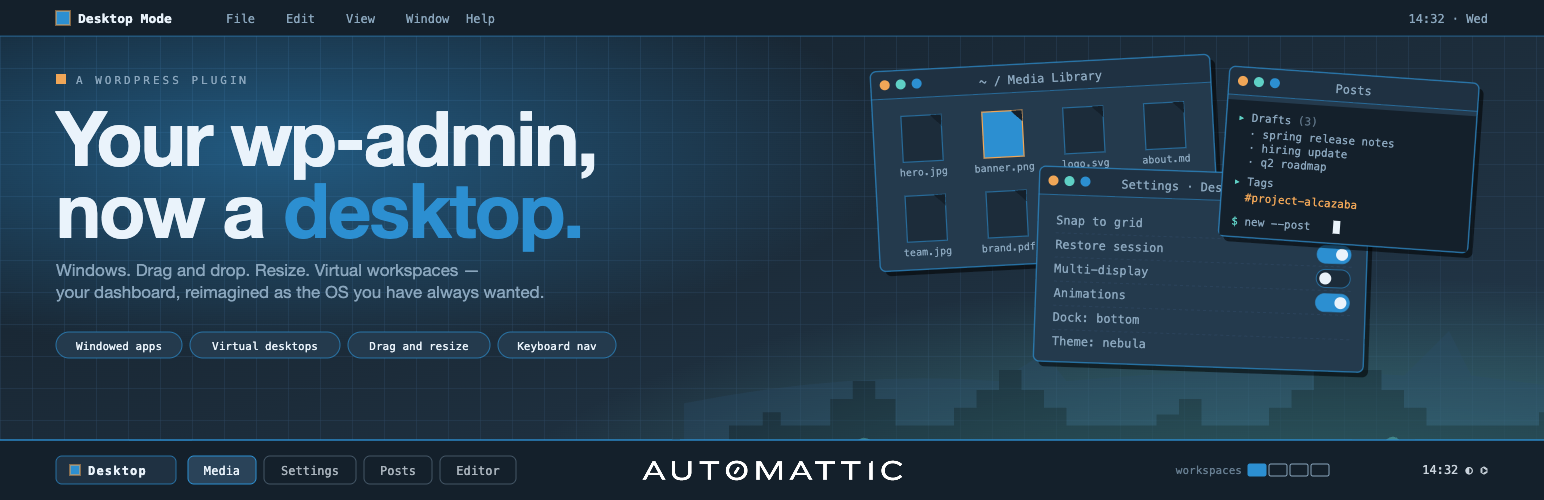
Your WordPress admin, reimagined as a desktop. Every admin screen opens as a draggable, resizable window — edit a post, browse the Media Library, and moderate comments side by side instead of one page at a time.
Desktop Mode is opt-in per user: one click in the admin bar switches you in, one click switches you back. Nobody else on the site sees any change, and deactivating the plugin restores the classic admin exactly. Zero Core patches — every feature runs through public WordPress hooks.
Built and maintained by Automattic, the company behind WordPress.com, Jetpack, WooCommerce, and Tumblr.
A real desktop
- Windows — drag, resize, minimize, maximize, snap, tile. Every admin page works, including plugin pages.
- Dock & taskbar — the admin menu becomes an icon dock; open windows live in a macOS-style taskbar.
- Virtual desktops (Spaces) — one desktop for writing, another for the store, another for moderation.
- Files on the desktop — drop posts, media, and links onto the wallpaper, organize them into folders, trash them to the Trash.
- Session restore — reload the browser and every window comes back exactly where you left it.
Make it yours
- Wallpapers — color presets, animated scenes, or your own image.
- Widgets & desktop icons — pin live widgets and shortcuts to the wallpaper; plugins can register their own.
Superpowers
- AI Assistant (optional) — press Cmd+K and ask „Which post had the comment asking for the recipe?“ It searches your own content. Requires an AI provider configured in Settings → Connectors (WordPress 7.0+); see „External services“ below.
- Corkboard — an interactive, zoomable map of how your posts, pages, and products link together.
- Cross-window drag & drop — drag an image from the Media Library window straight into the editor in another window.
- Command palette — the full WordPress command palette plus slash commands from plugins, all under Cmd+K.
Built to be extended
Every significant behavior is hookable. Register windows, dock items, wallpapers, widgets, desktop icons, commands, settings tabs, and AI tools from your own plugin — stable desktop_mode_register_* PHP APIs, a typed JavaScript API, and copy-paste examples in the developer docs on GitHub.
External services
This plugin’s optional AI Assistant sends data to the AI provider you configure in WordPress’s Settings → Connectors (for example OpenAI, Anthropic, or Google). Generation is routed through WordPress 7.0’s built-in AI Client, which supplies the credentials stored in Connectors — the plugin never handles an API key itself. With no provider configured in Connectors, no external AI requests are made.
When the AI Assistant is enabled and a user invokes it (via Cmd+K or the slash-command palette):
- What is sent: the user’s prompt, the conversation history for the active session, and tool-call metadata. The plugin’s built-in tools (
search_posts,search_pages,search_comments) run WordPress’s native keyword search and may include excerpts of the matching posts/pages/comments in tool results, which are then sent back to the provider as part of the agentic loop. - When it is sent: on user-initiated AI requests, and (if an administrator enables „Score new comments with AI“) on comment-save hooks for spam analysis. Posts, pages, and taxonomy terms are not sent automatically.
- Why it is sent: to obtain model completions and tool-call decisions that drive the AI Assistant.
- Who provides the service: whichever provider you configured in Settings → Connectors. Which provider (and endpoint) receives the data depends entirely on that configuration — review the chosen provider’s own terms and privacy policy (e.g. OpenAI, Anthropic, or Google).
No other external services are contacted by this plugin.
Credits
Desktop Mode is brought to you by Automattic. The plugin is open source under GPLv2-or-later; contributions are welcome on GitHub.
Third-party libraries
The plugin bundles the following third-party JavaScript library, loaded on demand only when a feature that needs it is in use:
- PixiJS (MIT License) — used by the interactive OS Settings → About scene, the Corkboard window, built-in canvas wallpapers (e.g. the animated WordPress logo), and the Inkfall typing game. PixiJS is loaded from the plugin’s own
assets/vendor/directory; no CDN requests are made.
Data files
The Inkfall game’s word list (assets/games/inkfall/words.txt) is generated from the following sources (attribution also ships in the file’s header):
- FrequencyWords by Hermit Dave (CC-BY-SA 4.0) — English word-frequency ranking derived from the OpenSubtitles corpus.
- english-words by dwyl (Unlicense) — used as a validity filter.
- LDNOOBW English list (CC-BY 4.0) — used as an exclusion filter.