
RioVizual — Table Blocks for Comparison, Pricing and Pros & Cons
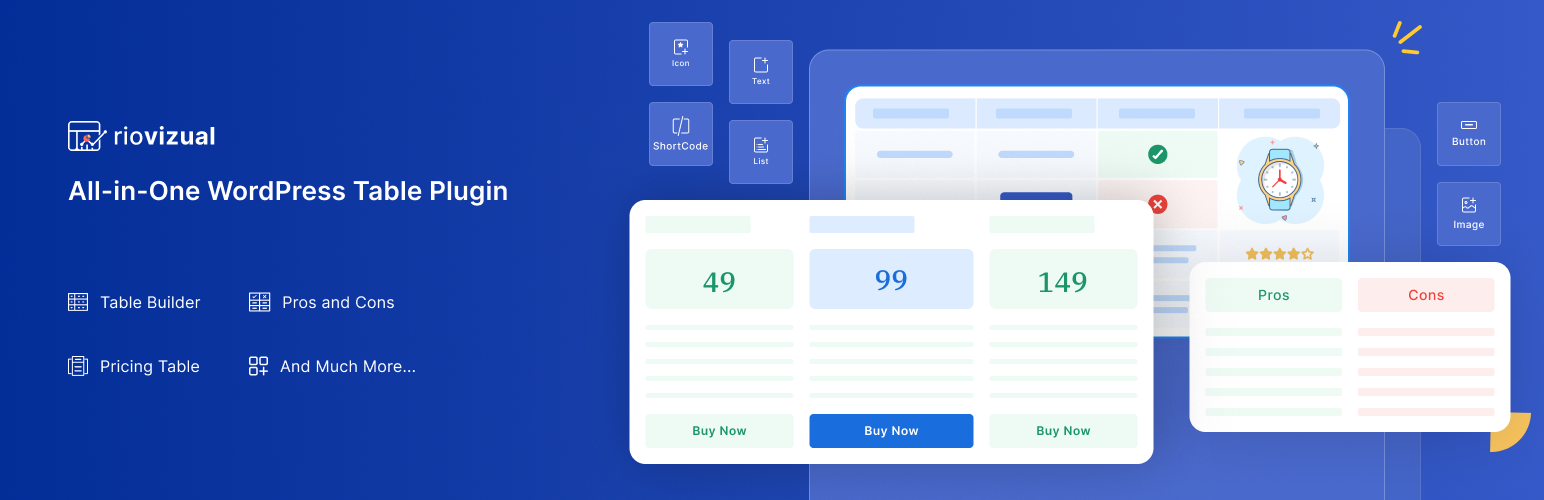
RioVizual is the all-in-one Gutenberg table plugin designed for creating comparison tables, pricing tables, and pros & cons boxes directly in the block editor.
It allows you to drag and drop elements to build customizable, responsive & SEO-friendly tables with multiple columns and rows. With advanced styling and formatting options, RioVizual helps enhance user engagement and boost conversion.
Get Pro | View Table Builder Demo | View Pricing Table Demo | View Pros & Cons Demo | Read Documentation
RioVizual Blocks (More Coming Soon!)
RioVizual includes the following highly customizable Gutenberg blocks:
-
Table Builder Block: Create fully customizable and responsive tables with drag-and-drop functionality in the Gutenberg editor. (Learn More)
-
Pricing Table Block: Easily compare pricing plans for your products or services with customizable pricing tables. (Learn More)
-
Pros & Cons Block: Highlight the benefits and drawbacks of products or services with attractive pros and cons tables. (Learn More)
With RioVizual, you can also access a library of pre-designed table templates, streamlining the process of creating stunning comparison tables, pricing tables, and pros & cons boxes in the Gutenberg block editor.
Why You Should Use RioVizual?
Easy Drag-and-Drop Interface: Create comparison tables, pricing tables, and pros & cons boxes in minutes with Gutenberg.
No Coding Skills Needed: Build professional, customizable tables without any coding knowledge.
Extensive Template Library: Choose from 50+ pre-designed templates for quick table creation.
Fully Responsive Design: Ensure tables look great on all devices, from desktop to mobile.
Advanced Customization Options: Customize fonts, colors, borders, and more to match your website’s design.
Optimized for Performance and SEO: Built with clean, optimized code and structured data support.
RioVizual Table Builder Block Includes
-
Drag-and-drop table builder specifically for the Gutenberg block editor.
-
12 versatile table elements (text, image, button, list, icon, shortcode, media & text, icon list, icon button, dual button, star rating, divider) to create dynamic tables in WordPress. (More elements coming soon!)
-
29 pre-designed table templates to jumpstart your table creation process.
-
Right-click options for adding, deleting, copying, cutting, pasting, duplicating, and moving elements.
-
Comprehensive cell manipulation: insert, delete, copy, cut, paste, and more for rows and columns.
-
Design flexibility: style cells and elements individually or in groups.
-
Dynamic cell type adjustment: switch between body, header, or footer cells with ease.
-
Fully responsive design: make tables adapt to different screen sizes automatically.
-
Improved mobile viewing: make tables scrollable or stackable for smaller screens.
-
Customizable cell width: set fixed or flexible widths for all cells.
-
Freeze options: lock the first row or column for better navigation.
-
Cell merging and splitting: merge multiple cells into one or split them back while preserving content.
-
HTML tag customization: switch cell tags between „td“ and „th.“
-
Multi-cell selection: use Ctrl to select multiple cells or Shift for selecting a range.
-
Extensive border settings: choose from different border types (solid, dotted, dashed, double, groove, ridge, inset, outset) for each cell.
RioVizual Pricing Table Block Includes
-
25 pre-designed pricing table templates for quick deployment.
-
Responsive column controls for adaptable and mobile-friendly layouts.
-
Flexible row and column management: easily add, delete, or duplicate rows and columns.
-
7 core elements: title, price, features, star rating, divider, media and call-to-action button for compelling pricing tables.
-
Ribbon settings with two preset design options for highlighting offers.
-
Equal column height adjustment to ensure a uniform look.
-
Right-click functionality for quick manipulation of elements (add, delete, copy, cut, paste, duplicate, move).
-
Multi-cell selection for bulk operations.
-
Automatic mobile responsiveness for flawless performance on any device.
-
Custom styling options: personalize each element with global or custom design settings.
-
Pricing Toggle
-
Icon support, Tooltip, Badge with features element
-
Original price, Price Suffix support, Dynamic Price Slider with pricing element
-
Media(img/icon) support with title element.
-
Icon support with button element.
-
Background image support for column.
-
Featured column support.
-
3 more style for ribbon.
RioVizual Pros & Cons Block Includes
-
13 pre-designed templates to easily create pros and cons boxes.
-
Built-in Pros and Cons Schema support to enhance SEO.
-
Icon customization for a personalized look.
-
Customization for box, title, and body.
-
Flexible styling: customize the box, title, and body to match your design.
-
Mobile support: optimized for vertical boxes on small screens.
-
Header and Body Item Icon Placement
-
Title Separator for header
-
Flexible Header Positioning
-
Enable Stripe on Body Items
-
Advanced Border Styles with 8 Stunning Design Pattern
-
Extra Design Flexibility in Style Options
Creating Tables in the Gutenberg Block Editor Has Never Been Easier
Creating tables like comparison tables, pricing tables, and pros & cons tables with a WordPress table plugin has never been easier. With RioVizual, it only takes 4 simple steps:
- Step 1 – Add a RioVizual Block
To insert a table into a WordPress post or page, simply add the desired RioVizual block from the Gutenberg block editor.
- Step 2 – Provide Table Contents
Choose to create a table from scratch or use one of the pre-made layouts by entering your table contents.
- Step 3 – Customize Your Table
Customize the table’s columns, colors, fonts, and other settings to match your design preferences. Make adjustments as needed to create a table that perfectly suits your needs.
- Step 4 – Publish Your Table
Once you’re satisfied with the table’s design, click „Publish“ or „Update“ to make it live on your post or page.
Helpful Resources
- How to Create a Comparison Table in WordPress Gutenberg Block Editor?
- How to Create a Pricing Table in WordPress Gutenberg Block Editor?
- How to Create a Pros & Cons Table in WordPress Gutenberg Block Editor?