
WP VR – 360 Panorama and Virtual Tour Builder
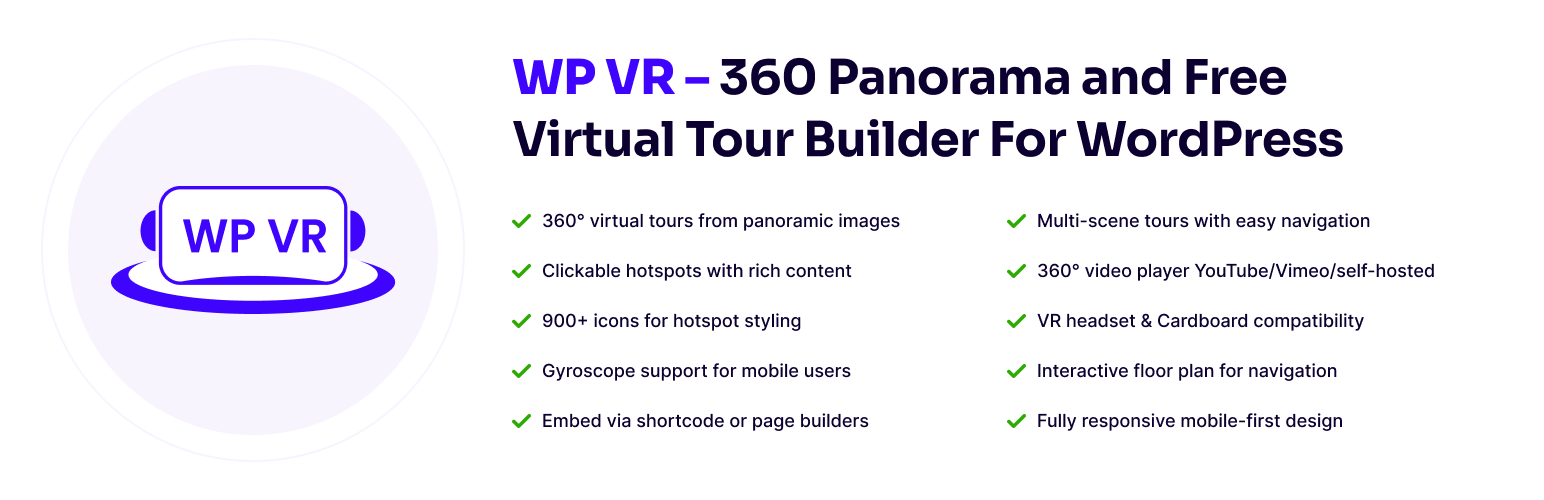
🏆 Excellent Virtual Tour Creator and 360 Panorama Viewer.
WPVR is a free virtual tour creator that helps you build immersive 360 VR tours in minutes – no complexity at all.
With this WPVR plugin, you can use an effective 360 panorama viewer to showcase properties, shops, hotels, or exhibitions. Visitors can explore your space freely, interact with key areas, and gather the details they need to make a decision more quickly.
🌟 Why Use WPVR?
WPVR comes with all the necessary features to create a free virtual tour on your own — all you need is a 360 panoramic image to get started.
Documentation | Video Tutorials | Guides | Get WPVR Pro 💎
WPVR has a simple & easy virtual tour builder specially for real estate, designed for you to make virtual tours quickly, even without any expertise.
Tatsächlich kannst du in weniger als 5 Minuten kostenlos eine virtuelle Tour erstellen!!
Take a look at some of the amazing virtual tours created using WPVR!
- Real Estate Virtual Tour
- Virtual Art Gallery
- Hotel Virtual Tour
- Virtual Car Showroom
- Virtual Tour Of A Pub/Bar
Here, you can offer an engaging property virtual tour with interactive hotspots to make it more realistic and exciting. And there’s so much more.
👉 Offer A 360 Virtual Experience
The virtual tour will let users explore in full 360 directions. In case of a property, you can allow people to move from one room to another and browse every detail easily. And you can allow gyroscope for mobile users to get a near realistic visit.
👉 Place Interactive Hotspots
Use hotspots that people can click to get additional information via tooltips, images, videos, or audio, so that visits can get questions answered, and interest piqued.
👉 Easy To Highlight Your Brand
Easily place your brand logo and contact information on your virtual tour. Plus, customize the colors of the control buttons to match your brand.
Whether it’s a real estate virtual tour, a hotel tour, or even a museum virtual tour, this will let you get contacted more often by interested prospects.
👉 Optimize For Inquiries & Bookings
Place booking forms or generic inquiry forms either on a hotspot (maybe at the reception desk of the tour), or on a CTA button below the tour. Let prospects contact you as soon as they are ready.
👉 Make The Visitor Feel Welcomed
Place a mini-welcome video and add soothing background music to make the visitor feel optimistic and valued right from the start.
All-in-all, offer an experience your prospects won’t forget.
🌟 Create A Free Virtual Tour In Just Easy 3 Steps 🌟
WPVR makes virtual tour creation super easy.
All you need are multiple 360 panorama images to cover different rooms, corners, or spots.
Then, you may follow these 3 simple steps to create a free 360 VR tour in no time;
- Upload the images to WPVR and they will turn into 360 panoramic views.
- Connect them to each other for navigation easily.
- Place hotspots to provide information around your location.
And you are ready. Now you can publish it and place it on any page on your website.
That’s it, you’ve just turned 360 photos into a virtual tour, absolutely free!
Your viewers can move inside or back and forth in your property virtual tour, get extra information through hotspots, and get an experience similar to a real-life visit.
In the free version (yes, a free virtual tour creator), you can connect up to 5 scenes, and place up to 5 hotspots on each scene.
For unlimited scenes and hotspots, consider using WPVR Pro 💎
You can also add Scene Transitions (PRO) to make the journey more exciting.
Everything You Need To Create Virtual Tours That Engage & Convert
WPVR comes with several features to make virtual tours more engaging and conversion-optimized.
Simply put, it’s not just a tool to show off, but also a solution to help you get real clients interested to make inquiries, place bookings, and contact you for negotiations.
🔮 High Quality Virtual Tours With Multiple Scenes 🔮
Suppose you want to show off a property with 3 bedrooms, 2 bathrooms, a kitchen, living room, balconies, or even a backyard. Just take 360° panoramic images of each space and let WPVR turn them into one virtual tour.
You’re probably worried about quality – a realistic 360° panorama image needs high resolution, over 3000×1500 pixels.
With WPVR, you can disable WordPress compression and use any high-quality images (JPEG, PNG, WebP) to create free 360° VR tours without losing quality.
🔮 Use Interactive Hotspots To Answer Questions & Engage With Prospects 🔮
During a real visit, people want to explore and ask questions – your virtual tour maker can do the same.
You can also use interactive hotspots with full control via HTML Editor/WYSIWYG Editor to add any content you want.
You can enhance your virtual tour with: ➤ Tooltips – Show quick info when visitors hover over an object. ➤ Descriptions – Let people click to see more details. For example, describe the comfort of a hotel bed. ➤ Images or GIFs – Show clearer visuals if something isn’t obvious. ➤ Videos – Use short clips to explain features instead of text. ➤ Audio – Play pre-recorded audio to guide visitors like a real person.
Pro Tip: Pro Tip: Think about questions or highlights visitors might want. Add them as hotspots.
You can also add buttons to link to forms or external pages, like booking or inquiry forms.
We do have direct support for booking.
Bonus: You’ll get access to 900+ custom icons to use as hotspots to make the experience meaningufl. And you can add custom colors (Pro) or ripple animation (Pro) to grab user attention.
P.S. If you want, you can also add custom icons of your own using snippets. (Hear’s how.)
🔮 Place Your Virtual Tours Anywhere on Your Website without Hassle 🔮
Once your virtual tour is ready, you can embed it anywhere using a shortcode, no matter what theme you use.
It’s also compatible with popular page builders:
- Virtual Tour Widget for Elementor.
- Virtual Tour Block for Gutenberg.
- 360 VR Panorama Module for Divi.
- Virtual Tour Element for Oxygen.
- Virtual Tour Element for Visual Composer.
You can also Publish Your Virtual Tours with Password Protection in case you want to offer private access (maybe for a fee).
🔮 Interactive Virtual Floor Plan for Meaningful Direction (Pro) 🔮
One of key highlights of WPVR is it’s floor plan feature, popular among realtors and real estate agencies.
You can add a real estate floor plan to your virtual tour with clickable pointers, letting visitors navigate the property and understand its layout for better decisions.
Learn more about using Interactive Virtual Floor Plan in case you want to offer private access (maybe for a fee).
🔮 Share Your Virtual Tour on Social Media Via Link or QR Code (Pro) 🔮
With WPVR, you can share your 360° virtual tours instantly using a link or QR code perfect for social media, email, or direct sharing without a webpage.
🔮 360 Video Player for WordPress 🔮
Apart from creating virtual tours with 360 panoramic images, you can also use WPVR as a 360 video player on your website.
🔮 Cardboard & VR Headset Support for Full Immersive Experience (Pro) 🔮
You can enable VR Glass mode, so visitors can use Google Cardboard or a VR headset to enjoy a more realistic virtual tour experience.
🔮 WPVR Analytics Support (Pro) 🔮
Apart from all those interactive options, you also get to view analytics to help you make business decisions.
📈 Track tour views 🔥 Monitor hotspot clicks 🗓️ Filter by time period
🔮 Mobile First VR Approach 🔮
This virtual tour creator is built for mobile phones from the start. Every virtual tour you create is fully responsive and optimized to load fast on phones.
🌟 Who Should Use WP VR? 🌟
Any business you run, if it gives you any advantage by showing your location or space to prospects, then you can use WPVR.
If you part of any of the following industries, WPVR can be your go-to virtual tour creator:
- Real Estate Industry
- Schulen und Hochschulen (Virtuelle Campus-Touren 🏫)
- Hotels & Resorts
- Restaurants.
- Travel/Tourism.
- Museums.
- Art Galleries & Exhibitions.
- Car Showrooms.
- Möbelausstellungsräume.
- Clothing Stores.
- Grocery and Retail Stores.
- Bars/Kneipen.
👉 Check out Virtual Tours For Different Industries Made With WPVR: Take A Look Now!
To have more control over creating a virtual tour, learn about the Premium version.
FREE FEATURES
- An unlimited number of 360 Panorama VR tours
- 360° Videounterstützung (selbst gehostete, Youtube und Vimeo-Videos).
- Virtuelle Touren im Vollfenster. * VR Glass-Unterstützung für Videotouren.
- VR-Glas-Unterstützung für Videotouren.
- Kurzcode-Unterstützung.
- Gutenberg-Blockunterstützung.
- Elementor Widget Unterstützung.
- Unterstützung für Webp Bilder
- Live-Vorschau der Tour im Backend.
- Tour-Vorschaubild.
- Tour Autoladen-Funktion.
- Animation zum Ausblenden der Szene.
- Private and Password Protected Tour
- Automatische Drehung mit Geschwindigkeitsregelung.
- Automatische Drehrichtung, Pausen- und Stoppsteuerung.
- Grundlegende Steuerungsschaltflächen (Vergrößern, Verkleinern und Vollbild).
- Maus-Ziehsteuerung auf virtueller Tour.
- Vergrößern und Verkleinern mit Mausscrollen auf virtueller Tour.
- Vergrößern und Verkleinern mit den Tasten + und -.
- Füge mehrere Szenen und Hotspots hinzu.
- Szenentyp Hotspot, um Szenen zu verbinden.
- Info-Typ Hotspots, um Informationen zu geben.
- Option Schweben und 1-Klick-Inhalt für Hotspots.
- Bette Texte, Videos, Bilder, GIFs und Webseiten-Links in Hotspots ein.
- Hotspot-Anpassung mit benutzerdefiniertem CSS.
- Tour-Tag in voller Breite.
- Radius-Tag für Tour-Rahmenradius.
- Multi-Site-Unterstützung.
- Unterstützung von WP-Benutzerrollen (Editoren und Autoren).
- Deaktiviere die FontAwesome-Option.
- Deaktiviere WordPress Standardhandler für große Bilder.
- Steuere Plugin-Werte, die nur auf bestimmten Seiten/Beiträgen geladen werden.
- Aktiviere den Frontend-Hinweis für mobile Besucher.
- Option zum Ändern der Größe mobiler Medien.
- Urückroll-Option für die Plugin-Version.
- Passwortgeschützte Tour.
- Unterstützung durch das Support-Forum.
PREMIUM FEATURES
- Alle kostenlosen Funktionen.
- Unbegrenzte 360º Panorama VR (Szenen).
- Unbegrenzte Hotspots.
- Touren überall veröffentlichen (Add-on einbetten)
- WooCommerce Add-on für Hotspots.
- WooCommerce Produkte – In den Warenkorb.
- Szenengalerie (Panorama-Bildergalerie).
- Unterstützung für VR Glass / Cardboard Unterstützung.
- Grundriss-Unterstützung.
- Erklärvideo.
- Hintergrundmusik
- Autoplay, Loop, and pause in virtual tours
- Gyroskop-Unterstützung für Virtual Reality (mobile Geräte).
- VR-Glas-Unterstützung für Videotouren.
- 900+ Premium-Symbole für Hotspot.
- RGB-Farbunterstützung für Hotspots.
- Teilpanorama / Mobiles Panorama.
- Google Street View Unterstützung.
- Cubemap-Bildunterstützung.
- Virtuelle Touren importieren und exportieren.
- Benutzerdefinierte Zoomeinstellungen für 360° Bilder.
- Hintergrund 360° Panorama Betrachter.
- Fließende Formulare Add-on.
- Firmenlogo & Beschreibung (Weiss-Label).
- Dupliziere Touren mit einem Klick.
- Steuere die horizontale und vertikale 360° Ansicht.
- Benutzerdefinierter Ladepunkt (Gesicht) für 360° Ansichten.
- Szenentitel, Autorenname & URL.
- Bildschirm-Kompass für 360° Bildbetrachtermodus.
- Direkte Freigabe über soziale Medien.
- Teile virtuelle Touren mit einem QR-Code.
- Vorrangiger Support.
👉 Upgrade to Pro ✨
Wir haben noch viele weitere tolle Funktionen geplant. Werfe einen Blick auf unser Entwicklungsplan.
Kommende Funktionen
- Kontaktformular/Buchungsoption.
- Geschichtenerzählen.
- Mail Mint Integration für die Lead-Generierung.
Privacy & Data Collection
WP VR includes an optional, opt-in usage tracking module powered by Linno Telemetry SDK to help us troubleshoot issues faster and improve plugin performance, feature stability, and overall user experience.
What data we collect (only if you opt in)
WP VR does not collect any data by default. If you explicitly allow data collection via the Linno telemetry consent prompt, the plugin may collect the following telemetry data: – WordPress version – PHP version – WP VR plugin version – Active theme and active plugins (names only) – Non-sensitive plugin settings related to tours, scenes, and hotspots – Feature usage and page views within the plugin – Site administrator email address No data is collected without your explicit confirmation.
How and why the data is used
The collected data is used solely to: – Diagnose and resolve technical issues efficiently – Understand how WP VR features are used – Improve plugin stability, VR tour rendering, and feature performance – Enhance the overall user experience Data collection and processing are handled via Linno Telemetry SDK.
Consent, Control, and Third-Party Services
WP VR does not collect any data by default. Both Linno Telemetry SDK and OpenPanel analytics are strictly opt-in: – Linno Telemetry SDK does not gather analytics events unless you explicitly allow tracking. – OpenPanel tracking is initialized only after the administrator has opted in to telemetry data collection. – You can opt out at any time, which immediately stops all further data collection. – Integrating Linno Telemetry SDK does not immediately start gathering data under any circumstances.
Third-party services used for optional analytics:
- Linno Telemetry SDK – https://github.com/CODEREXLTD/linno-telemetry
- OpenPanel (only after telemetry opt-in) – https://openpanel.dev/privacy You can review how Linno Telemetry and OpenPanel collect and use data via their respective privacy policies. Data removal If you have previously opted in and would like your data removed, you may request deletion by contacting us at support@rextheme.com.
External Services
This plugin connects to an external API (showcase.rextheme.com) to obtain pre-built virtual tour templates. This is needed to allow users to quickly generate a virtual tour using the setup wizard based on their selected industry.
It sends a request containing the corresponding template ID of the selected industry when a user uses the setup wizard to create a tour from a template. No personal user data is transmitted during this process.
This service is provided by „RexTheme“: Terms of Use, Privacy Policy.
Source Code
This plugin uses Webpack to compile JavaScript/CSS. To comply with WordPress.org guidelines, the uncompiled source code (src folders) and configuration files (package.json, webpack.config.js) are included in this package. To compile, run npm install and npm run build in the plugin root. Third-party library sources (videojs-vr, tether) are available alongside their distributed files or via our npm dependencies.