
WS Action Scheduler Cleaner
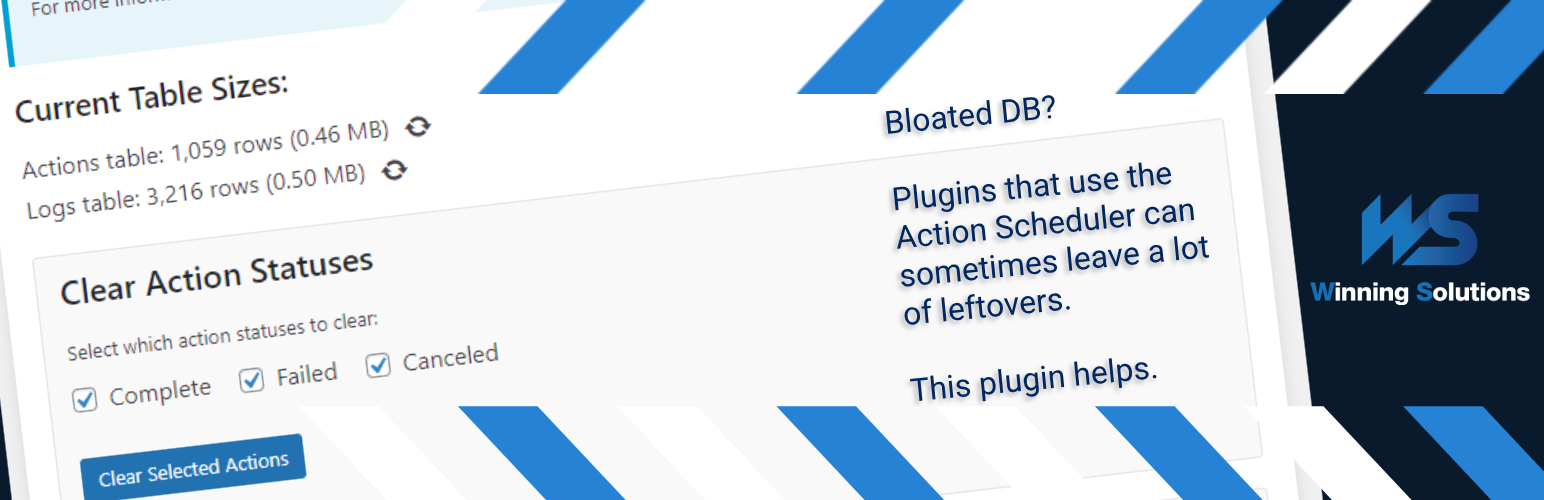
WS Action Scheduler Cleaner is a small tool designed to optimize your WordPress database by managing the Action Scheduler tables. Action Scheduler, a robust job queue and background processing library, is utilized by many popular plugins such as WooCommerce, WP Forms, and Jetpack to handle resource-intensive tasks asynchronously.
While Action Scheduler is crucial for the smooth operation of these plugins, its tables can grow significantly over time, potentially impacting your site’s performance. This is where WS Action Scheduler Cleaner comes in.
Wichtigste Funktionen:
- Easily clear completed, failed, or canceled actions from the Action Scheduler tables
- Set up automatic clearing schedules for efficient database maintenance
- Optimize the database tables to reclaim unused space and potentially improve performance
- Customize retention periods for logs and actions
- User-friendly interface integrated into the WordPress admin area
By regularly cleaning up unnecessary data from Action Scheduler tables, you can:
- Improve database query performance
- Reduce database size
- Enhance overall site speed and responsiveness
WS Action Scheduler Cleaner is an essential tool for any WordPress site using plugins that rely on Action Scheduler, especially high-traffic e-commerce sites or membership platforms that generate a large number of scheduled actions.
Usage
- In the WordPress admin panel, go to Tools > Action Scheduler Cleaner
- Select which action statuses you want to clear (completed, failed, canceled)
- Set up different automatic clearing schedules if desired
- Click „Clear Selected Actions“ to manually clear actions – or let the automatic schedule handle it
- Optionally optimize the DB tables as well; this is your solution for when the size of the tables doesn’t seem to go down on simple clearing
For best results, we recommend setting up an automatic clearing schedule to maintain optimal database performance. Something like 7 days is usually sufficient. By default, Action Scheduler does this every 30 days, but only for completed and canceled actions, whereas you can control this aspect in the plugin. On deactivation of the plugin, the 30-day retention period as well as which actions get cleared will reset to their defaults.
Entwickler-Informationen
Cleanup and optimization run in time-bounded chunks: each pass deletes up to batch_size rows per SQL statement and repeats until max_seconds elapses or no matching rows remain. Progress is saved between chunks so large tables can be processed without a single long request.
The following filters (since 1.3.0) let you tune behavior for your hosting environment. Add them in a custom plugin or your theme’s functions.php.
Manual cleanup (admin UI / AJAX)
wsacsc_ajax_cleanup_batch_size(default:10000) — Maximum rows deleted perDELETEstatement during manual clear operations initiated from the admin screen. Higher values can speed up very large tables but increase load per query.wsacsc_ajax_cleanup_max_seconds(default:18) — Seconds of work per AJAX request before the plugin saves progress and returns. The admin UI polls for the next chunk while you keep the page open. Increase on slow hosts if chunks finish too quickly; decrease if requests time out.
Scheduled cleanup (WP-Cron)
wsacsc_cron_cleanup_batch_size(default:2000) — Same as the AJAX batch size, but for automatic retention cleanup run on a schedule. Defaults are lower than manual cleanup to reduce impact on live traffic.wsacsc_cron_cleanup_max_seconds(default:45) — Seconds of work per cron run before the job pauses and schedules continuation (see below).
Background continuation
wsacsc_cleanup_use_background_continuation(default:true) — When a chunk ends before deletion is finished, schedule a single WP-Cron event to resume the job in the background. This is important for scheduled cleanup on large tables and when no admin session is polling progress. Manual cleanup in the browser also continues via AJAX polling; setting this filter tofalsedisables cron-based resumption only (unfinished scheduled jobs may stall unless something else triggers the next chunk).
Scheduled auto-optimize
After a scheduled retention pass deletes all matching rows for a table, the plugin may run OPTIMIZE TABLE automatically to reclaim disk space. Manual clear from the admin UI never auto-optimizes; use the Optimize button instead.
wsacsc_scheduled_auto_optimize_max_rows(default:100000) — Run auto-optimize only if the table’s total row count is at or below this value after cleanup. Prevents long, blocking optimize operations on tables that are still huge. Values below1000are raised to1000.wsacsc_scheduled_auto_optimize_delay_seconds(default:5) — Seconds to wait after the last delete batch before runningOPTIMIZE TABLE, giving the database a short breather. Clamped between0and60.
Example (gentler cron, no background continuation):
add_filter( 'wsacsc_cron_cleanup_batch_size', function () { return 500; } );
add_filter( 'wsacsc_cron_cleanup_max_seconds', function () { return 30; } );
add_filter( 'wsacsc_cleanup_use_background_continuation', '__return_false' );
Author: Winning Solutions Author URI: https://www.winning-solutions.de