
Zenbit Invitation Builder
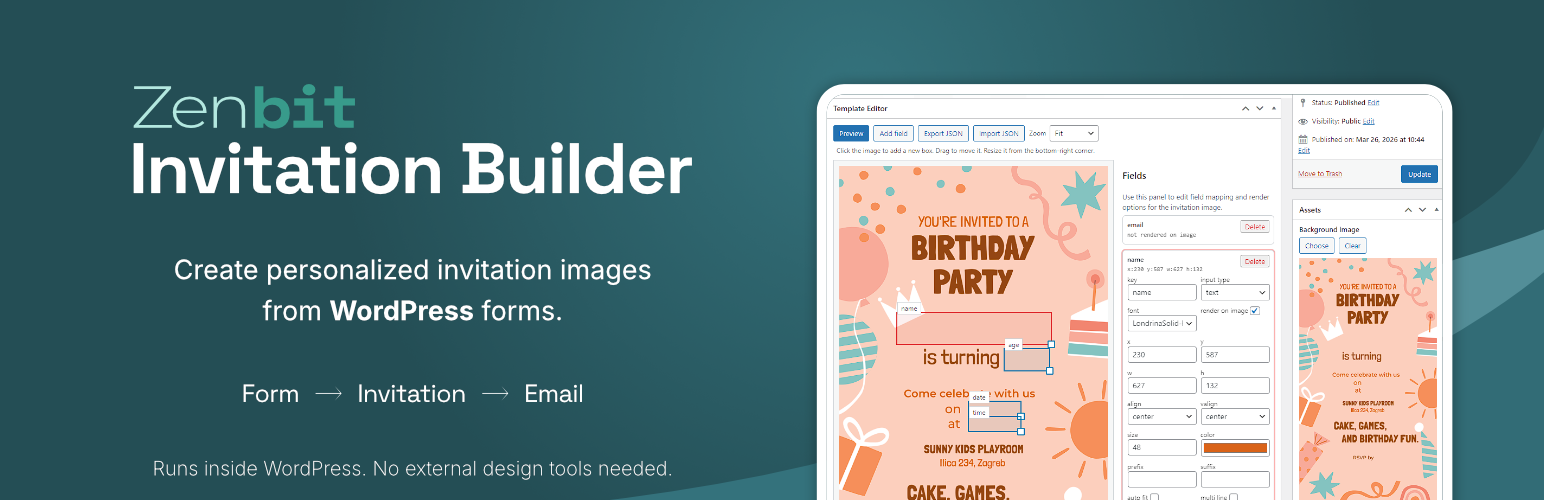
Zenbit Invitation Builder is a WordPress plugin for creating invitation forms and generating personalized digital invitation images.
Version 1.0.1 includes the complete core workflow with one ready-to-use template. You can build a template, map form fields onto the invitation design, preview the generated result, publish the form with a shortcode, and send invitation emails based on submitted form data.
The plugin is designed for sites that need a focused invitation workflow inside WordPress without a large setup process.
What It Does
Zenbit Invitation Builder gives you a clear invitation workflow inside WordPress:
- Create and manage invitation templates
- Map form fields onto a personalized invitation image
- Preview the generated invitation in the admin
- Publish a frontend invitation form with a shortcode
- Generate and email a personalized invitation from submitted form data
Who It Is For
Zenbit Invitation Builder is suitable for:
- site owners who want to manage invitation workflows directly in WordPress
- event businesses that need a practical digital invitation starting point
- projects that want one clear invitation flow without extra complexity
Key Features
- Invitation template editor inside WordPress
- Visual field mapping for personalized invitation output
- Admin preview of generated invitation images
- Separate frontend form editor for submission fields and form settings
- Shortcode-based form publishing
- Personalized invitation image generation from submitted form data
- Built-in email template settings for sending invitations
Free Version Scope
The free version includes:
- one fully functional template
- template editing, preview, and submission flow
- frontend form publishing with shortcode output
- invitation image generation from form submissions
- built-in email layout for sending invitations
- footer branding in generated invitation output
An optional Pro upgrade is available for sites that need additional templates and more advanced email or template workflows.
Basic Usage
- Create your invitation template in the WordPress admin.
- Configure the image layout and map the fields you want to personalize.
- Save and preview the generated invitation.
- Configure the frontend form and email settings.
- Publish the template post.
-
Add the shortcode to a page using the template ID:
[zenbinv_form template=“123″]
-
Open the page on the frontend, submit the form, and review the generated invitation email flow.
Upgrade to Pro
Pro is available as an optional upgrade for sites that need a broader workflow. It adds:
- additional templates
- automatic removal of free footer branding
- advanced email options such as Reply-To, CC, and BCC
- advanced email body editing with placeholders
The free plugin remains fully usable on its own for a focused single-template setup.