Disable WP Notification
·
Keep your WordPress dashboard clean, organized, and professional in just one click. Block annoying notices and collect updates into a sleek Notificati …
Valoraciones
Versión
4.0
Instalaciones activas
10K
Última actualización
Jun 23, 2026
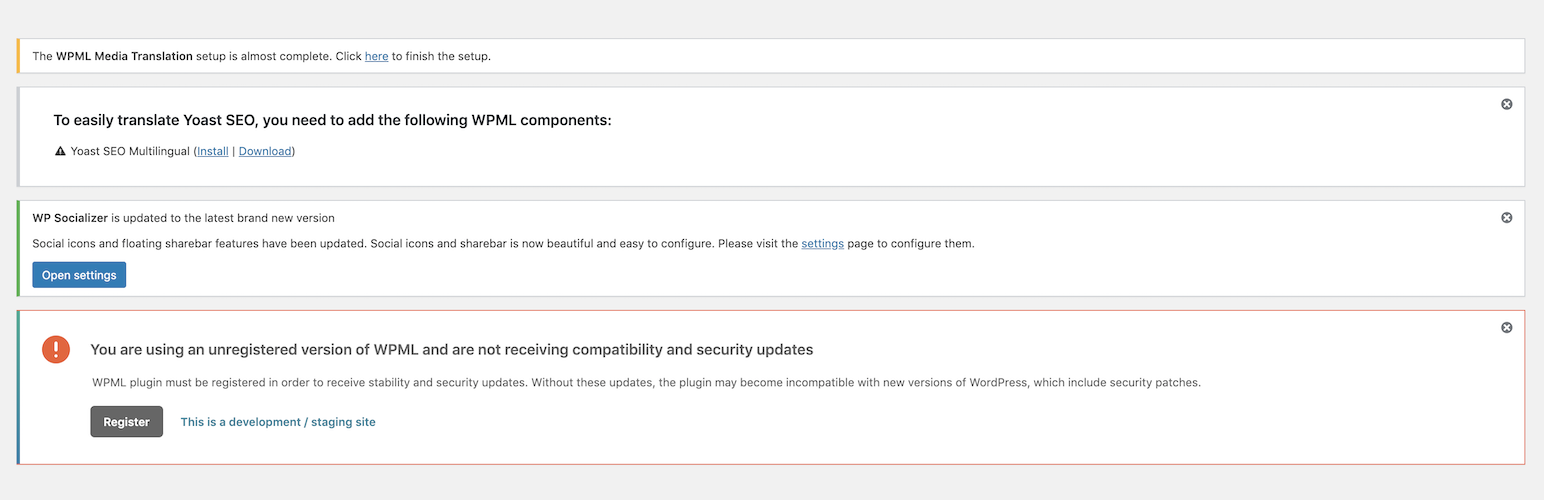
Is your WordPress admin screen cluttered with too many notices, update reminders, and plugin advertisements?
Disable WP Notification is the ultimate solution to clean your workspace. It blocks annoying administrative notices from your main screen and relocates them to a quiet, professional Notification Center (Bell Icon). This ensures your dashboard stays clean while you never miss important system alerts.
It is simple, lightweight, and business-focused. Your dashboard will look clean, load faster, and feel professional.
Why Choose Disable WP Notification?
- Zero Distractions: Clean your workspace instantly. Focus on building your website, not closing pop-up notices.
- Notification Center: Instead of deleting notices forever, the plugin collects them in an off-screen drawer. Click the bell icon in the top bar to read them whenever you want.
- Simple Control Modes:
- Show All: Keep notices visible normally.
- Disable for All Users: Block notices for everyone on your site.
- Disable for All Except Admins: Hide notices for editors, authors, and other roles, but keep them visible for administrators.
- Granular Update Filters: Stop WordPress core version nags, plugin update reminders, or theme update alerts with simple toggle switches.
- One-Click Clean: Dismiss notices permanently or clear the entire notification center tray in one click.
- No Configuration Hassles: Upgrading from older versions automatically imports and updates your settings.