
Display post meta, term meta, comment meta, and user meta
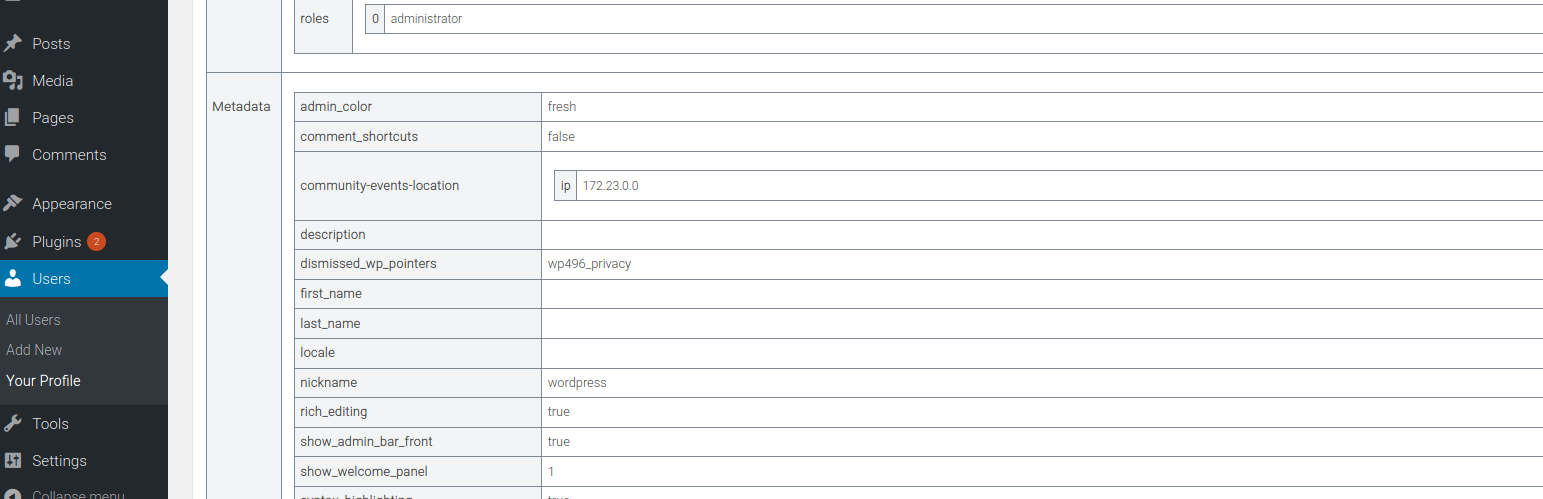
Displays metadata in a metabox on the creation/editing pages for posts (any CPT), terms (any taxonomy), and users.
The metadata is shown in a human-readable format, organized and unserialized. This metabox will only be visible to administrator
users or users with the display_metadata_metabox capability.
As a developer, you often need to access and review the values of metadata (or properties) attached to posts, terms, users, or comments. Whether it’s for debugging or optimizing custom functionalities, having a clear view of this data is essential for ensuring your code interacts correctly with the underlying WordPress objects.
As a sysadmin, managing and cleaning up unnecessary meta fields is crucial for keeping the database lean and efficient. By understanding which meta fields are currently in use across posts, terms, comments, and users, you can make informed decisions about which metadata to remove, optimizing performance and preventing clutter in your system.
As a plugin author, it’s important to verify that your plugin is creating and managing meta fields properly. The Display Meta plugin allows you to inspect whether your plugin is adding the correct metadata and helps ensure compatibility with other plugins that may also modify metadata.
As a theme author, knowing which meta fields are available is key to leveraging them effectively in your theme designs. Whether you want to display custom fields in a template or use metadata for styling purposes, having direct access to this information will enable you to create more dynamic and responsive themes.
In all of these cases (and many more), the Display Meta plugin simplifies the process by displaying all relevant metadata in a human-readable format, right within the WordPress admin interface. With this tool, you can easily view, organize, and manage metadata without having to dig through the database or write custom queries.
Agradecimientos
- Codection por la reseña de este plugin.
Envíame los fallos o las mejoras
Si estás interesado en contribuir a Display Metadata, dirígete al repositorio de Display Metadata en GitHub.