
Event Koi Lite – Events Calendar, Event Management, RSVP, and Tickets
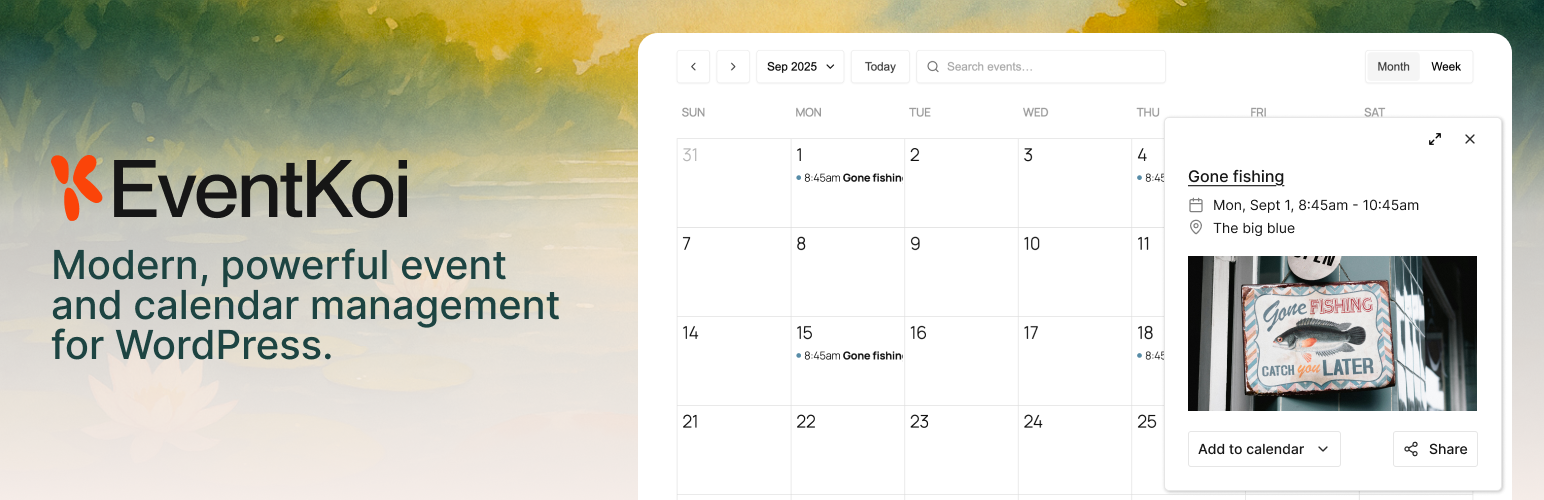
EventKoi Lite is a modern WordPress events calendar plugin built for site owners who want an unbloated and intuitive event management plugin. Create and manage in-person and virtual events, display a beautiful events calendar or event list, sell tickets, event bookings, manage RSVPs and attendees, all from a clean, intuitive admin.
✓ Events calendar & event list — Display events in a calendar, list, or grid view using blocks, shortcodes, Elementor, or Beaver Builder ✓ Event registration & RSVP — Let attendees register for events, manage capacity, and check in with check-in codes ✓ Sell event tickets with WooCommerce — Create multiple ticket types per event, set capacity and pricing, and sell tickets using any WooCommerce payment gateway including Stripe and PayPal ✓ Attendee management — Export your attendee list and manage check-ins from your WordPress admin ✓ In-person and virtual events — Supports Google Maps for venues and auto-detects visitor timezone for virtual and international events ✓ Google Calendar, iCal & Outlook sync — Let attendees add events to their own calendar with one click ✓ Accessible & responsive — Keyboard navigation, ARIA labels, and a fully mobile-friendly events calendar ✓ Event SEO — Automatic JSON-LD structured data markup so your events appear in Google search results and rich snippets ✓ Blocks, shortcodes & page builders — Works with Gutenberg, Elementor, and Beaver Builder out of the box ✓ Secure, well-built code that follows WordPress coding standards ✓ Active development, responsive support, and thorough documentation
Need recurring events, unlimited calendars, and custom fields? Upgrade to EventKoi Pro →
Event management
- Add multiple event days, each with its own start and end time
- Create multiple venue events. Combine in-person and virtual event locations
- Create in-person events with Google Maps venue embedding
- Create virtual events with automatic visitor timezone detection
- Use your WordPress site’s date, time, and timezone settings
- Customize event page templates in the block editor
- Localization-ready
Events Calendar & Event Listing
- Embed an events calendar using a block, shortcode, Elementor widget, or Beaver Builder module
- Display an event listing as a list or grid view
- Filter events by date range or calendar
- Accessible calendar views with full keyboard navigation and ARIA labels
- Fully responsive and mobile-friendly for all screen sizes
- Set the calendar’s starting day of the week
- Choose 12 or 24-hour time display
- Organize all your events under your events calendar. Upgrade to Pro for multiple calendars to segment events by category, location, or type
Event Registration & RSVP Management
- Set event capacity and display remaining spots to encourage signups
- Let attendees submit and update their event registration (RSVP)
- Send automated confirmation emails with check-in codes
- Manage attendee registration and check-ins from WordPress admin
- Export your full attendee list
Sell Event Tickets & Event Booking with WooCommerce
- Use any WooCommerce payment gateway (Stripe, PayPal, and more) to sell tickets directly from your WordPress site
- Create multiple ticket types per event (e.g. General Admission, VIP, Early Bird)
- Set individual pricing, capacity, and availability for each ticket type
- Offer free tickets or paid tickets
- Set ticket sale windows — open and close ticket sales on specific dates
- Set a maximum number of tickets per order
- Show or hide remaining ticket quantities to create urgency
- Add terms and conditions per ticket type
- Require buyers to have a WordPress account, or auto-create one at checkout
- Automated ticket confirmation email with check-in code sent on purchase
- Automated refund confirmation emails
- Manage all ticket orders and attendees from your WordPress admin
- Track tickets sold and total earnings with built-in reporting
- Export your full attendee list
Calendar Sync & Sharing
- Let visitors add events to Google Calendar, iCalendar, Outlook 365, or Outlook Live
- Auto-detect visitor timezone for virtual and international events
- Social sharing built in
Event SEO & Structured Data
EventKoi Lite automatically outputs JSON-LD structured data for every event, helping your events appear in Google Search rich results and event snippets. Structured data is built in, no configuration needed.
Page Builder Integrations
- Elementor: Embed an events calendar or event data using native Elementor widgets
- Beaver Builder: Embed an events calendar or event data using native Beaver Builder modules
Block editor and shortcode support
- Shortcode builder: Build shortcodes with multiple queries to display a calendar or list of events
- Block Editor: Add an events calendar, event query loop block or event data block directly in the WordPress editor
Import events from The Events Calendar
- Switching from The Events Calendar? Import your events in minutes with our built-in migration tool
- Event titles, descriptions, dates, times, and timezones
- All-day and multi-day event settings
- Venue and location data
- Organizer information
- Event categories
- Recurrence rules (converted to EventKoi’s recurring event format)
- Google Maps embed settings
- Featured images
- Duplicate events detector. Re-running the importer won’t create duplicates.
Get advanced features with EventKoi Pro
- Recurring events
- Create advanced rules for events that repeat daily, weekly, monthly, yearly,
- Edit individual event instances (custom name, location, description, and more)
- Automatically create a dedicated event series page
- Custom fields
- Add custom fields and field groups to any event
- Import custom fields from The Events Calendar
- Multiple event calendars
- Lite includes one calendar. Pro unlocks unlimited calendars so you can segment events by type, department, location, or audience
- Advanced Elementor and Beaver Builder integrations
- Build custom templates and use Loop features to build queryable event lists.
- Priority support
- 30-day money-back guarantee Get EventKoi Pro →
Helpful links
- EventKoi documentation
- EventKoi blog
- Support Forum (please check existing threads before starting a new one)
- Contact us (for non-support related questions)
External services
This plugin can connect to the Google Maps JavaScript API in order to display interactive maps inside event and calendar views. It sends your configured Google Maps API key (if provided) along with requests made by the visitor’s browser when viewing a page that contains an embedded map. No personal data is sent by the plugin itself, but Google may collect usage data in accordance with their policies. This connection only happens if maps are enabled in the plugin settings and a page with an event location map is viewed. This service is provided by Google LLC: Terms of Service, Privacy Policy.