
El método más sencillo para enlazar WordPress con APIs externas
JCI simplifies the task of retrieving data from a third-party REST API. The returned JSON-, XML, CSV, TXT-data can be neatly arranged and showcased on your WordPress site via a shortcode, a JCI Block or PHP. The plugin can generate a template for the data display.
20 segundos: Carga de datos de API y visualización
7 minutos: Introducción básica a la JCI gratis
Examples, Preview
Comprueba la demostración en vivo para explorar cómo interactuamos con varias API VISTA PREVIA EN VIVO – WordPress y una API externa
Video: How to use the Wikipedia API
Características principales del plugin
- Low code usage: Save time and avoid coding using an API
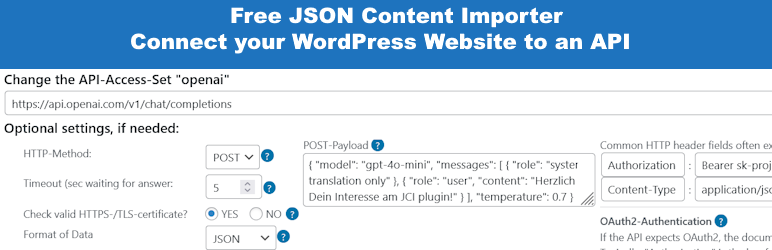
- Insert an API-URL into Step 1: Data is loaded, and and displayed. Save it as API-Access-Set.
- Use the API-Access-Set in Step 2 to create a Shortcode
- Optional for maximum flexibility: Use the API-Access-Set n PHP code
- Insertar una URL-API en el bloque JCI: Se cargan los datos y se puede generar una plantilla para mostrar los datos.
- Fácil de empezar: Comprueba la instalación – ¿Está tu WordPress listo para JCI? ¡Lo más probable!
- Basic Settings: Check SSL, Cacher, Gutenberg and Authentication
- ContactForm7 Integration: Rellena los formularios CF7 con datos JSON y reenvía los datos enviados por CF7 a una API.
- Utiliza la caché de JCI para evitar muchas solicitudes de API
- JCI-Block : Use the simple JCI Block interface to get data! Query the API and check the response. Then utilize the simple template generator inside the JCI Block to use the data!
- Contact Form 7 Integration: Rellena el formulario y envíalo a la API
Documentación
There’s a wealth of resources and support at your fingertips. Explore the articles listed below to begin your journey:
- JCI Manual
- Paso 1: Acceder a los datos
- Paso 2: Uso de los datos
- Shortcode – Estructura básica
- Integración con Contact Form 7
- Plugin JCI gratuito: Vídeos de resumen
- Plugin JCI gratuito: Empezar
¿Necesitas más?
JSON Content Importer PRO
Tanto el plugin gratuito como el PRO JCI tienen el mismo propósito: recuperar datos, transformarlos y publicar los resultados. Sin embargo, mientras que el plugin gratuito solo puede manejar los retos básicos, el plugin PRO JCI ofrece un control casi total sobre WordPress, la base de datos y las aplicaciones. Compara: plugin gratuito vs. JCI PRO
PRO features: * application building by creating a searchform and connect it to a JSON-API in the background: pass GET-Variables to use a dynamic JSON-Feed-URL («talk to API / webservice») * much better and more flexible templateengine: twig * create and use Custom Post Types * store Templates independent of pages * more Shortcode-Parameters * executing Shortcodes inside a template * more features…