KU Sticky Video for YouTube

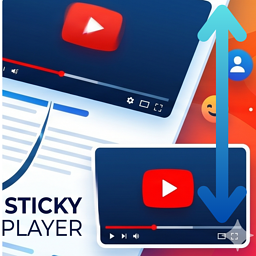
Create a seamless and engaging viewing experience with KU Sticky Video for YouTube. This lightweight plugin automatically turns your YouTube embeds into a floating video (a sticky video in picture in picture style) that follows the reader as they browse your content.
When a user scrolls past a playing video, the player smoothly glides to the corner of the page so they can keep watching. This prevents interruptions, keeping users engaged with your content while they read. (You can also configure it to float always on scroll.)
Whether you want to implement youtube scroll tracking or a simple floating video widget, this plugin delivers high performance with zero configuration needed.
Resources
- 📖 Interactive Demo & Guide: To experience the sticky video effect live on a blog post, read the backstory behind the plugin, and see setup screenshots, check out the KU Sticky Video for YouTube Introduction & Live Demo.
- 💻 Open Source: This plugin contains minified JavaScript for performance. The complete, unminified source code is available on GitHub.
Features
- Float YouTube video player automatically when it scrolls out of view.
- Choose display position: Bottom Right or Bottom Left.
- Flexible trigger options: float only when playing or float always (scroll follow).
- Hide the floating player when scrolling above the original video position.
- Customize video width using either pixel (px) or percentage (%) units.
- Set maximum width limits for percentage-based sizing (keep within original video width or set custom pixel threshold).
- Adjust Z-index to prevent overlapping with theme header menus, widgets, or popups.
- Automatically limits sticky video height to 50% of viewport to prevent blocking screen space.
- Protect mobile user experience by disabling the sticky video player on narrow viewports automatically.
- Exclude specific videos using a customizable CSS class.
- Beautiful and clean admin settings page.
Free vs Pro Feature Comparison
Need more control? KU Sticky Video for YouTube Pro adds a suite of advanced options for power users and professional sites. 👉 View Pro details and pricing | Try the live demo
- Target Video Selection: [Free] Exclusion mode only — add a CSS class to opt videos out. / [Pro] Inclusion mode also available — add a CSS class to opt specific videos in.
- Multiple Video Support: [Free] Only the first matched video becomes sticky. / [Pro] Sticky target auto-switches to whichever video is currently playing.
- Sticky Positioning: [Free] Bottom-right and bottom-left. / [Pro] All four corners (top-right and top-left added).
- Screen Margins: [Free] Fixed at 20px from screen edges. / [Pro] Independently adjustable in pixels for horizontal and vertical offsets.
- Maximum Player Height: [Free] Fixed at 50% of viewport height. / [Pro] Adjustable from 10% to 100% of viewport height.
- Exclusion Zones: [Free] Not available. / [Pro] Suppress sticky within a defined pixel range from the top or bottom of the viewport — useful for avoiding overlap with fixed headers, ads, or cookie banners.
- Mobile Handling: [Free] Auto-disables when the viewport is too narrow for the player. / [Pro] Also supports a custom viewport-width breakpoint to disable sticky on specific device sizes.
- Keep Sticky on End: [Free] Not available. / [Pro] Optionally keep the player sticky after playback ends — great for tutorials and course content.
- Player Styling: [Free] Fixed design (8px border-radius, default shadow, no border). / [Pro] Fully customizable border-radius, shadow opacity, border width, and border color.
- Close Button: [Free] Standard design, fixed at top-right. / [Pro] Customizable colors and placement (all 4 corners). Option to show only when the video is paused.
- Live Preview: [Free] Not available. / [Pro] Real-time preview in the settings panel with one-click reset to defaults.
- Filter Hooks: [Free] Not available. / [Pro] Override settings conditionally per page via a filter hook in functions.php.
- Updates: [Free] Auto-updates through WordPress.org. / [Pro] Auto-updates via the WordPress dashboard after license activation in settings.
How can I prevent a specific YouTube video from floating?
You can add the excluded CSS class (configured in the settings page, default: no-sticky) to the YouTube block or its parent container in the WordPress editor under «Advanced» -> «Additional CSS class(es)».
Will this plugin slow down my website?
No, it is built with performance in mind. The plugin is extremely lightweight (minified vanilla JS, no jQuery) and utilizes conditional loading. This means scripts and styles are only loaded on pages or posts that actually contain YouTube video embeds. Other pages will remain completely untouched.
How do I fix the floating player overlapping with my header menu or chat widget?
You can adjust the Z-index setting in the plugin options (Settings -> KU Sticky Video for YouTube). Increasing the Z-index will bring the player forward, while decreasing it can place it behind sticky menus. You can also switch the display position between Bottom Right and Bottom Left.
Can I disable the sticky effect on mobile devices?
Yes. There is a setting to automatically disable the sticky player on narrow viewports (mobile devices). This ensures a clean and user-friendly experience on smaller screens where screen space is limited.
Does it work with the default WordPress Gutenberg editor?
Yes, it works out of the box with the default WordPress YouTube Embed blocks, as well as classic editor embeds and raw iframe codes within post content.
Is there a Pro version with more features?
Yes! KU Sticky Video for YouTube Pro extends the free plugin with advanced targeting, full design customization, exclusion zones, per-page filter hooks, and more. 👉 View Pro details and pricing | Try the live demo
Build Instructions (for developers)
To rebuild the minified assets, run the following commands in the plugin directory:
1. npm install (to install build dependencies)
2. npm run build (to compile the source files using @wordpress/scripts)
1.8.8
- Improve: Prevent duplicate script tags by checking for existing YouTube API scripts in the DOM.
- Fix: Ensure YT.get() utilizes the element’s ID string as the primary argument per official API specification with a DOM element fallback.
1.8.7.1
- Update: Updated documentation, added a resource link to the setup guide, and optimized the changelog.
1.8.7
- Improve: Split the Trigger Settings description into two lines with a tooltip footnote for the free-version limitation note, improving readability and translation granularity.
- Add: Pro version upsell card at the bottom of the settings page with a link to the sales page.
1.8.5
- Fix: Resolved an issue where a paused sticky video would unexpectedly reappear when scrolling back to the original position and then scrolling past it.
1.8.4
- Fix: Resolved an issue where a paused sticky video would be permanently dismissed on mobile scroll (due to height-only resize event from address bar toggling) or screen orientation change.
1.8.3
- Add: Settings link on plugins list page.
1.8.2
- Fix: Resolved an issue where sticky borders and box-sizing styles would leak and remain on the original video player after dismissing the sticky state.
1.8.0
- Improve: Migrated scroll tracking to IntersectionObserver API to eliminate layout reflows (getBoundingClientRect) for a much smoother scroll experience.
- Improve: Implemented conditional asset loading on PHP side to skip loading JS/CSS on singular pages that do not contain any YouTube video embeds.
1.7.0
- Add: Support for percentage (%) and pixel (px) width units for the floating player.
- Add: Max-width constraints for percentage-based sizes to prevent exceeding original video width or a custom pixel limit.
- Add: Configurable Z-index option to resolve overlapping with sticky header menus and chat widgets.
- Add: Option to hide the floating player when scrolling above the original video’s position.
- Improve: Auto-limit the floating player’s height to 50% of the viewport.
- Fix: Resolved issue where the sticky player was not dismissed when playing another video while a sticky video is paused.
- Fix: Refined YouTube API iframe loading and initialization timing.
1.6.1
- Improve: Refine Japanese translation strings for better settings page clarity.
1.6.0
- Add: Option to select display position (Bottom Right or Bottom Left).
- Add: Option to automatically disable sticky video on narrow (mobile) viewports.
- Improve: Enhance internal hooks and architecture to support future extensions.
1.5.0
- Rename: Renamed plugin from «Sticky YouTube» to «KU Sticky Video for YouTube».
1.4.3
- Fix: Compatibility headers and PHP version compatibility.
- Fix: Settings page security enhancements.
- Add: License declarations for WordPress.org submission.
1.0.0
- Initial release.