
Smart Image Resize – Make WooCommerce Images the Same Size
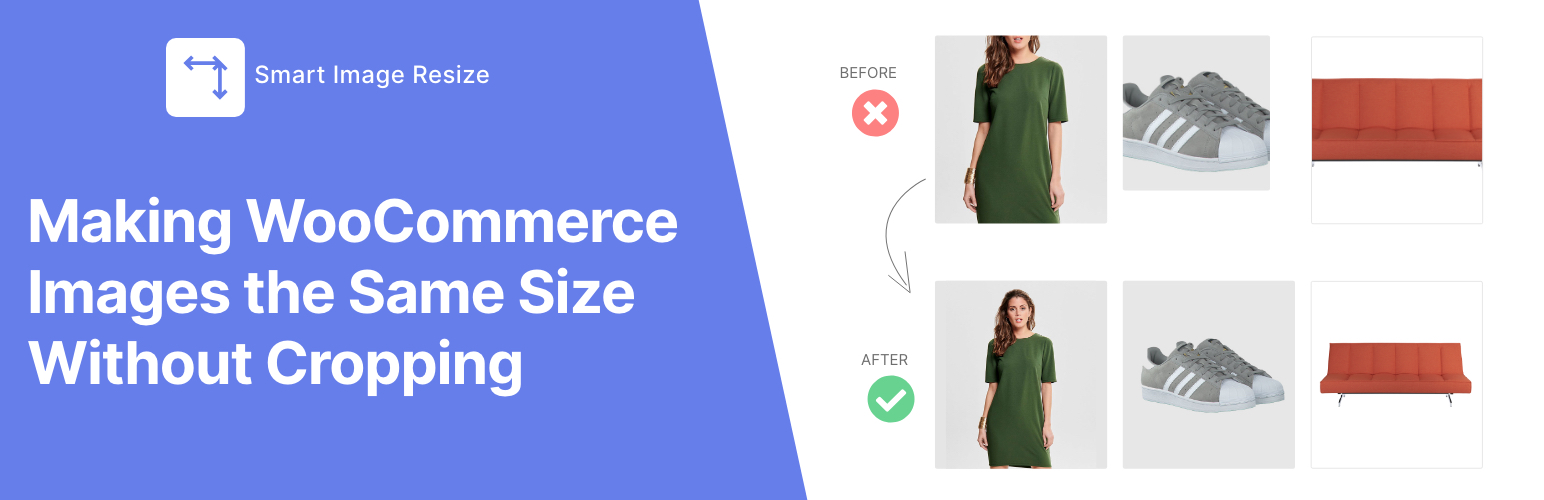
Smart Image Resize makes your store look professional with product images that are all uniform and the same size without cropping.
- Zero-configuration.
- No more manual image editing and photo resizing.
Key Benefits
- Uniform Sizing: Automatically makes all WooCommerce product images the same size and aspect ratio, eliminating messy, inconsistent product grids.
- No More Cropping Headaches: Preserves the entire product within the image frame by adding a neutral background — no important parts of your product ever get cut off.
- Whitespace Trimming: Trims unwanted white space around the product to keep it centered and prominent before resizing.
- Bulk Processing: Resize and fix your entire existing catalog.
- Performance Ready: Compress thumbnails and generate only necessary image sizes to boost your store’s loading speed.
Perfect for:
- WooCommerce stores with mixed product image sizes
- Dropshipping or supplier-imported product images
- Large catalogs (10,000+ products) needing automated image processing
- Multivendor marketplaces where sellers upload images in different sizes (Dokan, WCFM, etc.)
- Stores migrating themes and needing standard-size WooCommerce images
🛠️ Free Features
- ✅ Automatically resize and process new WooCommerce product images on upload
- ✅ Bulk resize up to 150 existing product images
- ✅ Trim unwanted whitespace to keep products centered and clean
- ✅ Add a custom background color to match your brand
- ✅ Compress thumbnails to boost site loading speed
- ✅ Generate only necessary thumbnails and remove unused ones to save disk space
- ✅ Select specific images to resize for more control
🔥 Pro Features
- ♾ No limits – Resize and optimize unlimited WooCommerce product images
- ✈️ PNG to JPG auto conversion – Reduce file size, keep quality
- 🚀 WebP image support – Serve next-gen WebP images for faster loading and better transparency support
- 🔒 Watermark protection – Automatically add watermarks to your resized images
- 🛟 Priority support – Get fast, dedicated support via chat or email
Check out Smart Image Resize PRO!
Here’s What Our Users Are Saying
★★★★★
«I am so impressed with this plugin. I never bother writing plugin reviews but this plugin blew my mind. Definitely upgrade.» – @buttonmode
★★★★★
«I downloaded the free version and after 3 minutes I bought the PRO version. The plugin is EXCELLENT! For a year I didn’t know what to do with WooCommerce photos, because we have 30,000 imported products with different photos.» – @prokurent
★★★★★
«I recommended this to a dev friend the day after I used it, he used it as well. (We both ended up getting the Pro version to leave it on, customers don’t care to crop their images on their own tbh).» – @jpontinen
★★★★★
«[••]The time saving benefits are enormous and the plugin support is A+. They have a chat that helps you solve any issues immediately.» – @chickwithbob
Usage
- In your WordPress dashboard, go to WooCommerce > Smart Image Resize > Bulk Regenerate.
- Click the Start Processing button to begin resizing your existing images. Feel free to adjust the settings by going to WooCommerce > Smart Image Resize > Settings For more details, see our documentation.
Note: Newly uploaded product images are automatically resized — no extra steps needed.
Explore Our Other plugins:
HurryTimer – A powerful countdown timer to create urgency and drive sales ReThumbify – A new tool to regenerate thumbnails in the background, with pause/resume functionality, old thumbnails cleanup, and selective regeneration.